What should you look for when buying?
Start with what will keep the picture visible in your room, then weigh up motion, detail and connections.
| Consideration |
What to check before buying |
Who is this important for? |
| Visibility in bright light |
Check the position of windows and lamps, SDR brightness and, if available, a reflection test for the exact model. Extra brightness is no substitute for assessing direct reflections. |
If you play during the day or have light falling on the screen, you’ll want characters and the interface to remain visible. Around 36% of consumers give visibility their highest priority. |
| Motion clarity during combat |
Compare tests at the refresh rate you’ll play at and check what frame rate your system achieves in those games. The highest overdrive setting isn’t automatically the best one. |
If you want to follow fast-paced shooter action, focus on blur and possible ghosting around moving objects. Around 29% of consumers put motion clarity first. |
| Detail and readability |
Compare Full HD and QHD at your intended screen size, and check whether your PC can run your chosen games at that resolution and the frame rate you want. |
If you prefer more detail at your chosen screen size, weigh that against your PC’s performance. Around 21% of consumers prioritise picture detail. |
| Connections and available speed |
Check the supported resolution and refresh rate combination for each input, then compare it with the outputs on your PC or console. |
If you switch between devices, you’ll want to use your intended screen mode through the connection available. Around 14% of consumers name device compatibility as their top priority. |
Brands and models for reference
The features mentioned apply to the specific models below and aren’t a general assessment of the whole brand.
Dell
The G2725D is a QHD IPS model you can use to compare connections and stated brightness.
- Dell lists 400 cd/m² and up to 180 Hz via DisplayPort for this model.
- According to Dell, HDMI supports QHD up to 144 Hz.
- These are stated specifications, not measurements of visibility in your room.
ASUS
The ROG Strix XG27ACS is a QHD IPS model with an adjustable stand and, according to ASUS, an anti-glare surface.
- ASUS lists a typical brightness of 350 cd/m² and up to 180 Hz.
- ASUS specifies a maximum of 144 Hz over HDMI.
- The anti-glare label isn’t an independent measurement of reflections.
MSI
The MAG 272QPF E20 is a QHD Rapid IPS model to consider when weighing up speed and available inputs.
- MSI lists 300 cd/m² for SDR and up to 200 Hz via DisplayPort.
- According to MSI, HDMI supports QHD up to 144 Hz.
- Check the specifications for the exact version and input before relying on a particular mode.
AOC
The 27G4HRE is a Full HD option at 27 inches for anyone weighing up a high refresh rate against the extra detail of QHD.
- The Joybuy product listing mentions Fast IPS, 200 Hz and 300 cd/m².
- These listings aren’t independent tests of reflections or motion clarity; check the exact version.
Joybuy products
This selection includes IPS gaming monitors for anyone weighing up visibility, fast-paced action and QHD or Full HD resolution in a bright room. Check which mode your PC or console supports through the chosen input for each model.
 No image available
Samsung Odyssey G5 G50F 32-inch IPS 180 Hz, LS32FG502EUXEN
An option if you’re looking for QHD gaming on a 32-inch IPS screen and want to adjust your viewing position.
The product information lists 2560 × 1440, 180 Hz, 300 cd/m², HDMI 2.0 and DisplayPort 1.2. The stand is height-, swivel- and tilt-adjustable.
View at Joybuy
 No image available
MSI MAG 272QPF E20 27-inch
A model to consider if you’re looking for a Rapid IPS monitor for fast-paced QHD shooters.
The product name lists WQHD and 200 Hz. For your intended setup, check which resolution and refresh rate the exact input supports.
View at Joybuy
 No image available
AOC Gaming Q27G42XNE 27-inch Quad HD 180 Hz
An option if you want to weigh up QHD detail and a high refresh rate against your own system’s performance.
The product name lists 2560 × 1440, 180 Hz, two HDMI 2.0 inputs and DisplayPort 1.4. The product information also mentions FreeSync Premium.
View at Joybuy
 No image available
MSI MAG 272F X24 27-inch Full HD IPS 240 Hz
A Full HD option if fast-paced shooter action and a high refresh rate matter more to you than QHD detail.
The product name lists 1920 × 1080, 240 Hz, HDMI and VGA. The product information also mentions AMD Adaptive Sync, VESA mounting and tilt adjustment.
View at Joybuy
 No image available
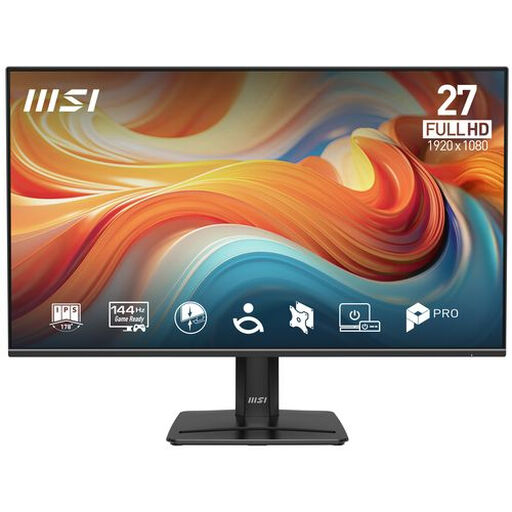
Philips PRO MP271 E14A 27-inch Full HD IPS 144 Hz
A Full HD option if you want to factor a matt finish and adjustable viewing position into your choice for a bright room.
The product information lists 1920 × 1080, 144 Hz, a matt anti-glare finish and 300 cd/m². HDMI, DisplayPort and tilt adjustment are also mentioned.
View at Joybuy
Frequently asked questions
Is a matt finish enough to stop sunlight reflecting off the screen?
No, a matt finish doesn’t guarantee that distracting reflections won’t be an issue. RTINGS explains that ambient light, brightness and reflection handling all affect what you see. Check where your windows and lamps are, and if possible, look for a reflection test of the exact model.
How do you set the refresh rate you want?
First, check which resolution and refresh rate the chosen input supports. Then connect a suitable source and select a supported display mode in your device’s settings. The highest figure quoted by the manufacturer isn’t automatically available through every port.
What can you do if your monitor develops a fault after the manufacturer’s warranty has expired?
For a consumer purchase in the Netherlands, your statutory guarantee may still apply if a product breaks during normal use sooner than you could reasonably expect. According to ACM ConsuWijzer, the retailer is your point of contact. The expected lifespan depends on the product and isn’t simply the same as the manufacturer’s warranty period.
Can you assess a monitor at home and return it if you bought it online?
For a standard online consumer purchase in the Netherlands, you generally have a statutory cooling-off period of up to 14 days after delivery. Check the terms for unboxing, trying out and returning the monitor before using it further.


