
Player with limited cockpit space
Looking for a screen that fits a small setup, including its stand and cables, without compromising the cockpit layout. Measure the available width and depth, not just the screen diagonal.


If you have limited cockpit space or use a console, a 16:9 monitor is generally the more practical choice. A 34-inch ultrawide is worth considering if your PC game supports the aspect ratio properly and you have enough room for it. Tweakers notes that a console does not fill an ultrawide screen completely. Next, compare your game and device output with the specifications, and if you’re considering OLED, check the maintenance and warranty terms for the specific model.
Looking for a screen that fits a small setup, including its stand and cables, without compromising the cockpit layout. Measure the available width and depth, not just the screen diagonal.
Considering ultrawide for a wider picture, provided their game and available space make it practical. Also check that the cockpit interface remains easy to see at the chosen aspect ratio.
Weighing motion handling and contrast for fast-paced combat in dark scenes, and keen to know the maintenance and warranty terms for an OLED model.
First, measure the available space and check which aspect ratio your game and gaming platform actually use. Then assess your device’s output and any OLED considerations.
| What to consider | What should you check? | Who is this most relevant to? |
|---|---|---|
| Fit and readability | Measure the width and depth, including the monitor stand; check there’s room for the cables and that you can read the cockpit interface from your seat. | If space is limited, I want the monitor to fit with its stand and cables, and to be able to read my cockpit interface clearly. Around 30% of consumers put physical fit and readability first. |
| Aspect ratio and field of view | Check whether the game and HUD support ultrawide; Tweakers notes that consoles do not fill an ultrawide screen completely. | If I mainly fly on PC, I want to know whether my game really uses the wider picture before making extra room for it. Around 30% of consumers prioritise a wider view that’s genuinely useful. |
| Motion and output | Compare the stated refresh rate with what your device, connection and game can output. Sony offers a test for 1440p output on PS5, with 60/120 Hz and VRR options available. | For fast-paced space combat, I want the screen, connection and game to support the output I’m after together, not just a high figure on the monitor’s specification sheet. Around 20% of consumers prioritise motion handling. |
| Dark scenes and OLED | Consider the panel type in relation to how you use it; for OLED, check the protection features and warranty terms for the exact model. | If I keep a cockpit interface on screen for long periods, I want to weigh dark-scene performance against OLED maintenance and my model’s terms. Around 20% of consumers prioritise contrast and maintenance. |
Extra width doesn’t automatically mean more usable game picture. Tweakers notes that consoles do not fill an ultrawide screen completely.
Check the aspect ratio and HUD position in the specific game, and measure whether the screen and stand will fit in your cockpit.
Output also depends on your device, connection and game. A high monitor specification on its own doesn’t tell you which display mode your setup can use.
Check the supported output of all the components together. Sony offers PS5 users a test for 1440p output and the available 60/120 Hz and VRR options.
The Joybuy listing for the MSI MAG 272QPF E20 mentions QHD and 200 Hz in the product title, but also gives different resolution and refresh rate figures elsewhere.
Before buying, check the full model code and key specifications with the manufacturer and retailer. Don’t treat the listing as confirmation until the discrepancies have been clarified.
MSI offers both a 27-inch QHD Rapid IPS option and QD-OLED models for those weighing up contrast and stated specifications.
The AW3426DWM is a 34-inch curved ultrawide for PC setups with enough width.
The MO27Q2A is a 27-inch QHD QD-OLED model for those who want OLED in a 16:9 format.
The Q27G4ZR is a 27-inch QHD Fast IPS option without OLED.
The Dutch product page for the Odyssey OLED G6 G60SD describes a 27-inch QHD OLED option.
This selection focuses on 27-inch gaming monitors for a compact cockpit, with LCD and OLED options. An ultrawide setup calls for a separate assessment of the available space and game support.
 No image available
A 27-inch Rapid IPS model for those looking for a compact LCD option.
The product title lists 2K WQHD and 200 Hz. The Joybuy listing gives different resolution and refresh rate figures elsewhere, so check the full specifications for the exact variant.
 No image available
A 27-inch Quad HD model for those looking for a compact gaming monitor with a high stated refresh rate.
The product title lists 2560 × 1440, 180 Hz, 1 ms, FreeSync Premium and HDR10. Check which output your device and game support.
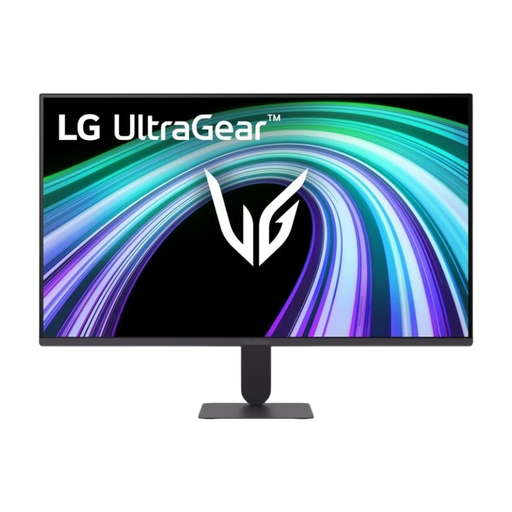 No image available
A 27-inch IPS model for those looking for a Full HD monitor in a compact setup.
The product title lists 144 Hz. Compare your preferred display mode with the output supported by your device and game.
 No image available
A 27-inch OLED model for those considering a compact 16:9 setup with OLED.
The product title lists WQHD and 280 Hz. If a cockpit interface stays on screen for long periods, it’s worth checking the maintenance and warranty terms for the specific model.
 No image available
A 27-inch QHD model for those looking for a compact IPS monitor with Adaptive Sync.
The product title lists 144 Hz. Check that your chosen connection and game support the display mode you want.
Measure the available width and depth, then compare them with the monitor’s dimensions, including the stand. Allow room for cables and any VESA mount too: the diagonal alone doesn’t tell you how much space the complete setup will take up.
Use the PS5 test for 1440p output and check which SDR/HDR, 60/120 Hz and VRR options your screen and connection support. Sony says that VRR results also depend on the screen and game.
Use the protection features as instructed in the manual for your chosen model, and read the warranty terms covering burn-in. MSI says OLED Care 2.0 reduces the risk, but that doesn’t mean burn-in is impossible.
ACM ConsuWijzer states that online purchases generally come with a 14-day cooling-off period after delivery, with some exceptions. Your statutory rights if a product doesn’t meet the terms of the contract are separate; a manufacturer’s warranty does not replace them.
No, the energy label doesn’t determine whether a monitor is suitable for your game. The European Commission states that computer monitors have an energy label rated from A to G; use the label and product information sheet for the specific model to compare energy information.