
Cockpit explorer
You play on a PC and mainly want a wider horizontal view during manoeuvres. Check how your game displays ultrawide images and its interface; RTINGS.com notes that consoles do not support ultrawide aspect ratios.


Choose ultrawide if you want a wider horizontal cockpit view on a PC and your game supports the aspect ratio and interface well. A 16:9 monitor is a more straightforward choice if support is uncertain or you also use a console. Then compare the resolution and refresh rate with what your PC and the connection you use can handle. If cockpit instruments remain on screen for long periods, OLED also means weighing its benefits for dark scenes and motion against the risk of burn-in.
You play on a PC and mainly want a wider horizontal view during manoeuvres. Check how your game displays ultrawide images and its interface; RTINGS.com notes that consoles do not support ultrawide aspect ratios.
You want maps, text and cockpit instruments to be easy to distinguish, and are weighing resolution against the frame rate your PC can achieve in your game. RTINGS.com points out that high resolution and refresh rates also require suitable PC performance and connections.
You often leave cockpit instruments in the same place for long periods and want to weigh up panel risks, motion handling and the terms for the model you choose. RTINGS.com describes the risk of burn-in when static images remain on an OLED screen for a long time.
Start with the aspect ratio and your game’s support for it. Then check whether your PC can deliver the resolution and frame rate you want.
RTINGS.com states that consoles do not support ultrawide aspect ratios. Even on a PC, a wider display is no guarantee that your game will show the HUD, maps and cockpit view in a way that works for you.
| What to consider | What should you check? | Who is this important for? |
|---|---|---|
| Horizontal view and game support | Check the resolution you want and how your game displays the HUD and maps; bear in mind the space available. | If I want to see more of the surroundings around the cockpit during manoeuvres, I first check that my PC game displays the aspect ratio and interface properly. Around 33% of consumers give a wide cockpit view top priority. |
| Readability and detail | Compare the native resolution with your PC’s performance in the game, and consider how easy the display is to read from your viewing distance. | If I want to distinguish maps, text and instruments clearly, I weigh up the resolution against the frame rate my PC can achieve. Around 25% of consumers prioritise easy-to-read details. |
| Panel with a fixed HUD | Check the panel type, usage terms and warranty conditions for the specific model. | If cockpit instruments stay in the same place for a long time, I want to factor in the risk of OLED burn-in when choosing. Around 25% of consumers give long periods of static images top priority. |
| Motion and varying frame rates | Check what your PC can handle in the game and which resolution and Hz combination the connection you use supports. | If smooth manoeuvres matter to me while the frame rate fluctuates, I look at how well the PC, monitor and connection work together. Around 17% of consumers prioritise smooth motion. |
The extra horizontal screen space is only useful if the game displays the aspect ratio and interface in a way that works for you. According to RTINGS.com, consoles do not support ultrawide aspect ratios.
Before choosing, check the aspect ratio, HUD and map display in your game, and make sure your PC’s connections support the mode you want.
The combination you can actually achieve also depends on game performance and the port you use. Dell lists different resolution and refresh-rate combinations for the Alienware AW3426DWM, depending on the connection.
Check the full port specifications and compare the resolution and Hz you want with what your PC can deliver in your game.
RTINGS.com describes a risk of burn-in when static images remain on an OLED screen for a long time. In a test of six OLED monitors, the publication also observed VRR flicker with irregular frame times; this finding does not necessarily apply to every model.
Consider the panel alongside how long fixed instruments remain visible, and check the usage and warranty terms for the specific screen. An LCD model may be a good fit if avoiding this OLED risk is a priority.
For the Gigabyte MO34WQC2, the manufacturer lists 1000 cd/m² for a 3% HDR window, compared with a typical SDR value of 250 cd/m² for a full-white image. These figures are therefore based on different image conditions.
Only compare brightness figures when the measurement conditions and screen area are the same.
For the 27-inch Q27G4XF, AOC lists a 16:9 QHD screen with Fast IPS and a refresh rate of up to 180 Hz.
Dell specifies the AW3426DWM as a 34-inch VA ultrawide with a resolution of 3440 × 1440 and a refresh rate of up to 240 Hz.
Gigabyte specifies the MO34WQC2 as a 34-inch OLED ultrawide with a resolution of 3440 × 1440, a refresh rate of up to 240 Hz and a KVM function.
LG specifies the UltraGear 34GX900A-B as a 34-inch OLED ultrawide with a resolution of 3440 × 1440 and a refresh rate of up to 240 Hz.
BenQ describes the MOBIUZ EX321UX as a 32-inch 4K model with mini-LED, HDMI 2.1, DisplayPort 2.1 and a KVM function.
This selection includes ultrawide monitors for PC gaming and 16:9 QHD models. Compare game support and your own PC’s performance before choosing an aspect ratio or resolution.
 No image available
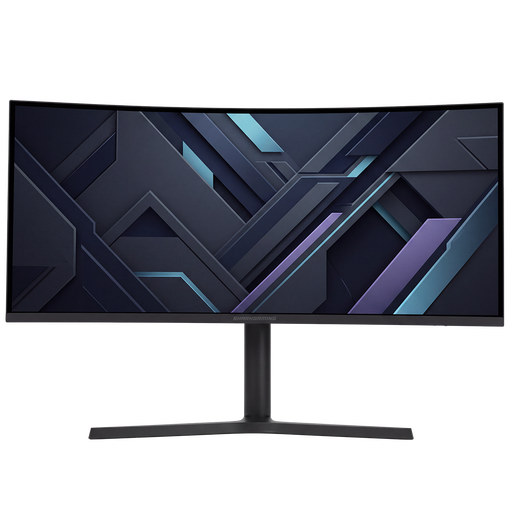
A good fit if you want to use an ultrawide display on a PC for a wider horizontal view during manoeuvres.
34-inch UWQHD gaming monitor.
 No image available
A good fit if you’re looking for an ultrawide PC monitor; check whether your game displays its interface well in this aspect ratio.
34 inches, 21:9, UWQHD, VA panel, curved 1500R, up to 200 Hz and 0.5 ms according to the product title.
 No image available
A good fit if you’re considering ultrawide viewing and OLED; if cockpit instruments stay on screen for long periods, bear in mind the risk of burn-in.
OLED, 3440 × 1440 and 240 Hz according to the product title.
 No image available
A good fit if you’re considering a 16:9 QHD option and want to avoid the specific risk of OLED burn-in; you’ll have less horizontal screen space than with ultrawide.
IPS, 32 inches and 180 Hz according to the product title.
 No image available
A good fit if you’re considering a QHD gaming monitor with a 16:9 format; it offers less horizontal screen space than ultrawide.
IPS, 144 Hz, Adaptive Sync, DisplayPort 1.4 and HDMI 2.0 according to the product title.
According to RTINGS.com, consoles do not support ultrawide aspect ratios. So if you use a console, don’t choose a monitor based solely on its extra width; check the supported output and connections on your console and monitor.
The combination you can achieve also depends on the game, your PC and the port you use. Dell lists different resolution and refresh-rate combinations for the Alienware AW3426DWM, depending on the connection. Check the full port specifications and the mode set on your PC and monitor.
According to RTINGS.com, static images displayed for long periods carry a risk of burn-in. Follow the instructions for your chosen model and check its specific warranty terms; this information does not establish a universally safe number of hours of use.
According to the European Commission, computer monitors that fall within the scope of the rules carry an energy label ranging from A to G. Compare the label and model information for screens that suit your use, including when using HDR.
According to the Dutch government, for eligible distance purchases you will often have a 14-day cooling-off period. You’re also entitled to a product that meets reasonable expectations in the Netherlands; if there’s a problem, contact the seller to find a solution. A manufacturer’s warranty does not replace these statutory rights.