What should you look for when choosing?
First, measure the space available for the screen and stand. Then compare readability and viewing height. Only after that, consider whether extra features, such as a higher refresh rate, suit your other games and devices.
| Concern |
What should you check? |
Who is this more important for? |
| Will the monitor fit on my desk? |
Measure the available width and depth, then compare them with the dimensions including the stand. If you’re considering a monitor arm, also check the VESA size and whether the mount will fit your desk. |
If I have limited desk depth, I want to know in advance whether the stand will fit without taking up my playing space; around 36% of consumers prioritise having enough desk space. |
| Are cards and game text easy to read? |
Compare the screen size, native resolution and your viewing distance. The ASUS VG249Q3A and BenQ EX240N are listed as 23.8-inch Full HD models; also check the adjustment options for the exact version. |
If I read lots of cards, rules and menus, I want to be able to see the whole screen comfortably from my viewing distance; around 29% of consumers put readability first. |
| Do I need a high refresh rate? |
The ASUS VG249Q3A and AOC 24G4X are listed with a maximum refresh rate of 180 Hz. Check whether your game and device can deliver that speed through the connection you choose; a stated refresh rate alone doesn’t tell you which monitor is best for card games. |
If I play faster-paced games as well as card games, I want to know whether the monitor and my device suit that use; around 21% of consumers prioritise a mix of gaming uses. |
| Are the positioning and connections right? |
Compare the connections on the monitor and your device, and check the adjustment options for the full model number. The ASUS VG249Q3A lists two HDMI 2.0 inputs and one DisplayPort 1.2 input; the BenQ EX240N lists one of each. |
If I want to connect several devices or adjust the viewing height, I want to know in advance what the model and its connections offer; around 14% of consumers prioritise connectivity and positioning. |
Joybuy monitors for a small workspace
This Joybuy selection includes portable 16-inch monitors and desktop models measuring 23.8 or 24 inches. Compare the listed screen features with how you plan to use the monitor, and check the dimensions and connections of the exact version before deciding whether it will fit your desk.
 No image available
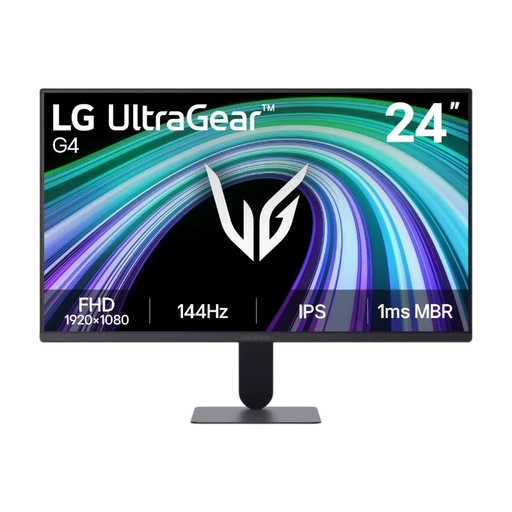
LG UltraGear 24G411B-B
A 23.8-inch Full HD gaming monitor to compare for card games and other gaming on a compact desk.
The description lists an IPS panel, 144 Hz, FreeSync, G-SYNC compatibility, VESA 100 × 100 mm and a stand with height and tilt adjustment. Check the connections and stand dimensions to make sure they suit your set-up.
View at Joybuy
 No image available
TECLAST V16H
A portable 16-inch screen to consider if you don’t have much room on your desk for a desktop monitor.
The product name and description list Full HD, 16:10, IPS, 144 Hz, FreeSync, USB-C, Mini-HDMI and a built-in kickstand. Check that the connections work with your computer or console.
View at Joybuy
 No image available
TECLAST V16Q
A portable 16-inch monitor to compare if you’re looking for a compact screen for a workspace with limited room.
The product name lists 2.5K, 144 Hz, IPS, 16:10 and two USB-C ports. Check which connection your device needs and whether the screen size suits your viewing distance.
View at Joybuy
 No image available
Shark 24-inch 1080p gaming monitor
A 24-inch Full HD IPS gaming monitor to include in your comparison for card games and other gaming.
The product name lists 200 Hz. The description mentions HDMI, DisplayPort, built-in speakers, VESA 100 × 100 mm and a stand with height, tilt, swivel and pivot adjustment. Check the dimensions and connections of the version you’re considering to make sure it suits your desk and devices.
View at Joybuy
 No image available
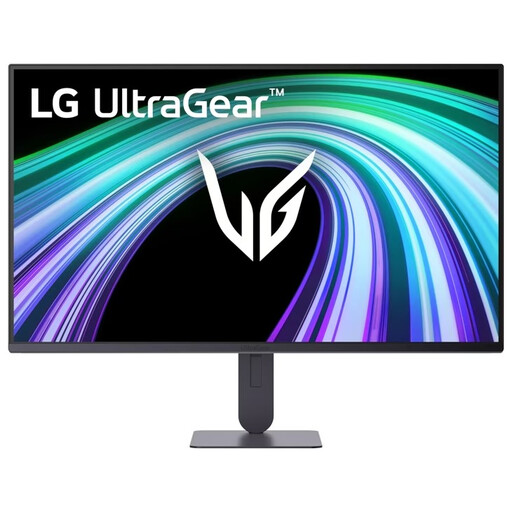
LG UltraGear 24G414B-B
A 23.8-inch Full HD gaming monitor to compare if you play games other than card games too.
The description lists an IPS panel, 144 Hz, FreeSync, G-SYNC compatibility, VESA 100 × 100 mm and a stand with height and tilt adjustment. Check the connections and stand dimensions to make sure they suit your set-up.
View at Joybuy
Frequently asked questions
Do I need 180 Hz if I mainly play digital card games?
No, a high refresh rate isn’t essential for digital card games. First, think about whether you also play games where fast movement matters to you, and check whether your device can deliver the speed you want through your chosen connection. ASUS lists 180 Hz for the VG249Q3A and AOC for the 24G4X; that figure alone doesn’t determine which monitor suits the way you play.
Can I replace the stand with a monitor arm?
The ASUS VG249Q3A and BenQ EX240N list VESA 100 × 100 mm. Before choosing an arm, also check that its weight capacity, mounting system and required space are suitable for your desk.
What additional accessories or terms should I check?
Check whether you need a suitable cable, separate speakers or a monitor arm, and read the retailer’s terms. In the Netherlands, statutory consumer rights are separate from any manufacturer’s or additional warranty. If a fault isn’t something you’d reasonably expect with normal use, the retailer is your point of contact.
Do I have a cooling-off period when buying online in the Netherlands?
Yes. According to ACM ConsuWijzer, a standard online consumer purchase usually comes with a statutory cooling-off period that ends 14 days after delivery. Check which exceptions apply and read the returns information before ordering.
What energy information can I compare for EU monitors?
According to the European Commission, computer monitors are covered by the EU energy labels for electronic displays, which use a scale from A to G. Compare the label and product information sheet for the exact version; a gaming name or high refresh rate isn’t an energy rating.


