
Card player with a small desk
You want to read your cards clearly without the monitor dominating your shared room. Compare the dimensions of both the screen and the stand; Dell and LG describe models that are around 23.8 inches.


Start with the desk space you have and how easy it is to read cards and text. A compact 23.8-inch Full HD screen is more likely to suit a small desk, while a 27-inch QHD screen gives you more room on screen if the monitor and stand will fit. For evening use, also check the brightness settings, connections and whether you can use headphones. A high refresh rate is not, in itself, a proven necessity for slower-paced card games.
You want to read your cards clearly without the monitor dominating your shared room. Compare the dimensions of both the screen and the stand; Dell and LG describe models that are around 23.8 inches.
You play while someone else in the room is resting, so you want to be able to adjust the brightness and use headphones for audio. Check the headphone socket on the exact model; LG lists one for the 24GS60F-B.
You want more room for cards, text or windows, and have space for a larger screen. The 23.8-inch Full HD and 27-inch QHD models we researched show how screen size and resolution can vary together.
Balance readability and desk space with evening use and the features you actually need.
| Consideration | What should you check? | Who is this important for? |
|---|---|---|
| Readable cards and text | Compare screen size and native resolution together: Dell lists the SE2422H as 23.8 inches with a resolution of 1920 × 1080; Samsung specifies 27 inches and 2560 × 1440 for the LS27CG552EUXEN. | If I want to make out small card text and interface elements clearly, readability comes first. Around 31% of consumers prioritise readable cards and text. |
| Desk space | Measure the available width and depth, then compare them with the monitor’s dimensions including the stand. Dell and LG list tilt adjustment for the models mentioned; check which adjustments the model offers. | If my desk has little room to spare, I want to know whether the monitor and stand will fit. Around 31% of consumers put available desk space ahead of other considerations. |
| Evening use with a room-mate | Check the brightness settings and headphone socket on the exact model. BenQ describes automatic brightness adjustment for models with Brightness Intelligence; LG lists a headphone socket for the 24GS60F-B. | If I play while my room-mate is resting, I want to be able to adjust the brightness and use headphones for audio. Around 23% of consumers prioritise being considerate of their room-mate. |
| Purchase and running costs | Compare the energy label for the exact models, and also consider size, resolution and connections. The European Commission lists an energy label scale from A to G for electronic displays. | If I want to weigh up purchase and running costs together, I compare the features I need before choosing extra gaming features. Around 15% of consumers prioritise total costs. |
The high refresh rate of the models discussed is a specification, but it does not prove that it offers a necessary benefit for slower-paced card games. Philips’ explanation of its 180Hz model focuses mainly on fast-paced, competitive games.
Assess readability, size and connections first. Then weigh up the refresh rate against the other games you play.
Otherwise, you could pay for a feature whose benefits for your card games have not been demonstrated.
The stand takes up space too and can affect where you can place the monitor. The Dell SE2422H and LG 24GS60F-B models we researched list tilt adjustment; check the dimensions and adjustability of the exact model.
Measure the free width and depth on your desk, then compare them with the monitor’s dimensions including the stand.
A miscalculation could mean rearranging your desk or needing a different stand.
A headphone socket depends on the model. Brightness Intelligence is a specific BenQ technology and is not automatically available on every monitor.
Check the features listed for the exact model and see whether your connected device can send game audio to headphones.
If the connection you want is missing, you may need another audio solution or to adjust the brightness manually.
The SE2422H is a compact Full HD option to compare for general use.
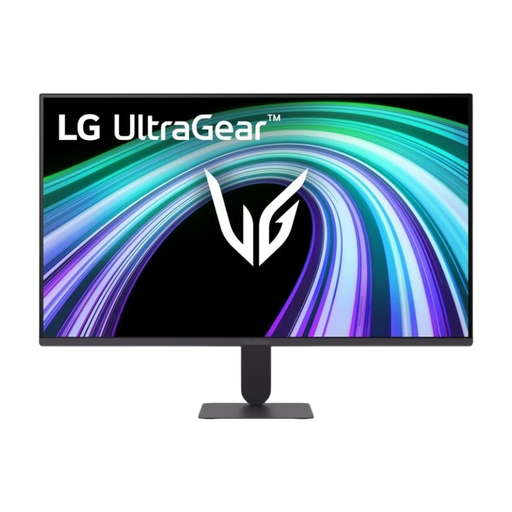
The UltraGear 24GS60F-B is a compact Full HD gaming model to compare.
The Odyssey G5 G55C LS27CG552EUXEN is an example of the larger, curved QHD option.
Worth considering if you’re looking at a specific model with automatic adjustment to ambient light.
The Evnia 24M2N3200A/01 is a 23.8-inch Full HD gaming monitor to compare.
These Joybuy options include compact Full HD monitors and a 27-inch QHD model. Compare their dimensions, resolution and connections with your desk, device and playing style.
 No image available
A compact Full HD option if you need a headphone socket for use in a shared room.
The product information lists a 23.8-inch screen, 1920 × 1080 resolution, IPS, anti-glare, 144 Hz, HDMI, DisplayPort and a headphone socket. The stand is height- and tilt-adjustable.
 No image available
A 24-inch Full HD option to compare if you’re looking for a headphone socket.
The product information lists 1080p Full HD, an IPS panel, 144 Hz, Adaptive Sync, tilt adjustment and a headphone socket.
 No image available
A compact Full HD option if you want to adjust the viewing height.
The product information lists 1920 × 1080 resolution, IPS, 100 Hz, built-in speakers and a stand with 150 mm of height adjustment.
 No image available
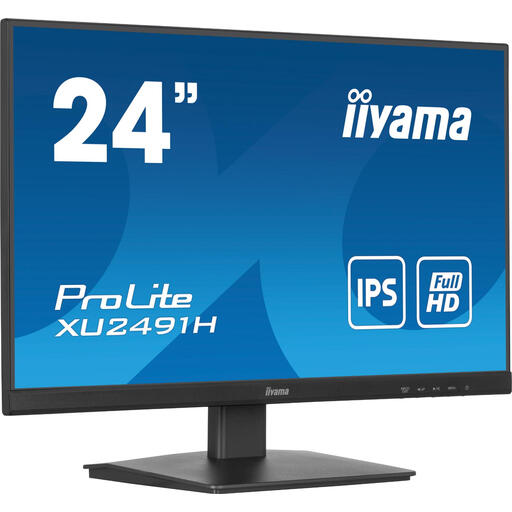
A compact screen to consider if you want to use a headphone socket.
The product information lists a 23.8-inch screen, 1920 × 1080 resolution, IPS, 100 Hz, HDMI, DisplayPort, a headphone socket and tilt adjustment.
 No image available
A larger QHD screen to compare if you want more room for cards, text or windows and have space on your desk.
The product information lists 2560 × 1440 resolution, a QD-OLED panel, 240 Hz via DisplayPort and 144 Hz via HDMI. The 27-inch screen needs more desk space than a compact monitor.
No. The product specifications discussed do not show that 180 Hz is necessary for card games. First, choose a size and resolution that make your cards easy to read; Philips’ explanation of its 180Hz model focuses mainly on fast-paced, competitive games.
Check that the video input is compatible with your device, that the stand fits on your desk and that you can use headphones for audio. Connections and adjustability vary by model, so check the specifications for the exact version.
Compare the EU energy label and product information for the exact models. The European Commission says that electronic displays, including computer monitors, are given an energy class on a scale from A to G.
According to ACM ConsuWijzer, with a standard online purchase you generally have up to 14 days after delivery to change your mind; check which exceptions apply. If the monitor breaks during normal use sooner than you could reasonably expect, the seller must resolve the issue under the legal guarantee, according to ACM ConsuWijzer.