
Vandaag of morgen in huis

Kwaliteit gegarandeerd

Welkomstaanbiedingen ontgrendelen: GRATIS bezorging | Tot 80% korting | Gratis 30 dagen JoyPlus-proefperiode
Download de app
Buying a gaming monitor sounds simple, until you have to choose between 100Hz, 144Hz, 240Hz, 300Hz or 320Hz. Then there is the resolution, panel type, connections and screen size to consider. Marketing copy often focuses on one impressive figure, while other features are described less clearly.
The right choice depends on your games, graphics card, console, viewing distance and everyday use. With the checks below, you can avoid paying for features you are unlikely to use.
A 240Hz gaming monitor or 320Hz gaming monitor can display smooth motion, but your computer must also deliver enough frames per second. If your system only reaches 90 fps in a game, you will not make full use of 240Hz. For casual gaming, office work and consoles, 100Hz to 144Hz may already be a practical choice.
Also check which connection provides the highest refresh rate. HDMI and DisplayPort versions may impose limitations, depending on the resolution.
Manufacturers sometimes quote an extremely low response time, such as 0.4ms or 0.5ms. The testing method can vary: GTG and MPRT are not the same. So look at the complete product specification rather than just the smallest number on the packaging.
A monitor with Adaptive Sync can also help handle differences between your graphics card’s frame rate and the screen’s refresh rate. However, check that the feature is supported by your graphics card and connection.
HDR10 support means that the screen can process HDR10 signals. The final picture also depends on brightness, contrast, local dimming and the content you are viewing. Consider HDR10 a technical feature, rather than an automatic guarantee of visibly greater dynamic range.
A Full HD gaming monitor with 1920 × 1080 pixels puts less strain on your graphics card than a QHD gaming monitor. This makes Full HD suitable for high frame rates and entry-level or mid-range systems.
A 2K gaming monitor or QHD gaming monitor usually has 2560 × 1440 pixels. On a 27-inch monitor, this generally gives you a clearer view of text and details than Full HD. QHD can also be an attractive option on a 32-inch monitor, but it requires more graphics performance.
An ultrawide monitor often uses a 21:9 aspect ratio. A 34-inch monitor with 3440 × 1440 pixels provides extra horizontal workspace for multitasking and a wider field of view in compatible games. Check beforehand that your desk is deep and wide enough.
An IPS monitor is known for wide viewing angles and consistent colours. This can be useful for office work, photo or video editing, and games where colour reproduction matters.
A VA monitor often offers higher static contrast according to the product specifications. As a result, dark scenes may appear differently. The choice between IPS and VA depends on your preference for colour consistency and contrast, as well as the price available.
Also consider ergonomics. A height-adjustable stand, tilt function and monitor with VESA mounting may be more important than a few extra hertz when you use the screen every day.
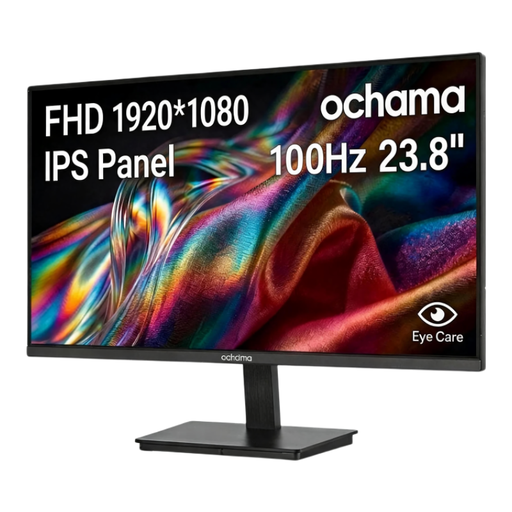
Why it suits this profile: The 23.8-inch size and Full HD resolution are well suited to a compact home office or gaming setup. The 100Hz refresh rate is useful for everyday work, videos and casual gaming.
The specifications clearly state that this is a 1080p screen running at 100Hz. You therefore do not pay for a high refresh rate that your hardware may not be able to use.
23.8 inches, 1920 × 1080 pixels, 100Hz and a slim three-sided bezel. According to the product description, it also features a blue-light filter.
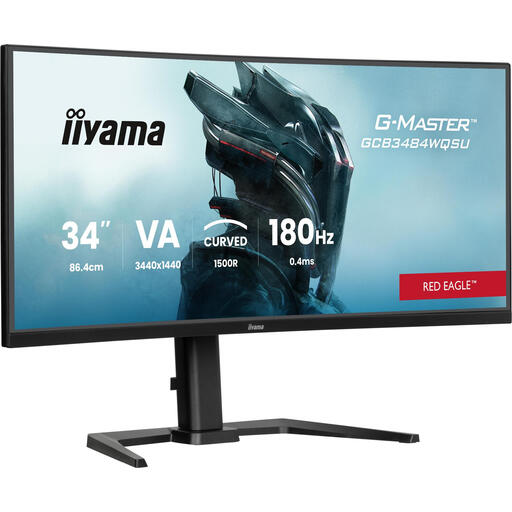
Why it suits this profile: This screen combines a 34-inch ultrawide format with 3440 × 1440 pixels. It is suited to users who want to combine gaming, multitasking and entertainment on one wide monitor.
The resolution, aspect ratio and refresh rate are listed together. DisplayPort, HDMI, USB and VESA compatibility are also specified.
180Hz, 1500R curvature, built-in speakers, USB hub, height-adjustable stand and HDR support according to the product information.
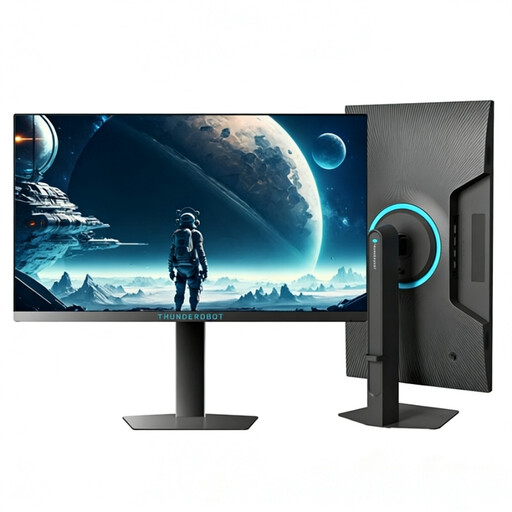
Why it suits this profile: The 320Hz refresh rate is aimed at PC gamers who play competitive games and have hardware capable of delivering high frame rates. The Full HD format keeps the graphics load lower than QHD.
The choice of 1920 × 1080 pixels matches the aim of achieving a high refresh rate. However, check that your PC can actually exceed 240 fps.
24.5 inches, Full HD, 320Hz, 450 nits according to the product specifications, plus a height-adjustable and swivel stand.
We have put together a complete, up-to-date list of products that fully meet these strict selection criteria and the applicable European safety regulations.
For many PC and console gamers, a 144Hz gaming monitor offers a practical balance between smooth motion, price and the graphics performance required. If you mainly play competitive shooters and achieve a high frame rate, 240Hz or higher may be more suitable.
Its lifespan depends on usage, heat, transport and power quality. Place the screen securely, keep the ventilation openings clear, and use the supplied cables and adapter. Switch the screen off when you will not be using it for an extended period, and clean it with a soft, dry cloth.
Power consumption varies depending on the size, brightness, resolution and panel type. A larger ultrawide screen may use more electricity than a compact Full HD model. Check the stated typical power consumption and use energy-saving mode when the monitor is not actively being used.
