
Vandaag of morgen in huis

Kwaliteit gegarandeerd

Welkomstaanbiedingen ontgrendelen: GRATIS bezorging | Tot 80% korting | Gratis 30 dagen JoyPlus-proefperiode
Download de app
Buying a gaming monitor seems simple until you start comparing refresh rates, resolutions, panel types and connections. Marketing terms such as “1 ms”, “HDR” and “high speed” don’t always tell the whole story. A screen might look fast on paper, but still not be the right fit for your PC, console or desk.
Look out for these three common pitfalls:
The refresh rate tells you how many times per second the image is updated. A monitor with a high refresh rate generally feels smoother when the camera moves quickly.
Also check that your cable and connection support your chosen resolution and refresh rate. For example, Lenovo LOQ models list HDMI 2.1 and DisplayPort 1.4, while some screens use an older HDMI version.
A 24-inch monitor or a 23.8-inch Full HD monitor keeps pixels manageable and places less demand on your graphics card. This often works well for fast-paced esports games. A 27-inch QHD monitor offers more screen space and sharper detail, but requires a more powerful PC.
Common combinations include:
A curved monitor can change your viewing experience, but its curvature should suit your viewing distance. A 1500R or 1800R screen is generally most comfortable when you’re sitting directly in front of it, and takes up more space than a flat screen.
An IPS gaming monitor is known for wide viewing angles and consistent colour reproduction, according to the product specifications. VA panels often place more emphasis on contrast. An OLED gaming monitor can offer deep blacks and fast stated response times, but check the terms of use and warranty for your intended use.
Also check:
Manufacturers may promote features such as eye comfort, HDR performance or motion clarity. Treat these as information from the product specifications or the brand’s own research, rather than as guaranteed personal results. Set up your screen correctly, take regular breaks and follow the safety instructions.
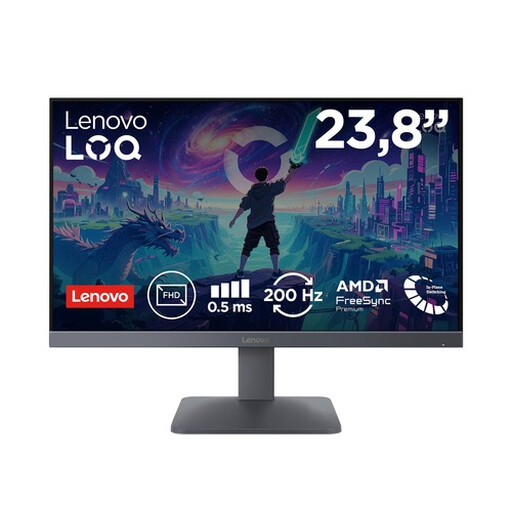
Why it suits this profile: The 23.8-inch Full HD screen takes up little space and combines a 200Hz refresh rate with a Fast IPS panel. It’s a good fit for players who enjoy fast-paced PC games but don’t want to step up to a larger QHD screen.
The stated specifications list both 200Hz and 0.5 ms MPRT/1 ms GtG. Just make sure your PC can actually make the most of this speed.
200Hz, Full HD, Fast IPS, AMD FreeSync Premium and HDMI 2.1, according to the product specifications.
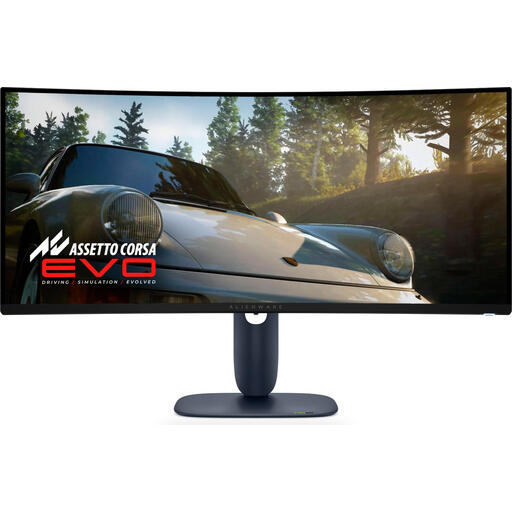
Why it suits this profile: This curved 34.2-inch screen combines a 3440 × 1440 resolution with 240Hz. It’s designed for people who want to bring gaming, multitasking and picture quality together in one wide workspace.
The resolution and refresh rate are clearly specified. Bear in mind that ultrawide QHD puts greater demands on your graphics card.
QD-OLED, 3440 × 1440, 240Hz, DisplayPort, HDMI and USB connections, according to the product specifications.
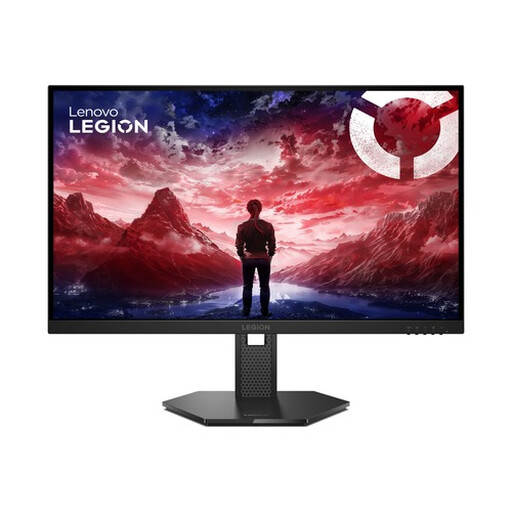
Why it suits this profile: For esports players looking for a fast 27-inch screen, this model offers 240Hz, an IPS panel and a stand with a wide range of adjustment options.
The monitor explicitly lists G-SYNC Compatible, FreeSync Premium and VESA Adaptive Sync. This makes it clearer which synchronisation options you can check for compatibility.
240Hz, 0.5 ms MPRT, 2 HDMI 2.1 ports, plus height, swivel, tilt and pivot adjustment, according to the product specifications.
We’ve put together a complete, up-to-date list of products that meet these strict selection criteria and comply with current European safety regulations.
For many players, yes. A 144Hz gaming monitor is a sensible choice for fast-paced PC games and casual gaming. 180Hz, 200Hz or 240Hz may be worth considering if your PC consistently delivers higher frame rates and you mainly play competitive games.
Check your console’s maximum resolution and refresh rate, as well as the HDMI version it uses. The Lenovo LOQ 24-10 and LOQ 27-10 list support for PlayStation 5, Xbox Series X/S and Nintendo Switch, among others. Once connected, also check the settings on the console itself.
This varies depending on the panel, brightness, resolution and screen size. A large ultrawide or OLED screen may use a different amount of power from a compact Full HD model. Check the stated typical power consumption, energy label rating and standby consumption. Switch the screen off completely if you won’t be using your setup for an extended period.
