
Vandaag of morgen in huis

Kwaliteit gegarandeerd

Welkomstaanbiedingen ontgrendelen: GRATIS bezorging | Tot 80% korting | Gratis 30 dagen JoyPlus-proefperiode
Download de app
Choosing a gaming monitor seems simple: look at the refresh rate, response time and screen size. In practice, the most important differences often come down to the details. A high refresh rate is of little value if your PC can’t keep up. A large screen can look less sharp at a low resolution. And a label such as HDR10 doesn’t automatically mean that dark and bright scenes will look impressive.
Use this buying guide to compare gaming monitors on the things that matter in practice. You’ll find a screen for PC gaming, esports, entertainment, working from home or content creation without relying on marketing terms alone.
A 144Hz gaming monitor refreshes the image more often than a 60Hz model. A 240Hz gaming monitor can make movement look even smoother, but only if your computer can produce enough frames per second. If you have a less powerful PC, a QHD screen at 144Hz may make more sense than a 240Hz model that rarely reaches its maximum refresh rate.
So check:
A quoted response time of 0.5 or 1 ms may be based on different measurement methods, such as GtG or MPRT. These figures aren’t directly comparable. MPRT is often linked to motion clarity settings, while GtG describes the transition between shades of grey.
Also check the overdrive settings. An aggressive setting may lower the response time according to the manufacturer, but can sometimes cause visible artefacts. So consider the panel type, refresh rate and Adaptive Sync together.
HDR10 is a supported HDR format, not a complete indicator of picture quality. Check the brightness, contrast and type of backlighting too. A VA panel generally has a higher quoted contrast ratio than an IPS panel. OLED uses self-lit pixels, which can produce very deep blacks, but it’s worth paying attention to the settings and prolonged display of static images.
A 27-inch gaming monitor is a practical mid-sized option for a desk. QHD, or 2560 × 1440 pixels, offers more workspace and detail than Full HD at this size. A Full HD gaming monitor is still a good choice for competitive players who want high fps with an affordable graphics card.
A 32-inch gaming monitor gives you more screen space, but Full HD can look less refined at this size. QHD is usually a better fit for a 32-inch screen. With an ultrawide screen, check whether your game supports the aspect ratio.
No panel type is right for everyone. IPS is often a practical choice for a combined work and gaming setup. VA or OLED may be appealing for films and darker games.
A monitor with Adaptive Sync matches its refresh rate to the graphics card’s output. According to the product information, this can help reduce tearing and stuttering when the monitor and graphics card are compatible. Check whether the screen supports FreeSync, G-SYNC Compatible or another variant.
Also check:
An adjustable stand with height, swivel and tilt functions is useful for long work and gaming sessions. A screen that only tilts offers less flexibility.
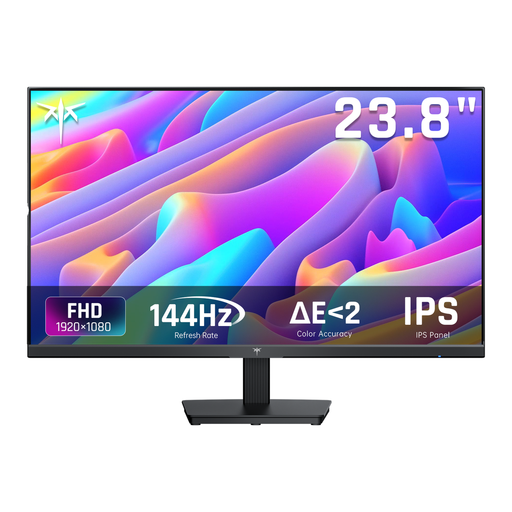
Why it suits this profile: This compact Full HD screen combines a 24-inch display, 144Hz refresh rate and IPS panel for a tidy PC setup that doesn’t demand a particularly high resolution.
Full HD at 144Hz is easier to match with an entry-level PC than a more demanding QHD or ultrawide setup. Do check which refresh rate your cable and computer can deliver.
IPS panel, 144Hz, Adaptive Sync, HDMI and DisplayPort. According to the product specifications, the stand tilts from -5° to 15°.
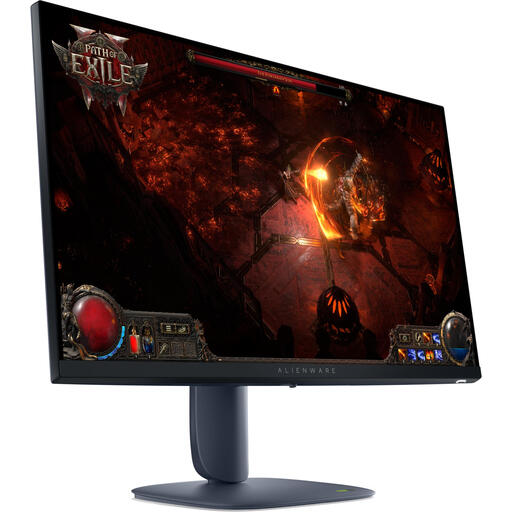
Why it suits this profile: This 27-inch QHD screen is designed for gamers who want to combine detail, a high refresh rate and an adjustable setup.
The specifications list not just 180Hz, but also QHD resolution, IPS technology and DisplayHDR 600. Make sure these specifications match your graphics card’s capabilities.
2560 × 1440 pixels, IPS panel, 180Hz, HDR according to the product specifications, and support for NVIDIA G-SYNC Compatible and AMD FreeSync Premium Pro.
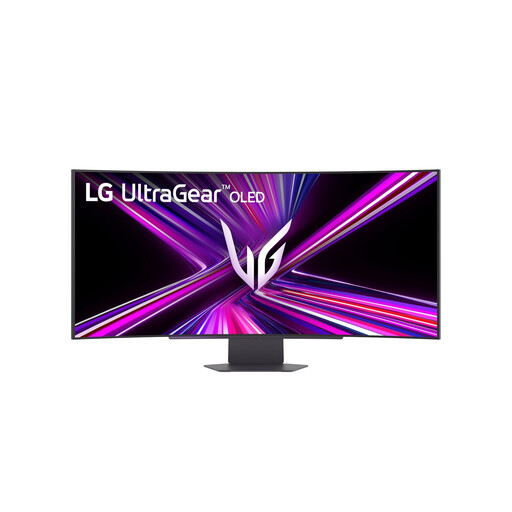
Why it suits this profile: This ultrawide OLED screen is designed for users who want to combine gaming, entertainment and multitasking on one wide display.
The aspect ratio, resolution and connections are clearly listed. Check in advance that your desk is wide enough and that your PC can drive 3440 × 1440 at 240Hz.
3440 × 1440 pixels, 240Hz, OLED panel, 800R curvature, USB-C with up to 65W Power Delivery and support for Adaptive Sync technologies.
We’ve put together a complete, up-to-date list of products that meet these strict selection criteria and current European safety regulations.
Use this quick checklist:
144Hz is a practical choice for many gamers. The picture can look noticeably smoother than at 60Hz, while putting less demand on your graphics card than 240Hz. For competitive esports games, a higher refresh rate may be worth considering if your system can achieve high fps.
It can be, but the pixel density is lower than QHD at the same screen size. If you mainly play fast-paced games and want to achieve high frame rates, Full HD may be preferable. For text, design work and detailed images, a 27-inch QHD gaming monitor is often more practical.
Power consumption varies by panel, brightness, size and HDR settings. A large ultrawide or OLED screen may use more energy than a compact Full HD model. So check the energy label and quoted consumption per 1,000 hours before making your choice.
