
Vandaag of morgen in huis

Kwaliteit gegarandeerd

Welkomstaanbiedingen ontgrendelen: GRATIS bezorging | Tot 80% korting | Gratis 30 dagen JoyPlus-proefperiode
Download de app
Buying a gaming monitor seems straightforward until you find yourself comparing dozens of screens with terms such as 144Hz, HDR, Adaptive Sync and 1 ms response time. Many models sound similar, but can differ significantly in resolution, connections, panel technology and ergonomics.
Most disappointing purchases come down to three common pitfalls:
The right monitor depends on the games you play, your hardware, desk, viewing distance and other tasks. Read on to find out which specifications to check and which models suit different types of user.
Resolution determines how many pixels the screen displays:
Also consider your viewing distance. A 32-inch 4K monitor can be comfortable for work and entertainment, while a 24-inch Full HD model is often easier to take in at a glance during competitive games.
Refresh rate is measured in hertz. A 144Hz gaming monitor can display up to 144 frames per second. This can make movement look smoother than at 60Hz, but only if your computer or console can produce enough frames.
A monitor with a high refresh rate isn’t automatically faster in every situation. Check the stated response time and how it was measured, too. Manufacturers may use GTG, MPRT or their own testing conditions. So don’t compare a 0.03 ms figure directly with 1 ms without checking the method used.
For laid-back single-player games, 120Hz or 144Hz may be enough. For fast-paced PC games, 180Hz, 240Hz or 480Hz could be worth considering, but you’ll need suitable hardware to make the most of them.
An IPS monitor typically offers wide viewing angles and is a popular choice for gaming, everyday work and colour-critical tasks. VA panels can offer higher static contrast. According to the stated product specifications, OLED and QD-OLED screens deliver very deep blacks and fast pixel response, but check the warranty and guidance on displaying static images for long periods.
FreeSync, Adaptive Sync and G-Sync Compatible are synchronisation technologies that match the screen’s refresh rate to the graphics card’s output. Check that your PC, graphics card and connection support the feature you want to use. An HDR monitor can display more dynamic images, but the result also depends on brightness, contrast and the game or video itself.
Finally, look out for:
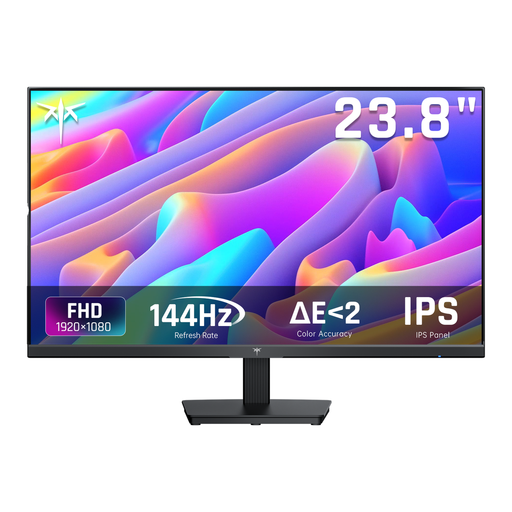
Why it suits this type of user: The 24-inch Full HD screen is a good fit for a compact home office or gaming setup. The stated specifications include an IPS panel, 144Hz and HDMI and DisplayPort connections.
The specifications list more than just 144Hz: they also cover the panel type and connections. Before buying, check which cable is included and which connection your PC uses.
24 inches, 1920 × 1080, 144Hz, IPS and Adaptive Sync, according to the product description.
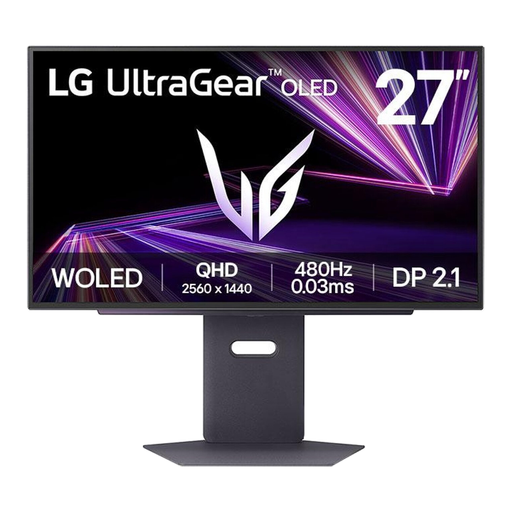
Why it suits this type of user: This 27-inch QHD OLED model is designed for users who want to combine a high refresh rate with OLED technology. Its specifications list 480Hz, DisplayPort 2.1 and HDMI 2.1a.
The resolution, connections and refresh rate are clearly listed. The high 480Hz setting is only useful if your PC can drive that frame rate.
QHD resolution, OLED panel, 480Hz, stated response time of 0.03 ms, and support for FreeSync and G-Sync Compatible.
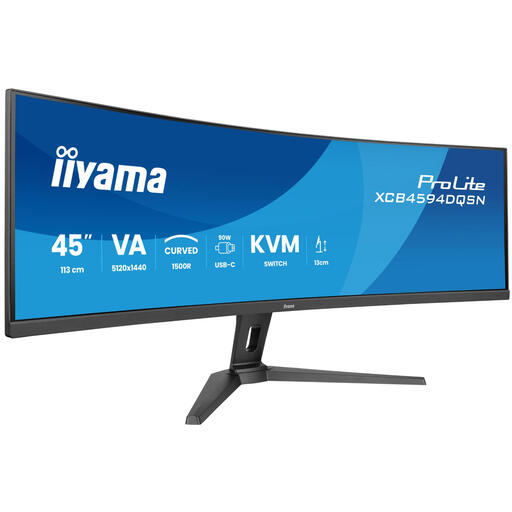
Why it suits this type of user: The 44.5-inch ultrawide screen with a 5120 × 1440 resolution is designed for expansive game scenes, multitasking and using two computers at one workstation.
The ultrawide aspect ratio is clearly specified. Measure your desk first: this screen is about 1.13 metres wide and needs enough depth for a comfortable viewing distance.
165Hz, VA panel, 1500R curvature, USB-C dock, KVM switch and RJ45 connection, according to the product details.
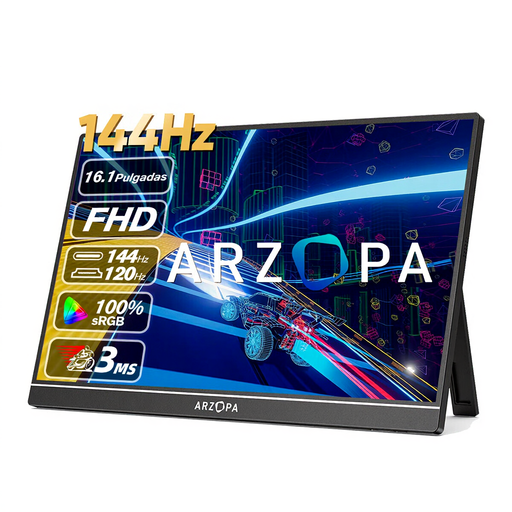
Why it suits this type of user: Weighing 780 grams, this portable monitor is a suitable second screen for a laptop or for gaming on the go with compatible devices.
The size, weight and included cables are listed. If you’re using USB-C, check that your device supports video output; not every USB-C port does.
16.1-inch IPS, Full HD, 144Hz, 300 cd/m², two USB-C ports and mini-HDMI, according to the product description.
We’ve put together a complete, up-to-date list of products that meet these strict selection criteria and current European safety regulations.
For many PC gamers, 144Hz is a practical choice. You’ll benefit most when your system can deliver around 144 frames per second in the game you’re playing. Also check that your DisplayPort or HDMI connection supports your chosen resolution and refresh rate.
According to the stated product specifications, OLED models offer deep blacks and fast pixel response. If you display static elements, such as a desktop or game interface, for long periods, manufacturers often recommend using the screen care features and following the maintenance guidance provided. Also check the warranty terms for information about possible image retention.
Power consumption varies by panel, screen size, brightness and HDR setting. Check the energy label and the stated consumption per 1,000 hours. HDR at high brightness can increase power use. For a fair comparison, use the same picture mode and check the model’s official energy label.
