
Vandaag of morgen in huis

Kwaliteit gegarandeerd

Welkomstaanbiedingen ontgrendelen: GRATIS bezorging | Tot 80% korting | Gratis 30 dagen JoyPlus-proefperiode
Download de app
A new gaming monitor may seem like a quick choice on paper. Manufacturers highlight high refresh rates, short response times and HDR support, but those figures do not tell the whole story. For example, a 320Hz monitor offers little benefit if your PC cannot reach a high frame rate in your favourite game. And a large screen can be impractical if your desk has limited depth.
As a Joybuy Product Recommendation Officer, I filter the most important product specifications out of the marketing language. This helps you see which features are relevant to the way you use your monitor and which purchasing pitfalls you can avoid.
A 144Hz gaming monitor, 240Hz gaming monitor, 300Hz gaming monitor or 320Hz gaming monitor refreshes the image more often than a standard 60Hz monitor. This can make movement appear smoother, but the effect is linked to your computer's frame rate.
If you usually play at 90 to 140 frames per second, 144Hz is a sensible match. For competitive PC games, 240Hz, 300Hz or 320Hz may be worthwhile when your system can actually deliver that frame rate. So do not just check the monitor; also consider your graphics card and processor.
A stated response time may be described as GtG, MPRT or simply “1 ms”. These measurement methods are not the same. MPRT is often associated with motion blur and may depend on settings such as backlight strobing. GtG refers to the transition between shades of grey.
Where possible, compare models that use the same measurement method. Also look at user settings and overdrive. An extremely low figure on a product page does not automatically mean that every scene will be displayed without ghosting.
A QHD gaming monitor with 2560 × 1440 pixels displays more detail than a Full HD gaming monitor with 1920 × 1080 pixels. However, QHD requires more graphics processing power. With a 34-inch ultrawide monitor featuring 3440 × 1440 pixels, the demand is even higher.
A 27-inch gaming monitor with Full HD may be affordable, but it has a lower pixel density than a 24-inch Full HD screen. For a sharper image at a short viewing distance, QHD may be more appealing at 27 inches. Match the resolution to your hardware, viewing distance and games.
Refresh rate is measured in hertz. A monitor with a high refresh rate can display fast camera movements more smoothly, provided your PC delivers enough frames. Also check which connection provides the maximum speed. Some models only reach their highest frequency via DisplayPort or a specific HDMI version.
A monitor with Adaptive Sync synchronises the refresh rate with the graphics card's frame rate. This can help reduce tearing and stuttering. Check whether the monitor is compatible with AMD FreeSync, NVIDIA G-SYNC or both. “Compatible” is not the same as a universal guarantee for every combination of hardware and driver.
Brands may make claims about colour, contrast or response time. Treat these as the manufacturer's product specifications and compare them with the complete technical table. A brand's own research should not be presented as a definitive result without a source.
A curved gaming monitor with, for example, a 1500R or 1800R curve can direct more of the screen surface towards your viewing position. Whether this feels comfortable depends on your viewing distance and personal preference. The curvature is often more noticeable on an ultrawide screen.
Also pay attention to the stand. A model that only tilts is more limited than one with height adjustment, rotation and swivel adjustment. Also check the VESA size, such as 100 × 100 mm, if you want to use a monitor arm. Before buying, consider the available desk depth and the width of the screen.
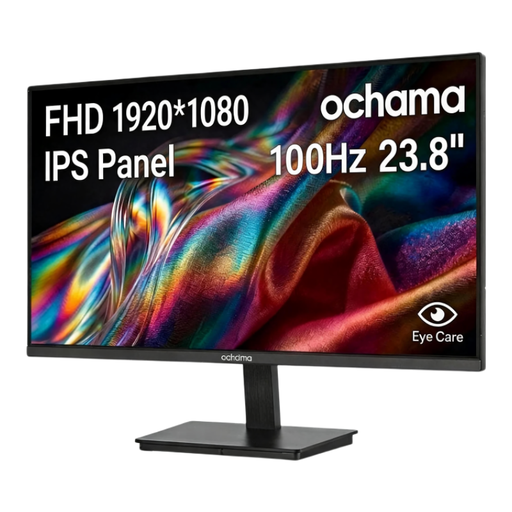
Why it suits this profile: The 23.8-inch Full HD screen is suitable for everyday use, working from home and casual gaming, without immediately moving up to a higher resolution.
The product information specifies 100Hz and 1080p, so the choice is not based solely on an extreme hertz figure.
23.8 inches, Full HD, 100Hz and a slim bezel on three sides.
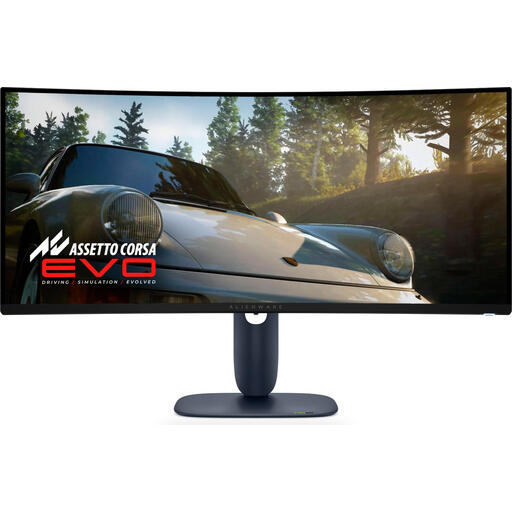
Why it suits this profile: For gamers, streamers and creators looking for a wide workspace and OLED display technology in one 34-inch ultrawide monitor.
The combination of 3440 × 1440, 240Hz and QD-OLED makes it clear that this model prioritises both screen space and speed; however, check whether your PC can handle it.
34 inches, 21:9, 240Hz, QD-OLED, HDMI, DisplayPort and USB connections.
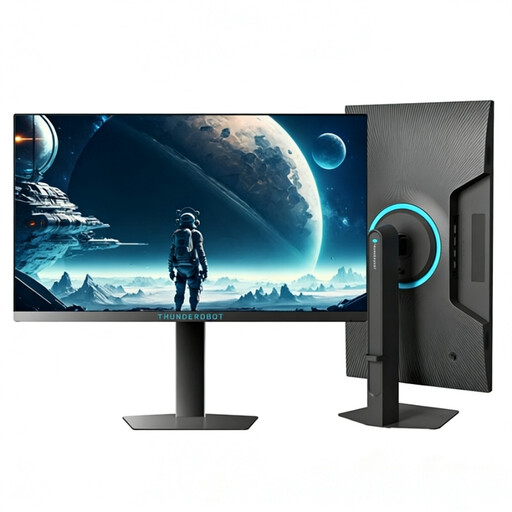
Why it suits this profile: The 24.5-inch Full HD monitor is aimed at esports players looking for a high refresh rate and a high stated brightness.
The model specifically lists 320Hz and 1920 × 1080. This lets you check in advance whether your PC and cable support this setting.
24.5 inches, Full HD, 320Hz and 450 nits according to the product specification.
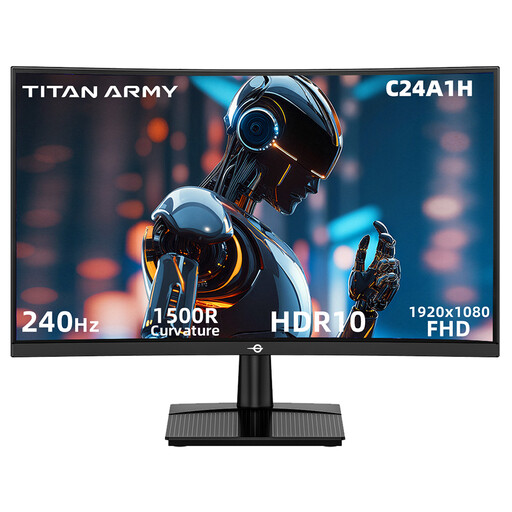
Why it suits this profile: This compact curved screen combines Full HD with 240Hz for fast-paced PC games, without the width of an ultrawide model.
The specifications list both the maximum frequency via HDMI and DisplayPort and FreeSync compatibility. You should still check this in your PC's settings.
23.6 inches, 1500R curvature, 240Hz, 1ms MPRT and HDR10 support.
We have put together a complete, up-to-date list of products that fully meet these strict selection criteria and the applicable European safety regulations.
For many players, a 144Hz gaming monitor is a practical choice. This refresh rate offers a noticeable difference compared with 60Hz when your PC can deliver around 144 frames per second. Competitive players with a powerful PC may want to consider 240Hz or higher, but the price difference and required hardware should be taken into account.
Lifespan depends on usage, heat, the quality of the power supply and any damage sustained during transport. Position the screen securely, keep ventilation openings clear and use a soft, dry cloth on the surface. With OLED models, it is advisable to follow the recommendations relating to screen maintenance and static images.
Power consumption is usually stated in watts. A 30W model used for eight hours a day consumes less energy than a 60W model, but the actual cost depends on your electricity tariff and usage pattern. Also check standby and switched-off consumption.
