
Vandaag of morgen in huis

Kwaliteit gegarandeerd

Welkomstaanbiedingen ontgrendelen: GRATIS bezorging | Tot 80% korting | Gratis 30 dagen JoyPlus-proefperiode
Download de app
A gaming monitor with a high refresh rate can look appealing on paper. But you may end up paying for features your PC can’t make use of, while missing an important detail such as the right connection or an adjustable stand. When choosing a gaming monitor for PC gaming, three common pitfalls can make the difference between a good purchase and a screen that disappoints after a few weeks.
A 240Hz or 320Hz gaming monitor can display smooth motion, but only if your computer can produce enough frames per second. With a less powerful graphics card, a QHD gaming monitor at 144Hz may be more practical than a Full HD gaming monitor at 320Hz.
Also check the connection used. Make sure HDMI or DisplayPort supports your chosen resolution and refresh rate. For example, the Titan Army C24A1H lists HDMI 2.0 and DisplayPort 1.2, with support for 1920 × 1080 at 240Hz.
A claim such as “monitor with 1 ms response time” doesn’t tell you everything. Manufacturers may use different measurement methods, such as MPRT or GTG. MPRT is linked, among other things, to motion clarity settings, while GTG describes the transition between shades of grey.
So always check the measurement method in the product specifications. A stated 0.5 ms or 0.03 ms response time won’t necessarily be visible in every situation. According to its product specifications, the Philips Evnia 27M2N3500NF has a response time of 0.5 ms Smart MBR; this is a different measurement from GTG.
A 24-inch Full HD gaming monitor usually works well on a compact desk. A 27-inch gaming monitor can offer more detail with QHD than with Full HD, especially if you sit relatively close. A 32-inch Full HD screen, on the other hand, has a lower pixel density, so text and fine details may look less sharp.
A curved gaming monitor can change your viewing experience, but its curvature also takes up space. If you’re considering a 34- or 49-inch ultrawide gaming monitor, make sure your desk is deep and wide enough.
The refresh rate tells you how many times per second the screen can display a new image. A 144Hz gaming monitor is a sensible choice for many PC gamers. A 180Hz or 200Hz gaming monitor may be worth considering if your system can achieve higher frame rates in fast-paced games.
240Hz and 320Hz are mainly relevant for competitive players gaming at high frame rates. With an esports monitor, it’s not just the screen that matters: your graphics card, processor, game settings and connection all play a part. After installation, manually enable your preferred refresh rate in Windows and in your graphics card driver.
Brands present colour coverage and HDR as picture quality benefits. Treat these as product specifications, not a guarantee of a particular viewing experience. HDR10 support also works properly only when the game, operating system and graphics card all handle HDR correctly.
A monitor with Adaptive Sync matches its refresh rate to the images produced by the graphics card. Products may offer this as a monitor with FreeSync, G-SYNC Compatible or another variant. Check that your graphics card and preferred connection are compatible.
Also look for:
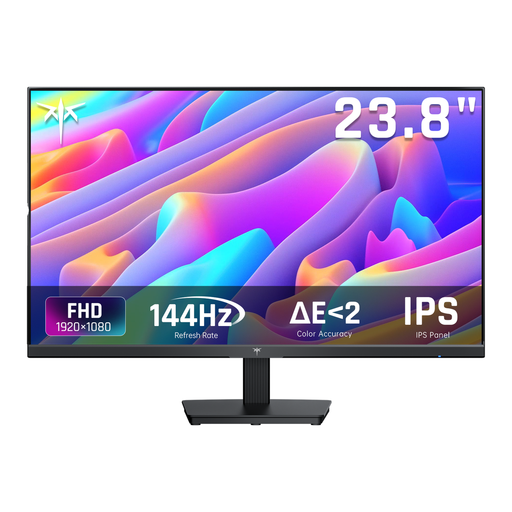
Why it suits this profile: The 24-inch Full HD format needs less graphics processing power and fits on a compact desk. The monitor is also suitable for office work.
The product specifications list 144Hz and 5 ms MPRT, making the measurement method clearer than an unspecified response time claim.
IPS panel, HDMI, DisplayPort, Adaptive Sync and tilt adjustment from -5° to 15°.
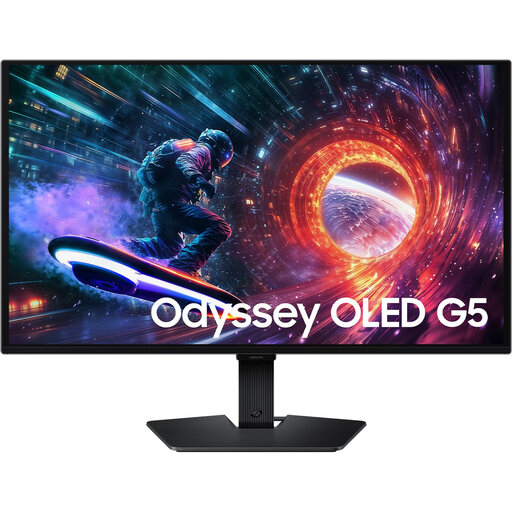
Why it suits this profile: This 27-inch OLED model combines QHD resolution with 180Hz, making it a strong option for gamers and creators who place a high value on picture quality.
The resolution, refresh rate and OLED technology are listed separately. This lets you match your choice to your PC rather than relying on a marketing term alone.
2560 × 1440, 180Hz, HDR10, AMD FreeSync and NVIDIA G-SYNC Compatible, according to the product description.

Why it suits this profile: The 320Hz refresh rate is aimed at esports and competitive players with a PC capable of delivering high frame rates.
Full HD resolution puts less strain on your system than QHD, which can make a high refresh rate more achievable in competitive games.
24.5-inch Fast IPS, 320Hz, 400 cd/m², HDMI 2.1, DisplayPort 1.4 and height adjustment, according to the product specifications.
We’ve put together a complete, up-to-date list of products that meet these strict selection criteria and the applicable European safety regulations.
For many players, yes. A 144Hz gaming monitor displays noticeably smoother motion than a 60Hz screen, while the required frame rate is usually more achievable than with 240Hz or 320Hz. A higher refresh rate can be useful for competitive shooters, provided your PC can deliver the performance.
Lifespan depends on the panel type, daily use, heat and how well you look after it. Check the warranty, ventilation and mounting options. With OLED, it’s a good idea to follow the manufacturer’s guidance on static images and screen care. A monitor with VESA mounting and a sturdy, adjustable stand may also remain useful for longer if your workspace changes.
Power consumption varies depending on size, brightness, resolution, HDR settings and panel type. Check the energy label and the stated SDR and HDR figures. A large ultrawide screen or OLED model may use a different amount of power from a compact 24-inch Full HD monitor. Enable energy-saving mode when you won’t be using the screen for a while.
