
Vandaag of morgen in huis

Kwaliteit gegarandeerd

Welkomstaanbiedingen ontgrendelen: GRATIS bezorging | Tot 80% korting | Gratis 30 dagen JoyPlus-proefperiode
Download de app
Buying a gaming monitor seems simple until you start comparing dozens of models. Terms such as 1 ms, HDR10, 240Hz and adaptive sync sound appealing, but they only matter if they suit your PC, games and connections. A high refresh rate, for example, is of little use if your graphics card can’t produce enough frames.
There are also a few common pitfalls to watch out for. A screen might quote a short response time measured using the MPRT method, while its GtG response time is different. HDR10 may also be listed even if the monitor’s brightness and contrast aren’t enough to deliver a strong HDR effect. Finally, a high-refresh-rate monitor may only reach its advertised frequency through the right version of HDMI or DisplayPort.
A 144Hz, 180Hz or 240Hz gaming monitor refreshes the image 144, 180 or 240 times per second respectively. This can make movement look smoother, especially in fast-paced FPS and esports games. However, your PC also needs to produce enough frames per second.
For casual gaming, 144Hz is often a practical choice. If you play competitive shooters and have a powerful graphics card, 200Hz, 240Hz or 320Hz could be worth considering. A 480Hz gaming monitor is mainly aimed at players who combine high frame rates with a suitable PC and want to minimise motion blur.
A monitor advertised with a 1 ms response time may use the MPRT measurement. This isn’t the same as 1 ms GtG, which is the time it takes for a pixel to change from one shade of grey to another. So always check which measurement method is being quoted.
A shorter advertised response time also doesn’t automatically prevent ghosting. The overdrive setting, panel type and refresh rate all play a part. So treat 0.5 ms or 1 ms as a single product specification, not a complete guarantee of a sharper image.
HDR10 support means a monitor can process HDR10 signals. The visual impact also depends on brightness, contrast and local dimming. For example, according to the manufacturer’s product description, the TITAN ARMY C24A1H supports HDR10 and has a quoted brightness of 350 nits. These are verifiable specifications, but the final impression depends on the game and settings.
Adaptive sync technology helps reduce screen tearing and stuttering when the frame rate fluctuates. However, check that your graphics card and monitor are compatible. A FreeSync monitor won’t automatically work optimally with every setup, and G-SYNC support may be labelled “G-SYNC Compatible” on some models.
As well as the maximum refresh rate, check the connection:
An IPS gaming monitor is generally known for its wide viewing angles and consistent colours. This makes it a practical choice for gaming, streaming and productivity. A VA gaming monitor often has higher static contrast, which can benefit dark scenes and films. Panel response can vary between models when displaying fast movement.
An OLED gaming monitor can deliver deep blacks and very fast pixel response. If you use static elements for long periods, such as fixed interface components, it’s a good idea to use the built-in pixel protection and follow the manufacturer’s instructions. For example, the Sony INZONE M10S needs to be able to run its pixel refresh cycle in standby mode.
A 23.8- or 24.5-inch screen is easy to take in at a glance for FPS games and usually fits on a compact desk. A 27-inch QHD monitor gives you plenty of room for both work and gaming. A 32-inch model needs more desk space; with Full HD, the lower pixel density may be more noticeable at a short viewing distance.
A curved gaming monitor with a curve such as 1500R can make the edges appear closer to you. Check that the curve suits your seating distance and whether you want to position multiple screens side by side.
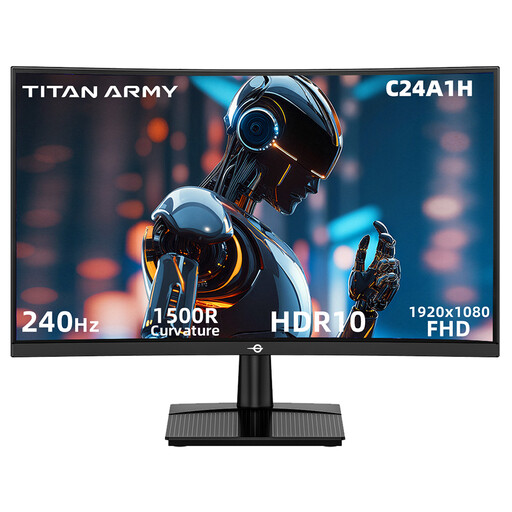
Why it suits this profile: This 23.6-inch Full HD monitor combines a 1500R VA screen with 240Hz, making it suitable for a compact PC gaming setup.
The specifications explicitly state 1920 × 1080 at 240Hz via HDMI 2.0 and DisplayPort 1.2. This makes it clear which combination you need.
VA panel, 240Hz, 1 ms MPRT, FreeSync Compatible, HDR10 and VESA 100 × 100 mm.
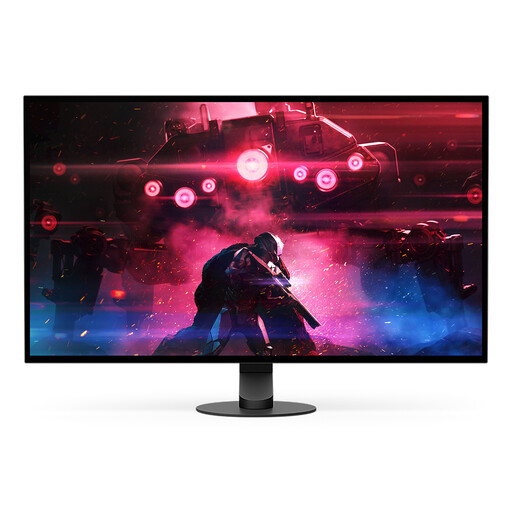
Why it suits this profile: For esports players and content creators who want to combine QHD resolution, OLED contrast and an exceptionally high refresh rate.
The product specifications list DisplayPort 2.1 and 480Hz at 1440p. This mode requires a compatible GPU with DSC and the right cable.
26.9-inch QHD OLED, 480Hz, 0.03 ms GtG, HDR10 and G-SYNC Compatible.
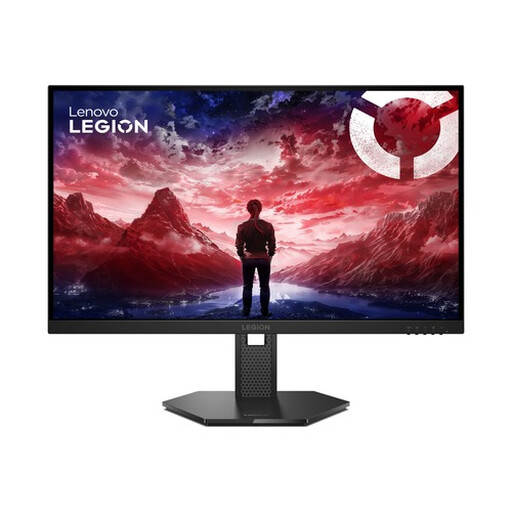
Why it suits this profile: A practical choice for competitive gamers who need 240Hz, multiple sync options and an adjustable stand.
The manufacturer lists 0.5 ms MPRT, 99% sRGB and HDR10 separately. This helps you avoid confusing response time, colour coverage and HDR with a single marketing term.
IPS panel, 240Hz, FreeSync Premium, G-SYNC Compatible, HDR10 and height, swivel and tilt adjustment.
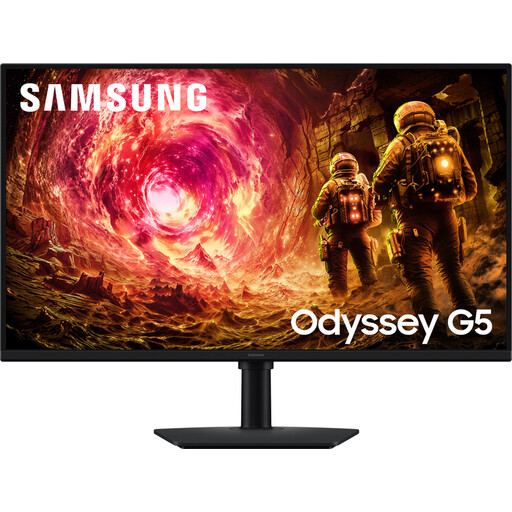
Why it suits this profile: The 32-inch QHD display gives you plenty of room for gaming, video and productivity, while the adjustable stand makes your workspace more flexible.
The specifications list both AMD FreeSync and NVIDIA G-SYNC Compatible. Even so, check support in your own GPU driver.
32-inch QHD IPS panel, 180Hz, HDR10, 1 ms GTG and height, swivel and tilt adjustment.
We’ve put together a complete, up-to-date list of products that meet these strict selection criteria and the applicable European safety regulations.
For many players, a 144Hz gaming monitor is a good starting point. The image looks smoother than at 60Hz, without your PC needing to reach the same frame rate as it would for 240Hz. For competitive FPS games, 180Hz, 200Hz or 240Hz could be worth considering if your system can deliver that frame rate consistently.
Use an HDMI or DisplayPort cable that supports your desired resolution and refresh rate. Then select the correct refresh rate in Windows via Settings > System > Display > Advanced display. Also check your monitor’s OSD menu and enable FreeSync or a compatible G-SYNC mode in the driver.
Power consumption depends on the size, brightness, HDR and panel type. Check the quoted typical and maximum power consumption, and use sleep mode when you’re not gaming. A larger QHD or OLED screen may have different power figures from a compact Full HD gaming monitor.
