
Vandaag of morgen in huis

Kwaliteit gegarandeerd

Welkomstaanbiedingen ontgrendelen: GRATIS bezorging | Tot 80% korting | Gratis 30 dagen JoyPlus-proefperiode
Download de app
Buying a gaming monitor sounds simple until you start comparing refresh rates, resolutions, panel types, connections and compatibility. A big number on the product page doesn’t always tell the whole story, either. A 240Hz gaming monitor only gives you an advantage if your PC can also deliver enough frames per second. And a screen that supports HDR won’t automatically produce a convincing HDR picture.
There are three common pitfalls to watch out for:
A Full HD gaming monitor with 1920 × 1080 pixels puts less strain on your graphics card than a QHD gaming monitor with 2560 × 1440 pixels. That makes Full HD a good fit for an entry-level PC, an older graphics card or a console set-up. On a 27-inch screen, Full HD may look less sharp than it does on a 24-inch screen, particularly if you sit close.
A 27-inch gaming monitor with QHD offers a practical balance of screen space, sharpness and performance. QHD is often more versatile for gaming, photo editing and multitasking, but check beforehand that your graphics card can deliver the frame rate you want.
An ultrawide gaming monitor has more horizontal pixels. A 49-inch model with a 32:9 aspect ratio is a good option for simulators, video editing and having several windows open side by side. Bear in mind the space you’ll need on your desk, the weight of the monitor and whether your PC supports ultrawide resolutions.
Refresh rate is measured in hertz. A 144Hz gaming monitor can refresh the picture more often than a 60Hz screen. This can make fast-paced games look smoother, as long as your computer can deliver enough frames.
A 240Hz model is most relevant to competitive players with a powerful PC. Also check the variable refresh rate technology:
If you’re looking for a monitor for PC and console gaming, check which resolution and refresh rate each HDMI and DisplayPort connection supports. The cable and source device, such as a PC, PlayStation or Xbox, can limit the final picture.
An IPS gaming monitor is generally known for its wide viewing angles and consistent colours. This can be useful for designers, content creators and anyone who also uses their screen for studying or working from home.
According to product specifications, a VA gaming monitor often offers higher contrast than IPS. This can help create deeper dark scenes, but motion handling varies from model to model. If fast-paced games are a priority, look for independent test results.
A curved gaming monitor can create a more immersive feel, particularly on wider screens. For example, a 1500R curve is more pronounced than a gentle curve. Check that your desk is deep enough and that you’ll be playing from the centre of the screen.
With an HDR monitor, there’s a meaningful difference between HDR Ready, HDR10 and a screen with higher brightness and local dimming. “HDR Ready” doesn’t automatically tell you how good the picture will look in every situation. Check the brightness, contrast and colour coverage, too. Also see whether the stand offers height, tilt or swivel adjustment, and whether VESA mounting is supported.
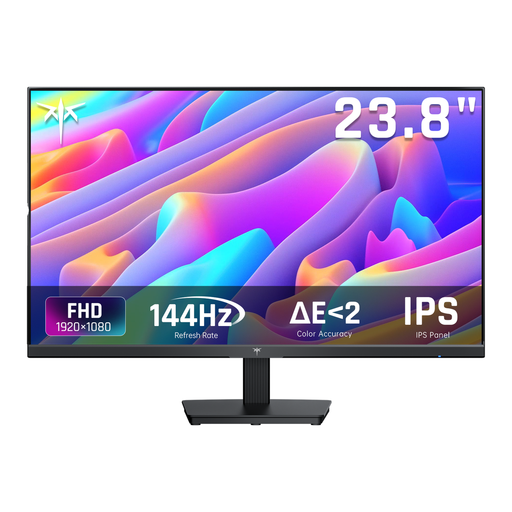
Why it suits this profile: This 24-inch Full HD screen combines a 144Hz refresh rate, IPS and HDMI/DisplayPort connections in a compact size, making it a good fit for your first gaming or work set-up.
The product specifications list more than just 144Hz: they also include 1080p, IPS, Adaptive Sync and a tiltable stand.
IPS panel, 144Hz, 99% sRGB and connections for PC use.
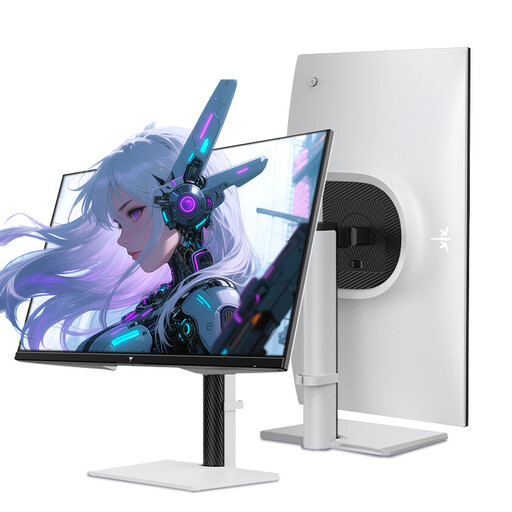
Why it suits this profile: For players looking for QHD sharpness and a high refresh rate in one 27-inch screen.
The combination of QHD, Fast IPS, 240Hz and the listed HDMI 2.0 and DisplayPort 1.4 connections makes the key trade-offs clear.
2560 × 1440, 240Hz, 1ms, HDR400 according to the product listing, and a height-adjustable stand.
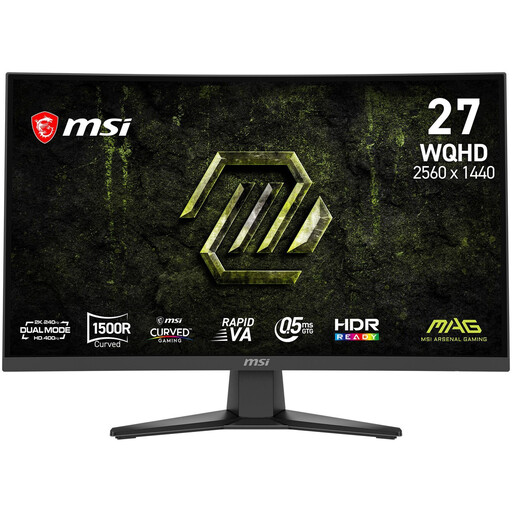
Why it suits this profile: An option for fast-paced games and entertainment if you’re looking for a 1500R curve, QHD resolution and 240Hz.
The listing distinguishes between Rapid VA, a 0.5ms GtG minimum, Adaptive-Sync and HDR Ready. That way, you’re not judging the whole picture by a single marketing figure.
WQHD, Rapid VA, 240Hz, FreeSync Premium according to the product specifications, and VESA 100 × 100 mm.
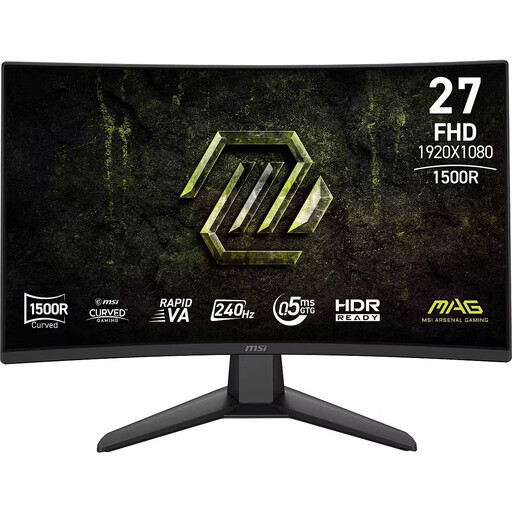
Why it suits this profile: This model is designed for fast-paced Full HD gaming, with 240Hz and a curved 27-inch screen, without the higher pixel demands of QHD.
The specifications list the Full HD resolution, 48–240Hz Adaptive-Sync range and connections, and note that there are no built-in speakers.
1920 × 1080, 240Hz, Rapid VA, 4000:1 stated contrast ratio and VESA 100 × 100 mm.
We’ve put together a complete, up-to-date list of products that meet these strict selection criteria and comply with current European safety regulations.
For many players, a 144Hz gaming monitor is a clear step up from 60Hz. Whether you can make the most of it depends on the game’s frame rate, your graphics card and the resolution you choose. For more relaxed games, work and entertainment, 144Hz can be a practical balance.
Yes, but check the connections and the maximum resolution and refresh rate supported by your console. Ideally, a monitor for PC and console gaming should have suitable HDMI ports. Check each model to see whether it supports your preferred resolution and refresh rate over HDMI.
Power consumption depends on factors such as screen size, brightness, resolution and panel type. A higher refresh rate can affect energy use, but the difference varies from model to model. Before you buy, check the energy label and the stated figures for SDR and HDR.
