
Vandaag of morgen in huis

Kwaliteit gegarandeerd

Welkomstaanbiedingen ontgrendelen: GRATIS bezorging | Tot 80% korting | Gratis 30 dagen JoyPlus-proefperiode
Download de app
Buying a gaming monitor seems straightforward, until you discover that terms such as 1 ms, HDR10 and 240Hz don’t always mean the same thing. A high refresh rate is of little use if your PC can’t deliver enough frames per second. A large screen can be impractical if your desk isn’t deep enough. And a low price may seem appealing, but could mean compromising on connections, adjustability or image sharpness.
As a Joybuy Product Recommendation Officer, I sift through the key product specifications and turn marketing terms into practical buying criteria.
A 144Hz monitor, 180Hz monitor, 240Hz monitor or 320Hz monitor can display motion more smoothly than a 60Hz screen. You’ll notice the difference most in fast-paced games. However, your graphics card needs to produce enough frames. For an entry-level PC, a QHD screen at 180Hz may therefore make less sense than a Full HD monitor at 144Hz or 240Hz.
Also check whether the right connection supports the speed you want. DisplayPort and HDMI versions vary by model. In some cases, the maximum refresh rate is only available via DisplayPort.
A stated response time, such as 0.5 ms MPRT or 1 ms GTG, depends on the measurement method and settings. MPRT and GTG aren’t directly comparable. So also look at Adaptive Sync, overdrive settings and independent user reviews.
A FreeSync monitor can help reduce screen tearing when your graphics card’s frame rate varies. For a G-SYNC monitor, check whether the screen is officially G-SYNC Compatible. G-SYNC may work via the driver on some models, but without an official compatibility listing, the results aren’t guaranteed.
A 27-inch gaming monitor with QHD resolution, or 2560 × 1440 pixels, generally offers more detail than a 27-inch Full HD screen. However, Full HD can be a practical choice for esports and systems that need to deliver a high frame rate.
With an ultrawide monitor, it’s not just the width that matters. Check that you have enough desk space and that your favourite games support 21:9 or 32:9. A 34-inch UltraWide such as the LG 34WR50QK-B uses 3440 × 1440 pixels and has a 21:9 aspect ratio. That gives you room for multiple windows, but also puts more demands on your graphics card.
Refresh rate is measured in hertz. 100Hz, 144Hz and 180Hz are suitable for smooth gaming and everyday use. 240Hz and 320Hz are aimed mainly at competitive players with systems capable of achieving high frame rates.
Bear in mind that a higher Hz figure doesn’t automatically mean better image quality. A QHD gaming monitor at 180Hz may be more appealing to an all-round gamer than a Full HD screen at 320Hz, while esports fans may prefer to prioritise speed.
HDR10 means that a monitor can process HDR10 signals. The overall HDR experience also depends on brightness, contrast, local dimming or OLED technology, and the content you’re watching. So an HDR10 monitor isn’t automatically comparable to a screen with a higher DisplayHDR rating.
For creative work, colour coverage and factory calibration are important. Check whether the specifications mention sRGB, DCI-P3 or Adobe RGB, and whether your software and workflow can make use of them.
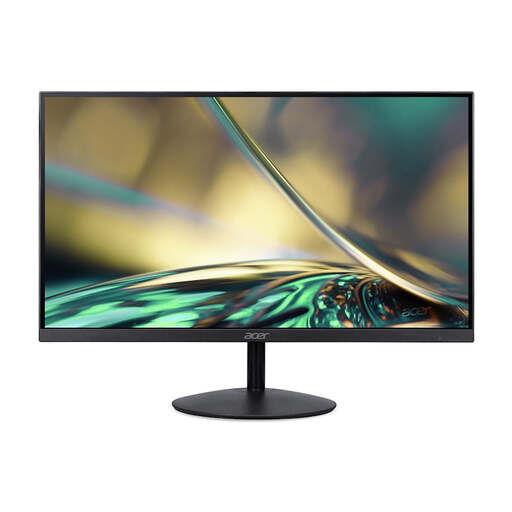
Why it suits this profile: This 23.8-inch Full HD monitor is compact enough for a smaller workspace and combines 100Hz with connections for a PC, laptop or console.
The specifications are well suited to everyday use, without paying for a high QHD or esports refresh rate that not every PC can make the most of.
Full HD, 100Hz, VA panel and a slim ZeroFrame design.
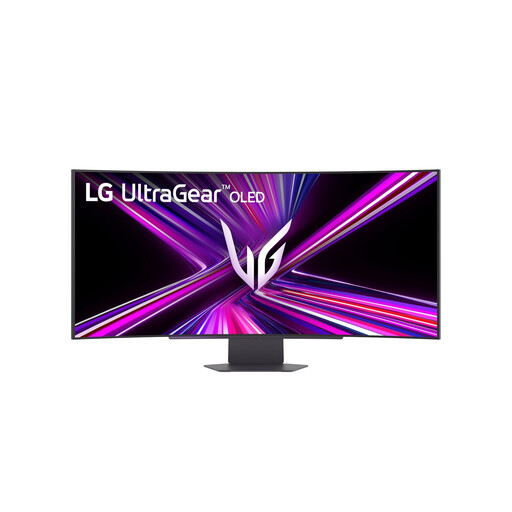
Why it suits this profile: This model combines an OLED panel, 3440 × 1440 pixels, 240Hz and an 800R curve for users who want to bring gaming, entertainment and creative work together on one large screen.
The product details list more than just 240Hz: they also include OLED, 10-bit colour, HDMI 2.1, DisplayPort 1.4 and USB-C with up to 65W Power Delivery.
OLED, 240Hz, 0.03 ms GTG, HDR10 and G-SYNC Compatible plus FreeSync Premium Pro.

Why it suits this profile: For esports fans who value Full HD and an exceptionally high refresh rate more than a larger resolution.
The 24.5-inch Full HD resolution places less demand on your graphics card than QHD, allowing a powerful PC to aim for higher frame rates.
320Hz, Fast IPS, 0.5 ms response time, HDMI 2.1 and support for FreeSync Premium and G-SYNC Compatible.
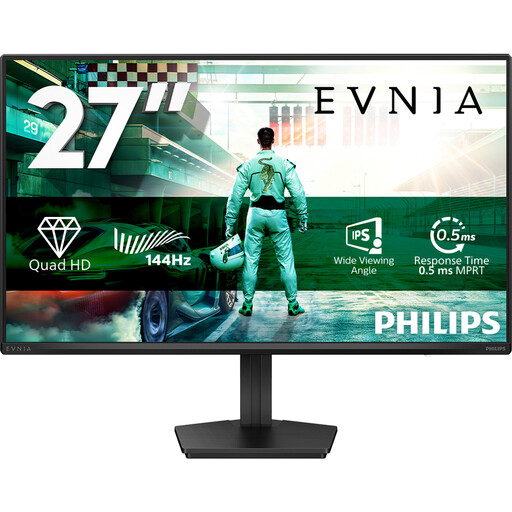
Why it suits this profile: The combination of IPS, QHD, 144Hz and HDR10 suits users who switch between gaming, office work, films and general productivity.
It’s not just about speed: the 2560 × 1440 resolution, IPS technology and 178° viewing angle also support work and entertainment.
QHD, IPS, 144Hz, 0.5 ms Smart MBR, HDR10 and Adaptive Sync.
We’ve put together a full, up-to-date list of products that meet these strict selection criteria and the applicable European safety regulations.
For many gamers, 144Hz offers a practical balance between smooth visuals, system requirements and price. For competitive esports, 240Hz or 320Hz may be worth considering, but only if your PC can actually reach those frame rates.
QHD displays more pixels and can look sharper on a 27-inch screen. Full HD puts less demand on your graphics card and works well with smaller screens or high frame rates. The right choice depends on your hardware, screen size and games.
Lifespan depends on build quality, daily use, heat, brightness and panel type. For OLED models, check the manufacturer’s recommendations for static images and screen care. With any type of monitor, a stable setup with good ventilation helps avoid unnecessary strain.
