
Vandaag of morgen in huis

Kwaliteit gegarandeerd

Welkomstaanbiedingen ontgrendelen: GRATIS bezorging | Tot 80% korting | Gratis 30 dagen JoyPlus-proefperiode
Download de app
Buying a gaming monitor seems simple: choose a large screen with a high refresh rate and a low response time. Yet many buyers pay for specifications that do not match their computer, games or workspace. For example, a 240Hz monitor is of little use if your PC cannot achieve a high frame rate in your favourite game. And a large ultrawide screen will not automatically fit on every desk.
The most common pitfalls:
The resolution determines how many pixels the screen displays:
For a 24- or 25-inch screen, Full HD is often a sensible choice. At 27 inches, QHD offers a balance between sharpness and performance. A 34-inch ultrawide monitor provides extra workspace, while a 49-inch model requires a great deal of desk space.
The refresh rate is expressed in hertz. A 165Hz monitor refreshes the image more often than a 60Hz screen; a 240Hz monitor is mainly of interest for competitive gaming and powerful PCs. Do not just look at the number: also check which port supports the stated speed.
Response times are often listed as 1ms, 0.5ms or 0.03ms. Check whether this refers to GtG or MPRT. A low quoted value does not automatically mean that every image scenario will deliver the same motion clarity. Overdrive settings can also affect visible artefacts.
An IPS panel is generally known for wide viewing angles and useful colour reproduction. According to product specifications, VA panels often offer higher static contrast. An OLED gaming monitor or QD-OLED monitor uses self-emissive pixels and is supplied with specifications for deep blacks and extremely low response times. With OLED, it is sensible to check the user manual and screen-care features, especially if you regularly display static windows.
FreeSync and G-SYNC Compatible are synchronisation technologies that align the monitor’s refresh rate with the image output from the graphics card. Always check which feature is officially stated in the product information. For some models, G-SYNC may be listed as working, but it may not have been officially tested or certified.
Also look out for:
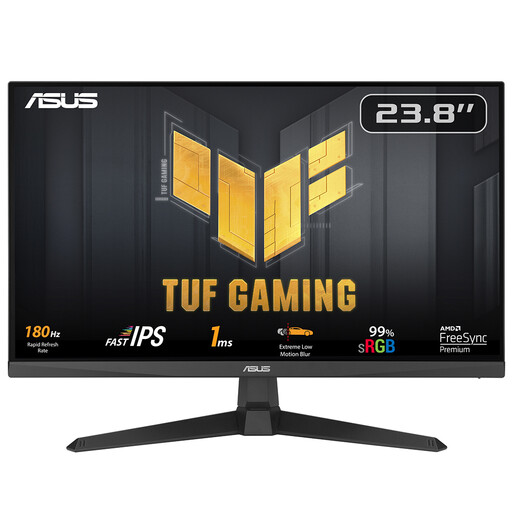
Why it suits this profile: This 23.8-inch Full HD IPS model combines a 180Hz refresh rate with a quoted response time of 1ms. It is therefore suitable for anyone looking for their first gaming monitor without moving straight to QHD or OLED.
The resolution and size are easy to combine with an average gaming PC. The product information also lists FreeSync and HDMI 2.0.
IPS panel, 180Hz, FreeSync and VESA 100 × 100 mm; the stand can be tilted.
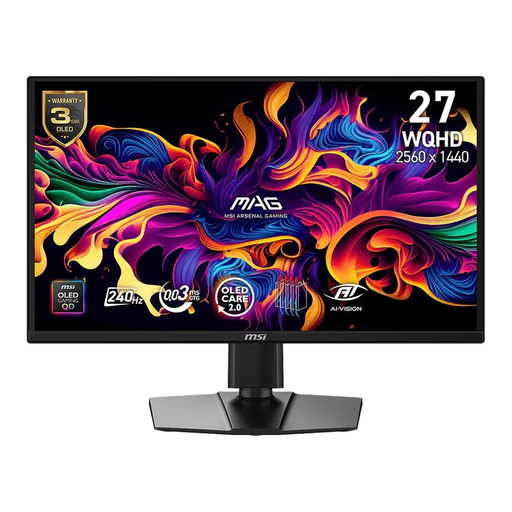
Why it suits this profile: This 26.5-inch QD-OLED gaming monitor offers WQHD resolution, 240Hz and a quoted 0.03ms GtG response time. It is a good match for gamers who place a high value on contrast, colour and fast-paced action.
The product specifications list both WQHD and 240Hz, so sharpness and speed do not depend on a single marketing figure. However, check that your graphics card supports this combination.
QD-OLED panel, DisplayHDR True Black 400, Adaptive Sync, FreeSync Premium and G-SYNC Compatible; height adjustment and pivot are included.

Why it suits this profile: For competitive players who prioritise speed above all else, this 24.5-inch Full HD model offers a stated refresh rate of 320Hz and 0.5ms GtG. The screen also features height adjustment and pivot.
The Full HD resolution reduces the graphics load compared with QHD or 4K. The stated 320Hz is mainly worthwhile when your PC can also produce enough frames.
Fast IPS panel, HDMI 2.1, DisplayPort 1.4, FreeSync Premium and G-SYNC Compatible according to the product specifications.
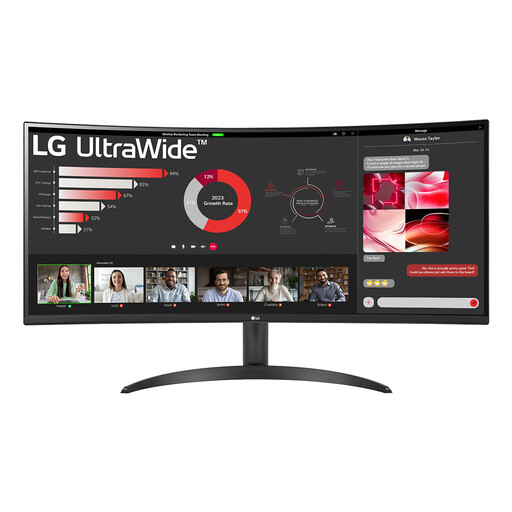
Why it suits this profile: This 34-inch curved ultrawide screen with 3440 × 1440 pixels and a 21:9 aspect ratio is suitable for multiple windows, video editing and games that support a wide field of view.
The product information specifies the space required and the fixed 1800R curvature. This lets you check in advance whether the screen will fit on your desk.
100Hz, VA panel, HDR10, Picture-by-Picture and HDMI 2.0 plus DisplayPort 1.4; the stand can be tilted.
We have put together a complete, up-to-date list of products that fully meet these strict selection criteria and the applicable European safety regulations.
A 165Hz monitor can display movement more times per second than a 60Hz model. The difference is most relevant when your PC achieves a comparable frame rate. For slower-paced games, office work and films, a lower refresh rate is often sufficient.
An OLED panel can deliver strong contrast and a low quoted response time. During extended use with static elements, such as taskbars or fixed windows, it is sensible to use the built-in screen-care features and follow the manufacturer’s instructions. Actual lifespan depends on usage, brightness and settings.
Power consumption varies depending on the panel type, resolution, brightness and energy class. Check the EU energy label and the stated consumption for SDR and HDR. A large ultrawide screen or a 4K monitor may use more power than a smaller Full HD model. Switch the screen off or use sleep mode when you are not using it.
