
Vandaag of morgen in huis

Kwaliteit gegarandeerd

Welkomstaanbiedingen ontgrendelen: GRATIS bezorging | Tot 80% korting | Gratis 30 dagen JoyPlus-proefperiode
Download de app
Buying a gaming monitor seems simple until you compare the specifications side by side. 144Hz, 165Hz, 180Hz, 240Hz, 300Hz and even 320Hz: higher figures sound appealing, but they do not automatically make one option better. Terms such as OLED, HDR10, FreeSync and Adaptive Sync only tell you something when they suit your PC, games and setup.
The following pitfalls are common:
The refresh rate indicates how often the image is updated per second. A 144Hz gaming monitor is a practical step up from 60Hz for fast-paced games. A 165Hz gaming monitor or 180Hz gaming monitor offers slightly smoother motion. For competitive shooters, 240Hz, 300Hz or 320Hz may be worth considering, but only if your system can make use of these frame rates.
Also check whether the monitor supports Adaptive Sync. With AMD graphics cards, this is often combined with FreeSync; some screens are also G-Sync Compatible. According to the manufacturer's product information, this synchronisation helps compensate for differences between the graphics card and the monitor. However, check which feature is available via HDMI or DisplayPort.
A Full HD gaming monitor with 1920 × 1080 pixels places less demand on your PC than a QHD model. This makes Full HD suitable for high frame rates and often for an affordable esports PC. At 27 inches, Full HD may look less sharp to some users than on a 24 or 24.5-inch screen.
A QHD gaming monitor with 2560 × 1440 pixels offers more detail and workspace. At 27 or 32 inches, this is a popular combination. For an ultrawide screen, the resolution may be 3440 × 1440 or 5120 × 1440, for example. Check in advance that your graphics card and connections support this resolution at your desired refresh rate.
A curved gaming monitor can be a comfortable fit for wide screens, but it requires enough desk space. Measure not only the width of the panel, but also the depth of the stand.
For everyday use, a height-adjustable stand, tilt, swivel and VESA compatibility are often more important than additional lighting. Maintaining a good sitting position and taking regular breaks remain sensible; features such as flicker-free or low-blue-light are intended as viewing-comfort settings, not medical solutions.
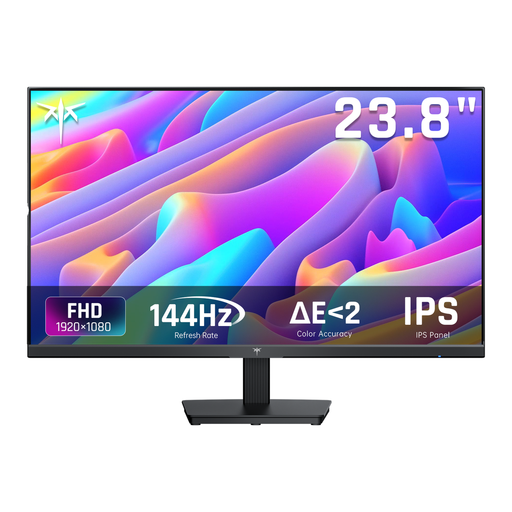
Why it suits this profile: A 24-inch Full HD screen with 144Hz is a good match for an entry-level PC and a compact desk. The product information lists IPS, Adaptive Sync, HDMI and DisplayPort.
The 144Hz specification is easy to understand, while the Full HD resolution limits the load on the graphics card.
24 inches, 1920 × 1080, 144Hz, IPS panel and tiltable stand.
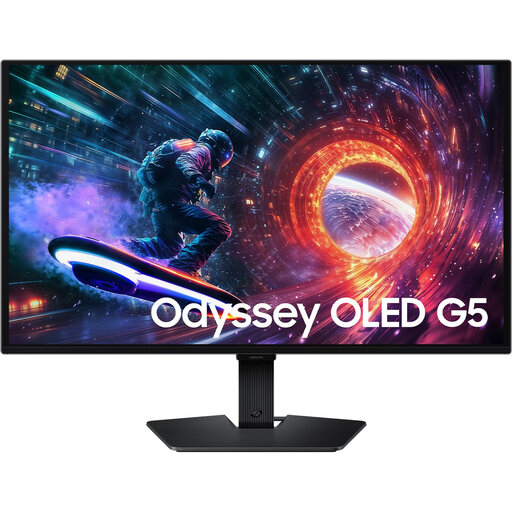
Why it suits this profile: This model combines 27 inches, QHD, OLED and 180Hz. It is well suited to gamers and creators who want to enjoy detail, contrast and speed together.
The product information lists both HDMI 2.0 and DisplayPort 1.2, so check in advance which input supports the desired 180Hz.
2560 × 1440, OLED panel, 180Hz, HDR10 and support for FreeSync and G-Sync Compatible.
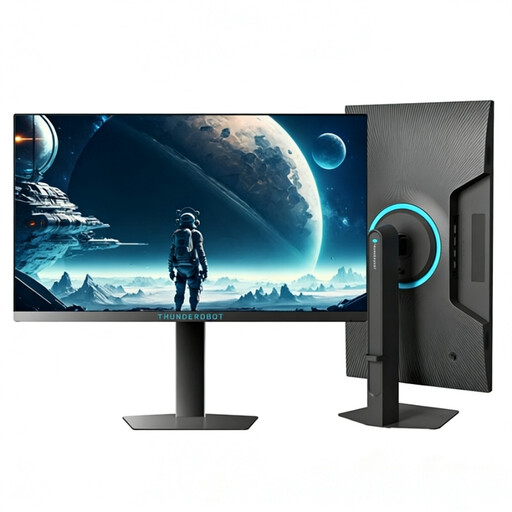
Why it suits this profile: This 24.5-inch Full HD monitor is designed for esports use, where high frame rates and a compact viewing area are important.
The specifications list 320Hz and 450 nits; check that your PC and chosen connection can support these settings.
24.5 inches, 1920 × 1080, 320Hz and a height-adjustable, swivelling stand.
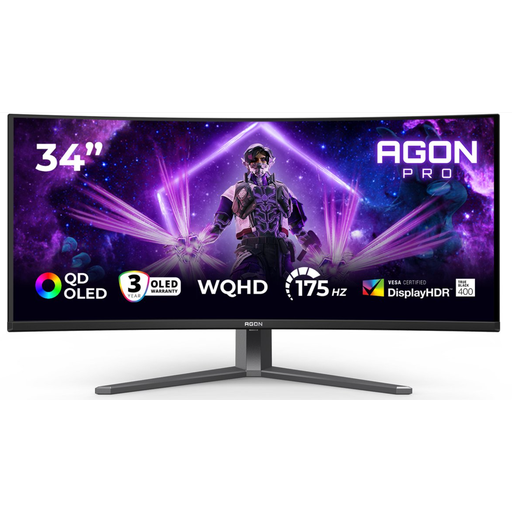
Why it suits this profile: The 34-inch 21:9 format provides room for games, chat, streaming tools and work windows side by side.
The product details list several ports and 175Hz via DisplayPort; check compatibility before replacing your cables.
3440 × 1440, 175Hz, QD-OLED, USB hub, height adjustment and support for AdaptiveSync.
We have put together a complete, up-to-date list of products that fully meet these strict selection criteria and the applicable European safety regulations.
For many PC and console gamers, 144Hz is a useful starting point. The difference from 60Hz is more noticeable than the step from 144Hz to 165Hz or 180Hz. For esports, a 240Hz, 300Hz or 320Hz model may be suitable when the PC can achieve the required frame rate.
Not necessarily. QHD provides more detail and workspace, but it places greater demands on the graphics card. Full HD may make more sense for an affordable PC, a 24-inch screen or competitive games where high frame rates take priority.
The lifespan depends on usage, heat, power supply and handling. Use the supplied cable and adapter, do not block the ventilation openings and clean the screen with a soft cloth. With OLED, it is advisable to use the recommended pixel and screen maintenance functions and read the warranty conditions in advance.
