
Vandaag of morgen in huis

Kwaliteit gegarandeerd

Welkomstaanbiedingen ontgrendelen: GRATIS bezorging | Tot 80% korting | Gratis 30 dagen JoyPlus-proefperiode
Download de app
Buying a gaming monitor seems simple until you start comparing the specifications. Refresh rate, response time, HDR10, Adaptive Sync and panel type are often displayed prominently on product pages, but they only tell you something useful if they suit your PC, console and how you plan to use the monitor. For example, a 240Hz screen offers little benefit if your gaming PC usually manages 80 frames per second.
People who work from home, multitask or create content also have different needs from esports fans. Use these practical checks to avoid paying for features you’ll hardly use.
A 240Hz or 200Hz monitor can display smooth movement, but your computer needs to be able to deliver that frame rate too. A high refresh rate can be useful for competitive PC gaming. For office work, films and many console games, 100Hz to 165Hz is often more than enough.
Also check that the connection supports the resolution and refresh rate you want. HDMI and DisplayPort versions vary between models, so don’t just look for “240Hz” in the title. Check the technical specifications and the cable you’re using too.
A stated response time of 0.5ms or 1ms sounds appealing, but manufacturers use different measurement methods. MPRT and GtG are not the same. Adjustable overdrive settings can also cause visible overshoot, such as light trails around moving objects.
So treat response time as just one part of the picture. Panel type, refresh rate, Adaptive Sync and your in-game settings all matter too.
HDR10 means a monitor can process HDR10 signals. It doesn’t automatically mean that it will show clear detail in both dark and bright areas. Check the brightness, contrast, local dimming capabilities and panel type too.
A manufacturer may state that a model supports HDR10. Treat this as technical compatibility, not as a definitive measure of picture quality.
A higher resolution is often more comfortable on a larger screen. A 32-inch Full HD screen may look less sharp up close than a 27-inch QHD monitor.
An IPS monitor typically offers wide viewing angles and consistent colours. It’s a good choice for work, image editing and gaming when you’re not always sitting directly in front of the screen. A VA panel often has higher static contrast and deeper blacks, but motion handling varies between models. An OLED monitor, such as a QD-OLED model, can offer very deep blacks and high contrast. Bear the price, energy consumption and the manufacturer’s usage guidance in mind.
A curved monitor can create an immersive view, particularly with an ultrawide screen. Check that your desk is deep enough and that the curve suits your viewing distance.
Refresh rate is measured in hertz:
Adaptive Sync, AMD FreeSync Premium and G-SYNC Compatible can help reduce screen tearing and stuttering when the frame rate varies. Always check which standard is officially supported. A product listing may say, for example, that G-SYNC may work, without the model being officially certified by Nvidia.
If you’re using a monitor with both a PC and a console, multiple HDMI ports are useful. For consoles, check the maximum resolution and refresh rate supported over HDMI too. A USB-C connection with Power Delivery is particularly useful for laptops and keeping your desk tidy.
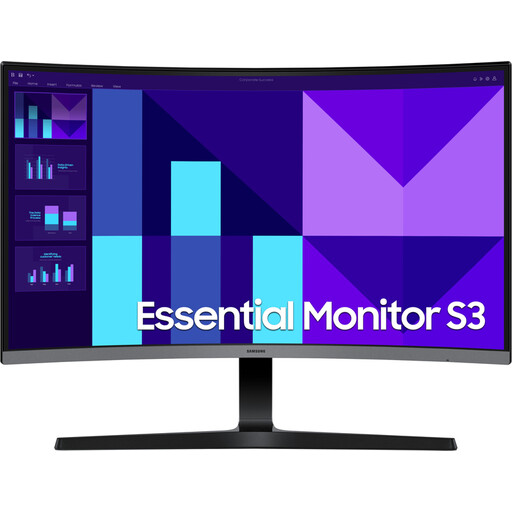
Why it suits this profile: This 27-inch Full HD monitor combines a 100Hz refresh rate with a VA panel and 1800R curvature, making it suitable for work, streaming and casual gaming.
The specifications make it clear that this model is designed for everyday use, rather than promising a high gaming refresh rate that not everyone needs.
27 inches, Full HD, 100Hz, VA panel, HDMI, VGA and audio output.
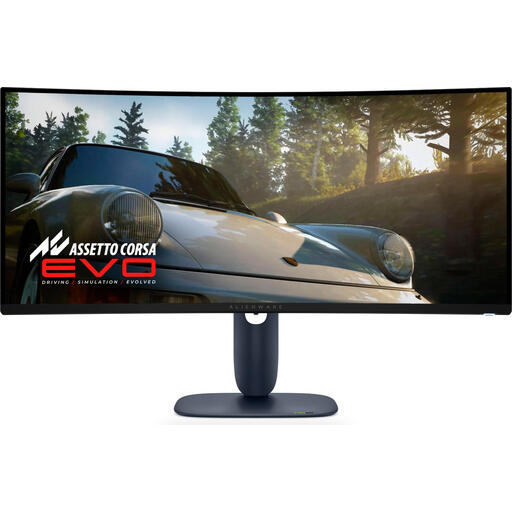
Why it suits this profile: This 34-inch ultrawide QD-OLED monitor is designed for users who combine gaming, multimedia and multitasking, and value contrast and speed.
The combination of 3440 × 1440, 240Hz and QD-OLED makes it easy to check the key picture and speed specifications on a single product page.
34 inches, 21:9, 240Hz, QD-OLED, approx. 0.03ms response time and HDMI 2.1.
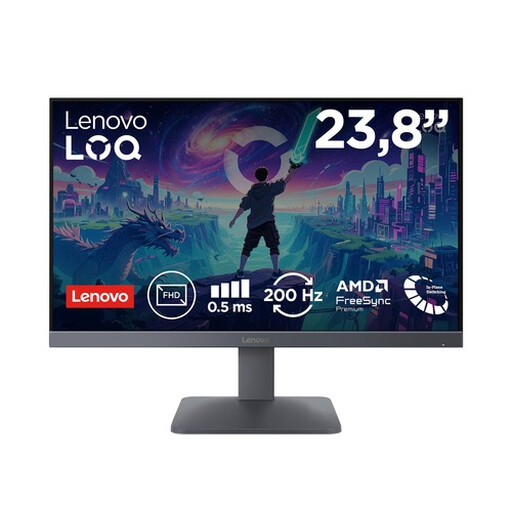
Why it suits this profile: For fast-paced PC and console games, this compact Fast IPS model offers 200Hz, Full HD and connections for multiple devices.
The 200Hz specification is paired with a 23.8-inch Full HD resolution, keeping the graphics workload more manageable than with 4K.
Fast IPS, 200Hz, 0.5ms MPRT, AMD FreeSync Premium, Adaptive Sync and HDMI 2.1.
We’ve put together a complete, up-to-date list of products that meet these strict selection criteria and the current European safety regulations.
No. 240Hz is most beneficial for fast-paced PC games and a computer capable of achieving high frame rates. For console gaming and general productivity, 100Hz, 120Hz or 165Hz is often a more sensible choice. Check that your graphics card and connection support the setting you want too.
A 27-inch QHD monitor generally has more pixels per inch than a Full HD monitor of the same size. This can be useful for text, interfaces and detailed games. Full HD is still a good option if a high frame rate, a lower budget or a less powerful graphics card is more important.
A monitor’s lifespan depends on how it’s used, ventilation, transport and settings. Place the screen on a stable surface, don’t block the ventilation openings and clean the panel with a soft, dry cloth. Check the warranty and your statutory rights relating to conformity before buying. Also consider energy consumption: a larger, brighter screen or an OLED monitor may use a different amount of energy from a basic Full HD model.
