
Vandaag of morgen in huis

Kwaliteit gegarandeerd

Welkomstaanbiedingen ontgrendelen: GRATIS bezorging | Tot 80% korting | Gratis 30 dagen JoyPlus-proefperiode
Download de app
Buying a gaming monitor seems straightforward until you start comparing the specifications. A screen with 240Hz, 1ms and HDR sounds appealing, but those figures don’t tell the whole story. The wrong connection can limit the maximum refresh rate, a Full HD screen may look less sharp at 27 inches, and a stand with limited adjustability can become frustrating after a few months.
As Joybuy Product Recommendation Officer, I separate the most important product specifications from the marketing jargon. That way, you can see which features matter for your PC, games and budget.
A 240Hz gaming monitor can display up to 240 frames per second, but your PC needs to deliver that frame rate too. If a game runs at around 100 fps, you won’t make full use of 240Hz. A high refresh rate can make a difference in competitive shooters, particularly if your system consistently achieves high frame rates.
Pay attention to the connection, too. According to its product specifications, the Samsung Odyssey G4 G40H supports up to 300Hz via DisplayPort, while HDMI supports up to 240Hz on this model. The MSI MAG 255XF also supports 300Hz via DisplayPort and up to 240Hz via HDMI. So, check your graphics card, cable and port before choosing a 300Hz gaming monitor.
A 1ms response time may refer to MPRT, GtG or a specific overdrive setting. These figures aren’t directly comparable. For example, the Samsung Odyssey G4’s 1ms GtG specification applies to Extreme Mode. The Titan Army C24A1H lists 1ms MPRT.
So, don’t just look at the lowest figure. Check the panel type, the mode used and whether the manufacturer lists any conditions. A fast setting can sometimes cause visible side effects, such as overshoot.
HDR10 support means a monitor can process HDR signals. It doesn’t automatically mean that bright areas will look noticeably brighter or that dark scenes will show much more detail. Check the brightness, contrast and panel type. An OLED gaming monitor, such as the LG UltraGear 27GX704A-B, uses self-lit pixels and lists DisplayHDR 400 True Black. An LCD model with HDR Ready may produce a different picture.
According to the brands’ own information and the product specifications provided, HDR, Adaptive-Sync and similar features also depend on the source device, cable, drivers and game settings.
A Full HD gaming monitor with 1920 × 1080 pixels puts less demand on your graphics card than a QHD gaming monitor. This makes Full HD a practical choice for high frame rates and competitive FPS games. At 24 or 25 inches, pixel density is generally easy on the eye.
At 27 inches, QHD, or 2560 × 1440, can give you a sharper picture. The MSI MAG 275CQDF X24 combines QHD with 240Hz and a 1500R curve. The LG UltraGear 27GX704A-B also uses QHD, but with an OLED panel. With QHD, check that your PC can achieve the frame rate you want.
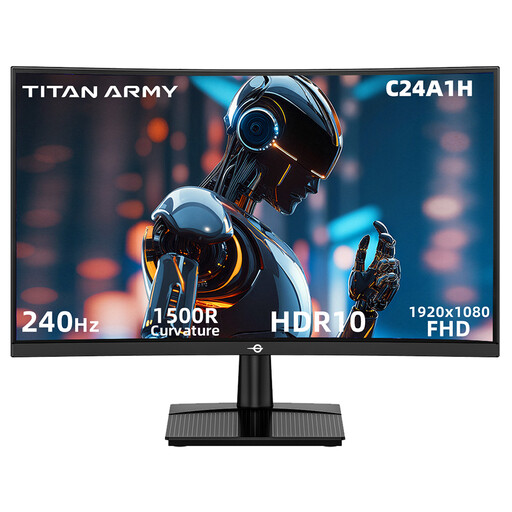
Why it suits this profile: This 23.6-inch Full HD model combines 240Hz with a 1500R curve, making it suitable for a compact desk and fast-paced PC games.
According to the product specifications, the HDMI 2.0 connection supports 1920 × 1080 at 240Hz. The required connection is clearly stated.
240Hz, 1ms MPRT, VA panel, FreeSync Compatible, HDR10 and VESA 100 × 100 mm.
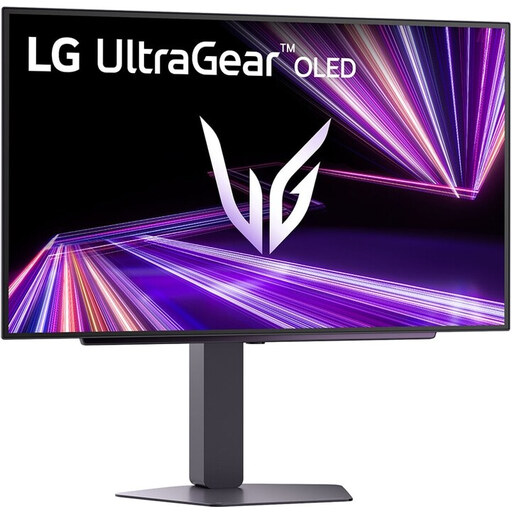
Why it suits this profile: For gamers and streamers who value QHD detail, OLED contrast and a large 27-inch screen.
The key display features are clearly specified: QHD, OLED, 240Hz and DisplayHDR 400 True Black. Check that your PC can handle QHD at high frame rates.
27-inch QHD OLED, 240Hz, quoted 0.03ms response time, HDMI 2.1, G-SYNC Compatible and FreeSync Premium Pro.
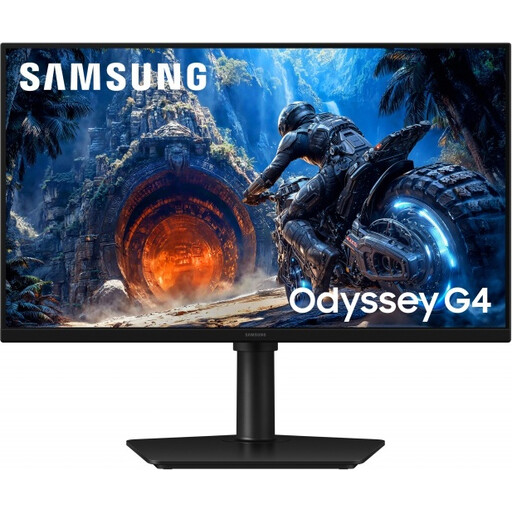
Why it suits this profile: A practical choice for competitive gaming, esports and anyone who needs an adjustable monitor stand.
The maximum refresh rate for each connection is listed: 300Hz via DisplayPort and 240Hz via HDMI. This lets you choose the right cable in advance.
Fast IPS, 300Hz via DisplayPort, FreeSync Premium, G-SYNC Compatible, plus height, swivel, tilt and pivot adjustment.
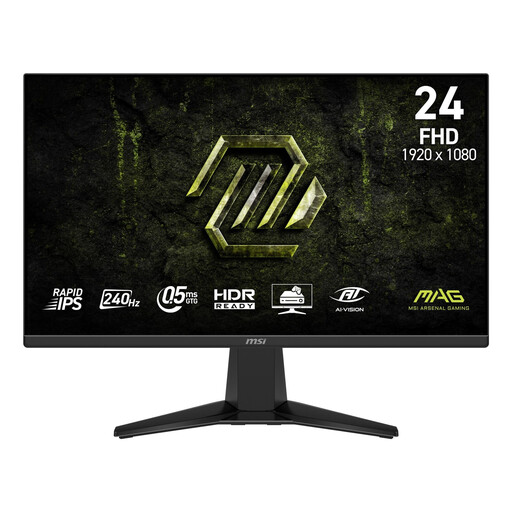
Why it suits this profile: A good fit for a compact PC or console set-up that needs 240Hz, multiple HDMI ports and an anti-glare screen.
The model lists an Adaptive-Sync range of 48–240Hz. It also specifies two HDMI 2.0b ports and DisplayPort 1.2a.
Rapid IPS, 240Hz, 1ms MPRT, 300 nits SDR brightness, HDR Ready and VESA 100 × 100 mm.
We’ve put together a complete, up-to-date list of products that meet these strict selection criteria and comply with current European safety regulations.
It can be, especially in fast-paced games and when your PC produces well over 144 fps. Motion generally looks smoother at a higher refresh rate. The difference depends on the game, frame rate, settings and personal preference.
Often, yes. The Samsung Odyssey G4 G40H and MSI MAG 255XF list 300Hz via DisplayPort. HDMI supports up to 240Hz at Full HD on these models. Always check the manual, graphics card and cable specifications.
It varies by model, brightness, resolution and HDR use. Check the energy label and the stated figures for SDR and HDR. A screen with higher brightness or OLED technology may use a different amount of power, depending on the settings, than a comparable LCD model. Turn the screen off or use sleep mode when you’re not gaming.
