What should you look for when choosing?
Start with the details you want to see in your designs, then compare gaming modes and finally check how your headphones and any microphone connect to your equipment.
| What to consider |
What should you check? |
Who is this important for? |
| Design detail and colour |
Compare the native resolution and screen size; treat colour coverage as a model specification, not a measurement of your individual unit. |
If you want to assess fine edges, text and small panels in a spaceship design, resolution matters. Around 33% of consumers prioritise design detail above all else. |
| Smooth gaming |
Check the maximum refresh rate for each resolution and connection, as well as what your computer or console can output. |
If fast movement in games matters more to you than 4K detail, compare the gaming modes separately. Around 27% of consumers prioritise gameplay. |
| Headphones and microphone |
Check the exact model for a headphone output and separate information about microphone support. |
If you also use voice chat while gaming, you’ll want to know whether audio and microphone work via your chosen connection. Around 27% of consumers prioritise headphone use. |
| Running costs and screen care |
Compare the energy labels for the exact models and read the screen-care and warranty terms for OLED. |
If energy information, prolonged static images and after-sales support are important to you, check both the product information and your rights as a consumer. Around 13% of consumers put these considerations first. |
Gaming monitors at Joybuy
These models are suited to designing and gaming on one screen, with options for 4K detail, QHD speed and OLED visuals.
 No image available
LG UltraGear 27G810A-B 27-inch 4K UHD IPS gaming monitor
Suited to anyone who wants to view design details in 4K and switch to a separate FHD mode for fast-paced games.
4K UHD at 180 Hz and FHD up to 360 Hz, according to the product information; the specifications also list a headphone output and DCI-P3 95%.
View at Joybuy
 No image available
KTC M27P6 27-inch 4K Mini-LED gaming monitor
An option for combining 4K design work with a separate FHD mode for fast-paced gameplay.
The product information lists Fast IPS, Mini-LED, 4K at 160 Hz and FHD at 320 Hz. It also lists USB-C 65 W and a height-adjustable stand.
View at Joybuy
 No image available
Alienware AW2725Q 26.7-inch 4K QD-OLED monitor
Suited to anyone looking for 4K resolution and a high refresh rate on a QD-OLED screen.
The product information lists 3840 × 2160, 240 Hz, DisplayHDR True Black 400 and G-SYNC compatibility.
View at Joybuy
 No image available
MSI MAG 322UP QD-OLED E16 31.5-inch 4K gaming monitor
An option for anyone looking to combine 4K, QD-OLED and headphone audio through the monitor.
The product information lists 165 Hz and a headphone output. For prolonged static images, it recommends using the OLED care features to reduce the risk of image retention.
View at Joybuy
 No image available
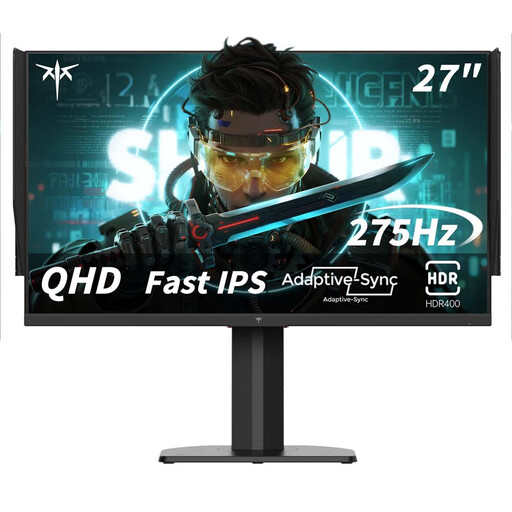
KTC H27E8 27-inch QHD Fast-IPS gaming monitor
Suited to anyone who values QHD and fast-paced gameplay over the extra pixels of 4K.
The product title lists 240 Hz and 275 Hz in overclocked mode.
View at Joybuy
Frequently asked questions
Can I connect my headphones and headset microphone to the monitor?
That depends on the exact model and audio source. A headphone output doesn’t automatically confirm microphone support: LG describes the output on the 32G810SA-W as three-pole and for audio only. For voice chat, check the connections on your monitor and computer or console.
How do I set the 4K refresh rate I want?
First check which resolution and refresh rate your monitor supports for each mode and connection, then select the right mode on your computer or console. For example, the GIGABYTE G27U lists up to 160 Hz in UHD and 320 Hz in FHD.
What should I consider when using an OLED monitor for design work over long periods?
Check the screen-care features and terms for the exact model. MSI describes OLED Care 2.0 for the MPG 321URX QD-OLED as a way to reduce the risk of burn-in, not to eliminate it.
What are my rights if a monitor I bought online isn’t as it should be?
According to the Dutch government, in many cases you have a 14-day cooling-off period when you buy from a business at a distance as a consumer. The Netherlands also has statutory consumer rights without a fixed statutory warranty period; if a product is faulty, the retailer is your point of contact. These rights are separate from any optional manufacturer’s or additional warranty.
What energy-use information can I compare?
The European Commission describes an A to G energy label for electronic displays, including computer monitors. Compare the label and product information for the exact version; this may also show energy use when displaying HDR content.


