
Vandaag of morgen in huis

Kwaliteit gegarandeerd

Welkomstaanbiedingen ontgrendelen: GRATIS bezorging | Tot 80% korting | Gratis 30 dagen JoyPlus-proefperiode
Download de app
Buying a gaming monitor seems straightforward: choose a screen size, check the refresh rate and compare the price. However, a model that sounds impressive on paper may not be the best fit for your PC, console or workspace. Terms such as 1 ms, HDR and 240Hz are not always measured using the same method.
This guide will help you assess the most important specifications, so you can choose a gaming monitor that suits your games, hardware and everyday use.
A 144Hz monitor, 180Hz monitor or 240Hz monitor can display movement more smoothly than a 60Hz screen. However, you will only benefit if your computer or console produces enough frames per second. In a demanding game at QHD resolution, a mid-range graphics card may struggle to reach 180 or 240 frames per second.
Therefore, check:
A 300Hz monitor is mainly of interest to users who achieve very high fps in lightweight, competitive games. For many players, a QHD gaming monitor with 144Hz to 180Hz offers a more practical balance between sharpness and speed.
Manufacturers may state response times as GtG or MPRT, for example. These figures are not directly comparable. A quoted 0.5 ms MPRT does not automatically mean the same as 1 ms GtG.
Also pay attention to settings such as overdrive. An overdrive setting that is too high can cause visible edges or image artefacts. When comparing monitors, look at both the measurement method and user experiences instead of focusing solely on the lowest figure.
A HDR gaming monitor sounds appealing, but HDR support alone does not guarantee strong contrast performance. Check the brightness, contrast, local dimming and stated HDR standard. The Alienware AW2725DM, for example, lists VESA DisplayHDR 600. Other models may list HDR10 or HDR Ready, which can indicate a different product class.
According to the manufacturer’s or seller’s own product information, these are supported features; the visible result also depends on the game, video, settings and ambient lighting.
A 27-inch gaming monitor is a popular size for a desk. At 1920 × 1080, also known as Full HD, the pixel density on a 27-inch screen is lower than with QHD. This can be noticeable with text and fine details, particularly when you sit close to the screen.
A QHD gaming monitor with 2560 × 1440 provides more workspace and sharper details. On the other hand, QHD places greater demands on your graphics card. Full HD remains practical for high fps, affordable systems and competitive games.
Larger screens, such as a 32-inch model or an ultrawide monitor, are appealing for simulation games, multitasking and content creation. Check beforehand that your desk is deep and wide enough.
A FreeSync monitor may be compatible with AMD FreeSync. A G-SYNC monitor may support NVIDIA G-SYNC or G-SYNC Compatible. Always check exact compatibility with your graphics card and use the correct DisplayPort or HDMI version.
Also look at:
With consoles, it is particularly important to check whether HDMI supports the desired resolution and refresh rate. A fast PC monitor will not automatically offer the same capabilities with a PlayStation, Xbox or Nintendo Switch.
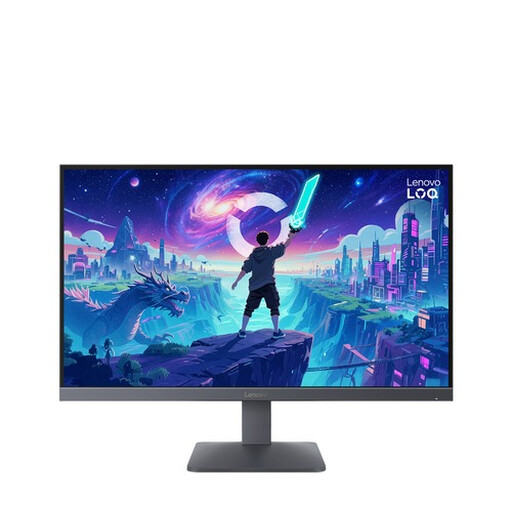
Why it suits this profile: This 27-inch Full HD model combines relatively low resolution demands with a 200Hz refresh rate. It is well suited to gamers who want high fps without immediately upgrading to QHD hardware.
The product information clearly states Full HD, 200Hz and 0.5ms MPRT/1ms GtG. This makes it easier to compare the performance with your hardware.
Fast IPS panel, AMD FreeSync Premium, HDR10, two HDMI 2.1 ports and DisplayPort 1.4.
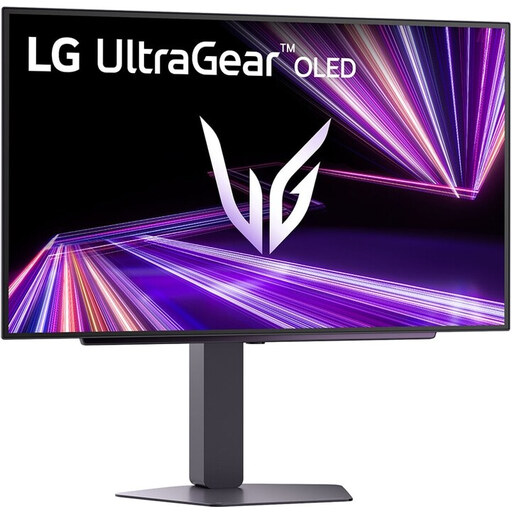
Why it suits this profile: For users who enjoy fast-paced games as well as films, design work and image editing, this 27-inch OLED screen combines QHD resolution, 240Hz and a wide colour gamut.
The product specifications list OLED, QHD, 240Hz, DisplayHDR 400 True Black, plus separate HDMI 2.1 and DisplayPort 1.4 connections.
Quoted response time of 0.03ms, G-SYNC Compatible, FreeSync Premium Pro, adjustable stand and VESA 100 × 100mm.
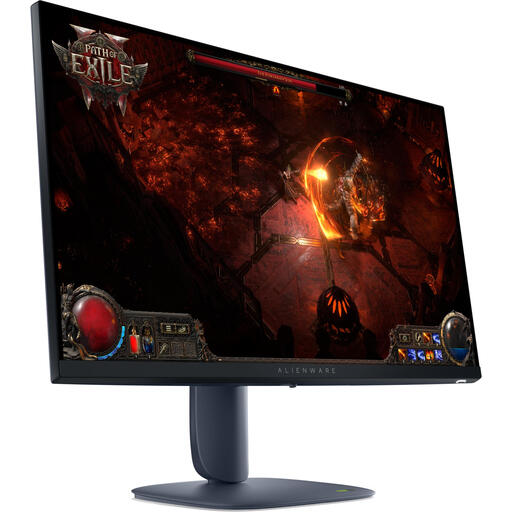
Why it suits this profile: This model is aimed at PC gamers and creative users who value QHD detail, wide viewing angles and an adjustable stand.
The resolution, IPS panel, 180Hz refresh rate and connections are specified separately. However, check that your cable and graphics card support this combination.
2560 × 1440 pixels, 180Hz, two HDMI 2.1 ports, DisplayPort 1.4, VESA DisplayHDR 600 and compatibility with G-SYNC and FreeSync according to the product information.
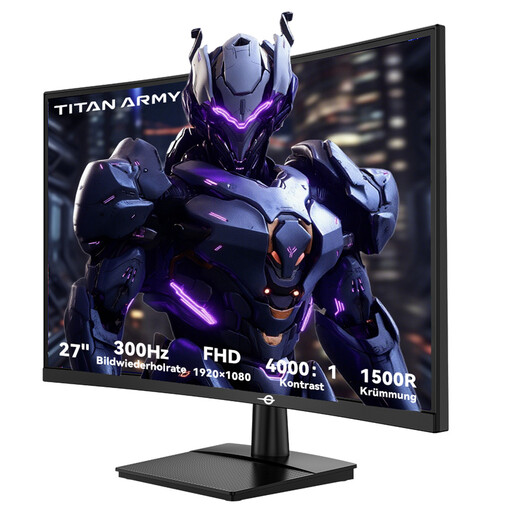
Why it suits this profile: This screen is designed for players of fast-paced esports and action games who achieve high fps and deliberately choose Full HD.
Choosing 1920 × 1080 keeps the workload lower than with QHD, while HDMI 2.0 and DisplayPort 1.4 support up to 300Hz according to the specifications.
1500R curvature, VA panel, 300Hz, 1ms GTG, 4000:1 contrast ratio, HDR10 and FreeSync compatibility.
We have put together a complete, up-to-date list of products that fully meet these strict selection criteria and the applicable European safety regulations.
For many PC and console gamers, 144Hz is a useful starting point. The difference compared with 60Hz is particularly noticeable in fast-paced games. A higher refresh rate is only worthwhile when your system can also deliver a similar fps.
On a 27-inch screen, QHD provides more pixels and therefore generally sharper text and details. Full HD requires less graphics processing power, making it more practical for high fps. The right choice depends on your graphics card, games and viewing distance.
The lifespan depends on usage, ventilation, transport, and the quality of the power supply and cables. Keep ventilation openings clear, use the supplied or compatible power supply, and clean the screen with a soft, dry cloth. Also check the warranty period and service conditions before buying.
