
Vandaag of morgen in huis

Kwaliteit gegarandeerd

Welkomstaanbiedingen ontgrendelen: GRATIS bezorging | Tot 80% korting | Gratis 30 dagen JoyPlus-proefperiode
Download de app
Buying a gaming monitor seems straightforward until you start comparing the specifications. 144Hz, 165Hz, 180Hz, 240Hz or even 320Hz: the numbers soon add up. Terms such as HDR10, Adaptive Sync, FreeSync and G-SYNC can sound appealing too, but they only matter if they’re compatible with your PC, games and connections.
Most disappointing purchases come down to three common pitfalls:
A Full HD gaming monitor with 1920 × 1080 pixels is a practical choice for competitive games and systems that deliver high fps. Pixel density is generally comfortable on a 23.6- or 24-inch screen. At 27 or 32 inches, the same resolution can look less crisp, especially if you sit close to the screen.
A QHD gaming monitor with 2560 × 1440 pixels gives you more workspace and detail. It’s a sensible middle ground for PC gaming, productivity and entertainment. A 4K monitor with 3840 × 2160 pixels can be a good choice for photo or video work, but first check that your graphics card and cable support it at your desired refresh rate.
Refresh rate is measured in hertz:
A FreeSync monitor adjusts its refresh rate to match the frame rate of a compatible graphics card. Some models also state that they’re G-SYNC Compatible. Always check the official compatibility list and which connection you’re using. You may also need to enable the feature manually in the monitor’s menu and your graphics driver.
An IPS monitor is generally known for its wide viewing angles and consistent colours. It’s a good fit if you also use your screen for design, photography or working from home. A VA monitor often has higher contrast according to its product specifications, which can make dark scenes look more vivid. However, motion handling can vary between models.
An OLED gaming monitor uses self-illuminating pixels and can display very deep blacks. Be sure to check the user manual, power settings and any guidance on displaying static images for long periods. A brand’s picture quality claims aren’t a universal guarantee, so look at the specific details, such as brightness, colour coverage and HDR type.
HDR10 means the screen supports this HDR format. On its own, it doesn’t tell you how much brightness or contrast you’ll get in practice. Check the connections too: a DisplayPort monitor is often useful for high PC refresh rates, while HDMI is handy for consoles and laptops. Check the exact HDMI and DisplayPort versions, and the maximum resolution at your desired refresh rate.
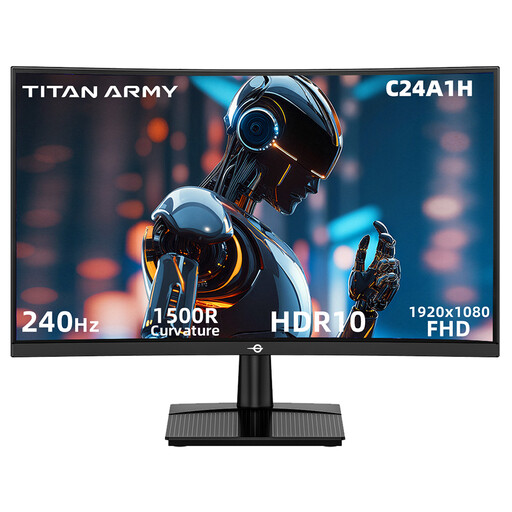
Why it suits this profile: This 23.6-inch curved gaming monitor combines Full HD with 240Hz. It’s a good fit for players who mainly play fast-paced games on a compatible PC.
According to the product information, the HDMI 2.0 and DisplayPort 1.2 connections support 1920 × 1080 at 240Hz. Check that your PC can deliver this, too.
VA panel, 1500R curvature, FreeSync Compatible, HDR10 support and VESA 100 × 100mm.
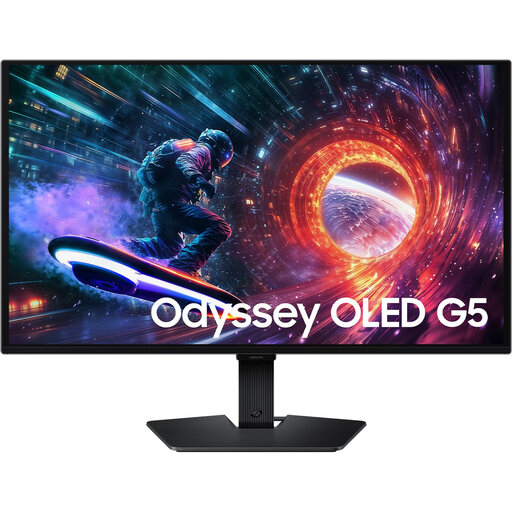
Why it suits this profile: The combination of QHD, OLED and 180Hz is aimed at gamers and creators who want both picture quality and speed.
The product information lists QHD resolution, 180Hz, HDMI 2.0 and DisplayPort 1.2. Check your PC’s available bandwidth and settings.
OLED panel, 2560 × 1440 pixels, HDR10, AMD FreeSync and G-SYNC Compatible, according to the listed product specifications.

Why it suits this profile: This monitor is aimed at competitive PC gamers who value a high refresh rate and adjustable ergonomics.
The 320Hz mode is only useful if you have enough fps. The monitor lists HDMI 2.1 and DisplayPort 1.4, so you can check your cable choice and PC configuration accordingly.
24.5-inch Full HD, Fast IPS, 320Hz, 0.5ms GTG according to the product information, G-SYNC Compatible and FreeSync Premium.
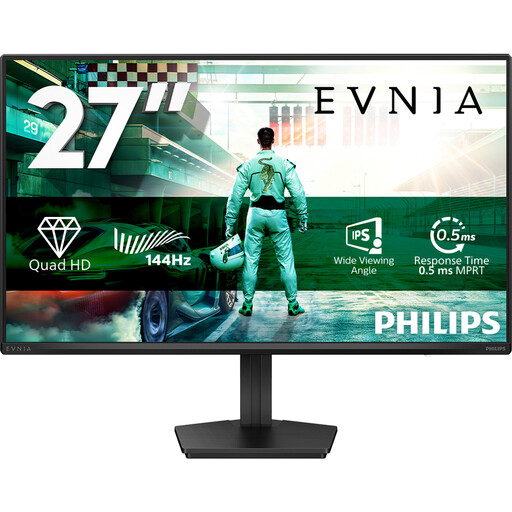
Why it suits this profile: QHD, IPS and 144Hz make this model suitable for gaming, streaming, office work and general PC productivity.
The specifications list DisplayPort 1.4 and HDMI 2.0. This makes it easier to connect the right source, but the maximum mode still depends on your hardware.
IPS panel, 2560 × 1440 pixels, 144Hz, HDR10, Adaptive Sync and VESA 100 × 100mm.
We’ve put together a complete, up-to-date list of products that meet these strict selection criteria and the applicable European safety regulations.
For many players, yes. 144Hz refreshes the image considerably more often than 60Hz and suits many mid-range PCs. A 165Hz, 180Hz or 240Hz monitor is most worthwhile if your computer consistently delivers higher fps and you play fast-paced competitive games.
QHD is often a practical choice for 27 inches, as 2560 × 1440 offers more detail than Full HD. Full HD can still be a good fit if a high fps matters more to you or your PC has less graphics processing power. Also consider how far you sit from the screen and whether you’ll use it for work or entertainment.
It can, but the exact power consumption varies by model and settings. Brightness, HDR, screen technology and power-saving modes also make a difference. Compare the stated consumption and use sleep mode when you don’t need the screen.
