
Vandaag of morgen in huis

Kwaliteit gegarandeerd

Welkomstaanbiedingen ontgrendelen: GRATIS bezorging | Tot 80% korting | Gratis 30 dagen JoyPlus-proefperiode
Download de app
Buying a gaming monitor seems straightforward until you start comparing refresh rates, response times, panel types and synchronisation technologies. A 240Hz screen isn’t automatically right for your PC, and a low response time doesn’t mean much if your connection or graphics card can’t deliver the required frame rate.
For gamers in the Netherlands, three pitfalls are particularly important:
A QHD gaming monitor with 2560 × 1440 pixels offers noticeably more detail than Full HD, without the higher graphics demands of 4K. A 27-inch gaming monitor with QHD is a practical combination for competitive gaming, work and entertainment.
A 34-inch gaming monitor with 3440 × 1440 pixels usually has a 21:9 aspect ratio. This gives you extra horizontal space for windows, maps and timelines. However, you’ll need a desk that can accommodate a screen around 80 centimetres wide.
Larger 45- or 49-inch models are particularly suited to:
If you’re considering a curved gaming monitor, check the curvature too. A 1500R or 1800R screen is generally easier to fit on a standard desk than a more steeply curved 800R model. Also check your viewing distance and the VESA size if you plan to use a monitor arm.
Refresh rate is measured in hertz. A 60Hz screen refreshes the image 60 times a second; a 180Hz gaming monitor or 240Hz gaming monitor can show movement more frequently. This can make a difference, particularly in fast-paced PC games, as long as your computer can deliver enough frames.
For many gamers, a 144Hz or 180Hz screen strikes a sensible balance between smooth visuals and hardware requirements. 240Hz is best suited to users with a powerful PC and a strong focus on competitive shooters.
Response time needs a little context:
So consider the panel technology too. IPS panels are known for their wide viewing angles, VA panels for their higher stated contrast, and OLED panels for deep blacks. The right choice depends on how you’ll use the screen for gaming, films or creative work, and how much static content will be displayed.
A FreeSync monitor synchronises its refresh rate with compatible AMD hardware. A G-SYNC monitor is designed for NVIDIA technology. Some screens are G-SYNC Compatible, but this doesn’t guarantee that every feature will work with every PC. Check the official compatibility information and use a suitable DisplayPort or HDMI connection.
HDR10 can expand the range of colours and brightness, but the HDR experience also depends on brightness, contrast and local dimming. So an HDR10 monitor label doesn’t tell you everything. OLED models generally excel at displaying deep blacks; with LCD panels, brightness and backlighting play a bigger role.
Check the following before you buy:
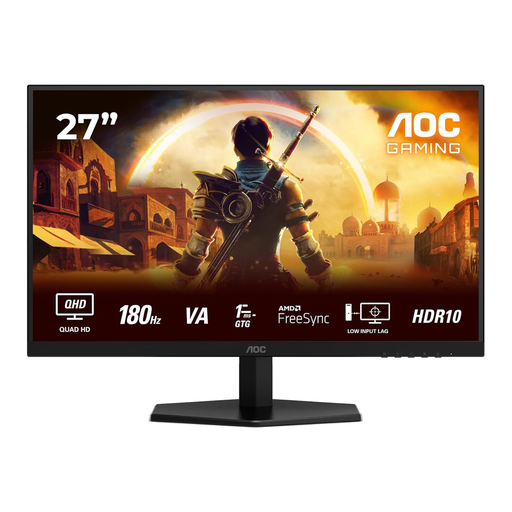
Why it suits this profile: The combination of a 27-inch screen, QHD resolution and 180Hz makes this a good fit for gamers looking for a compact screen for shooters, adventure games and everyday use.
The product specifications list QHD, 180Hz and FreeSync Premium. Just check that your PC can support this combination.
2560 × 1440 pixels, 180Hz, 1ms GtG and HDR10, according to the product information.
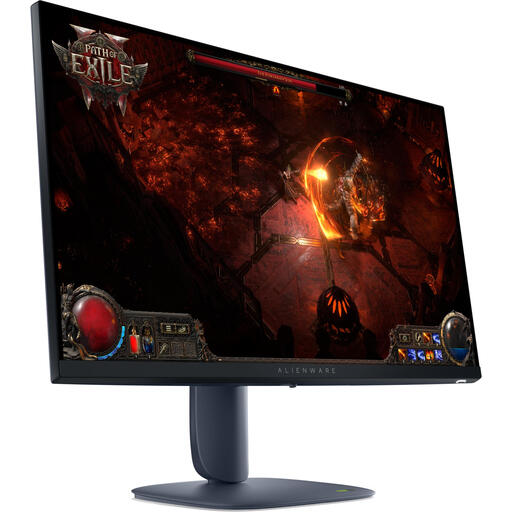
Why it suits this profile: This IPS screen is designed for gamers and creators who want to combine QHD detail, wide viewing angles and a high refresh rate.
The listed specifications include 180Hz, QHD, FreeSync Premium Pro and G-SYNC Compatible support. Check that these work with your hardware.
2560 × 1440 pixels, IPS panel, 180Hz, HDR600 listing and adjustable stand.
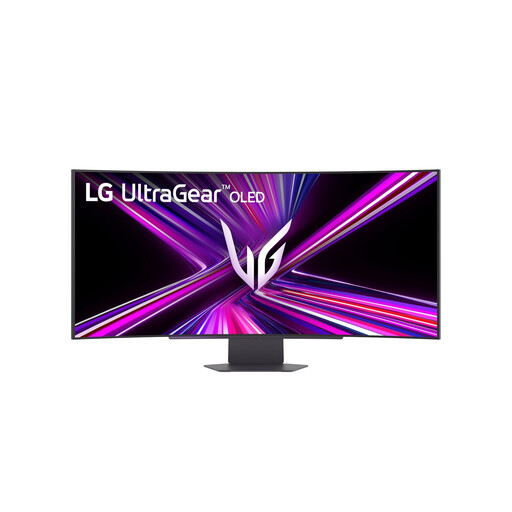
Why it suits this profile: This large ultrawide OLED screen is designed for users who want to combine gaming, entertainment and a spacious workspace on one screen.
The 3440 × 1440 resolution and 240Hz refresh rate are clearly listed. Check in advance that your desk, viewing distance and graphics card are suitable.
OLED panel, 240Hz, 0.03ms GtG according to the product specifications, HDMI 2.1 and USB-C with up to 65W Power Delivery.
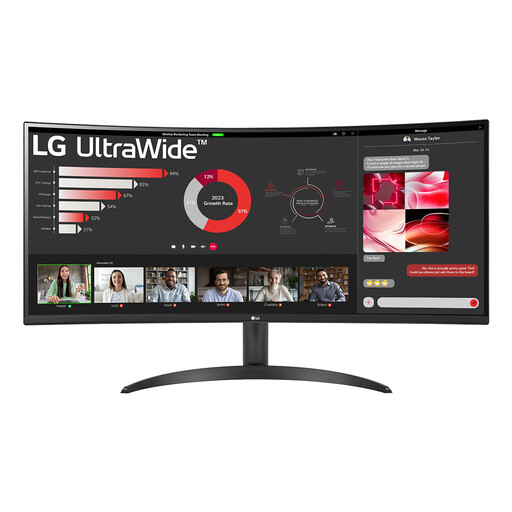
Why it suits this profile: The 21:9 aspect ratio and Picture-by-Picture feature are handy for spreadsheets, documents, video editing and casual gaming.
The 100Hz refresh rate is well suited to everyday work and casual gaming, without paying for a speed you don’t need.
3440 × 1440 pixels, VA panel, 100Hz, HDR10, FreeSync and PBP, according to the product details.
We’ve put together a complete, up-to-date list of products that meet these strict selection criteria and the applicable European safety regulations.
For many gamers, 144Hz is enough for smooth visuals. A 180Hz gaming monitor may be worth considering if your PC consistently achieves higher frame rates. 240Hz can be a good fit for competitive games, but the price difference and hardware requirements are greater.
Yes. QHD at 2560 × 1440 pixels offers a practical balance of sharpness and performance on a 27-inch screen. Just check that your graphics card can achieve the frame rate you want in the games you play.
Power consumption depends on the panel type, brightness, size and refresh rate. A 45- or 49-inch monitor will generally use more power than a 27-inch model. Check the stated typical power consumption and adjust the brightness to suit your room.
