
Vandaag of morgen in huis

Kwaliteit gegarandeerd

Welkomstaanbiedingen ontgrendelen: GRATIS bezorging | Tot 80% korting | Gratis 30 dagen JoyPlus-proefperiode
Download de app
Buying a gaming monitor seems straightforward, until you start comparing refresh rates, response times, panel types and connections. A screen with an impressive list of specifications won’t automatically be right for your PC, desk or games.
Most disappointing purchases come down to three common pitfalls:
A Full HD gaming monitor with 1920 × 1080 pixels is a practical choice for competitive games, an average PC and a limited budget. On a screen of around 24 inches, the pixel density is generally comfortable for everyday use.
For 27 inches, QHD, or 2560 × 1440 pixels, is a sensible option. You get more room to work and sharper detail in games, photos and videos. A 32-inch QHD screen gives you a large picture, but check that your desk is deep enough first.
An ultrawide monitor, such as a 34-inch model with 3440 × 1440 pixels, is worth considering for multitasking, simulation games and films. Check that your favourite games support the 21:9 aspect ratio properly.
A 144Hz gaming monitor refreshes the image considerably more often than a standard 60Hz screen. This can make movement look smoother in shooters, racing games and fast-paced online games. A 240Hz gaming monitor or higher is mainly suited to esports and powerful PCs.
Also look for Adaptive Sync. According to the product specifications, FreeSync or a similar synchronisation technology can help reduce tearing and stuttering between your graphics card and monitor. Check that your graphics card and chosen connection are compatible.
Always consider the stated response time alongside its measurement method. A low figure sounds appealing, but settings such as overdrive can affect image artefacts. Check the full product specifications rather than focusing on the biggest number in the title.
Check whether your PC needs DisplayPort to reach the maximum refresh rate. For consoles, the HDMI version, supported resolution and refresh rate are important. A monitor for PC gaming with only an older connection may limit what your graphics card can do.
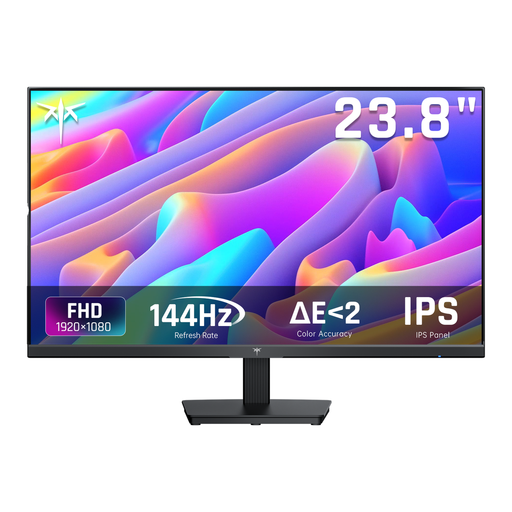
Why it suits this profile: This 24-inch Full HD model combines 144Hz with an IPS panel, making it a good fit for gamers looking for a noticeable step up from 60Hz without moving straight to QHD.
The resolution and screen size are well matched. The product specifications also list Adaptive Sync and HDMI and DisplayPort connections.
144Hz, IPS panel, 1920 × 1080 pixels and a tiltable stand.
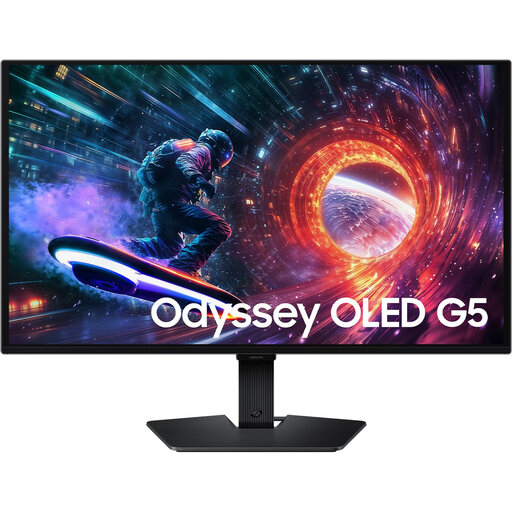
Why it suits this profile: The combination of QHD, 180Hz, IPS and a height-adjustable stand makes this a good choice for people who want one screen for gaming, work and multimedia.
The product specifications list both G-SYNC Compatible and FreeSync. Check that your PC can run QHD at 180Hz.
27-inch QHD, 180Hz, 1ms GtG, HDR10 and height adjustment.
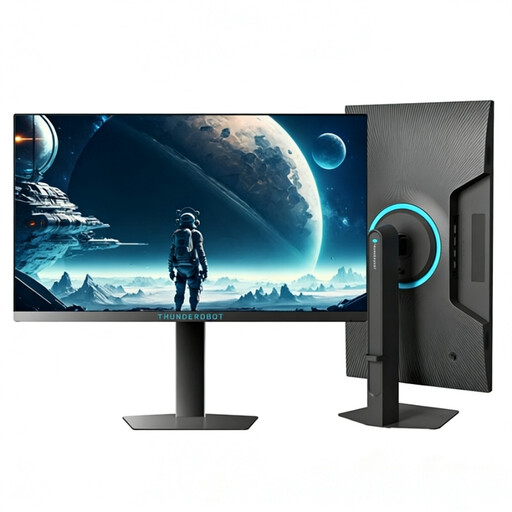
Why it suits this profile: This screen is aimed at competitive PC gaming, where an exceptionally high refresh rate is a priority. Its size is also suited to a close viewing distance at a gaming desk.
The 320Hz specification is clearly stated. Before buying, check that your PC and cable support this refresh rate at Full HD.
24.5 inches, Full HD, 320Hz, 450 nits brightness and a height-adjustable, swivel stand.
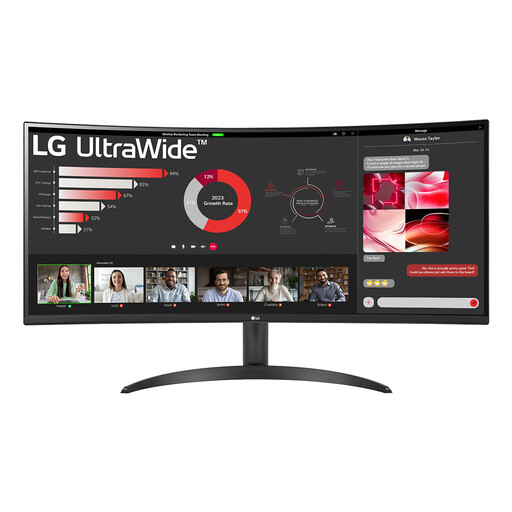
Why it suits this profile: The 21:9 aspect ratio gives you room for multiple windows, simulation games and films. It’s a practical choice if you want to combine working from home with relaxing.
The high resolution is matched to a large ultrawide screen. The PBP feature and three video inputs make it easier to use multiple devices at once.
34 inches, 3440 × 1440 pixels, 100Hz, VA panel, HDR10 and PBP.
We’ve put together a complete, up-to-date list of products that meet these strict selection criteria and comply with current European safety regulations.
For many gamers, 144Hz strikes a practical balance between smooth visuals, price and system demands. 240Hz or 320Hz may appeal for competitive games, but only if your PC can produce enough frames per second. For casual gaming, work and multimedia, 100Hz to 144Hz is often a clear improvement over 60Hz.
It depends on the screen size, viewing distance and your graphics card. Full HD works well at 24 inches and on systems where high frame rates are a priority. QHD offers more detail at 27 inches or larger, but requires more graphics processing power. Check your PC’s performance before choosing a QHD gaming monitor.
Lifespan depends on usage, heat, power supply and panel type. Place the screen on a stable surface, keep the ventilation openings clear and use a suitable power connection. Also check the warranty and your statutory rights relating to product conformity. Many models list a minimum statutory warranty of two years in their product information; additional terms may vary by product and situation.
