
Vandaag of morgen in huis

Kwaliteit gegarandeerd

Welkomstaanbiedingen ontgrendelen: GRATIS bezorging | Tot 80% korting | Gratis 30 dagen JoyPlus-proefperiode
Download de app
Buying a gaming monitor seems straightforward until you start comparing 144Hz, 240Hz, 300Hz and 320Hz. Resolution, panel type, connections and ergonomics also determine whether a screen is a good match for your PC and playing style. A high refresh rate sounds appealing, but it does not automatically make a monitor the better buy.
As a Joybuy Product Recommendation Officer, I focus mainly on verifiable product specifications. This helps you avoid paying extra for features your PC cannot make use of, or choosing a screen that turns out to be impractical once it is set up.
A 240Hz gaming monitor, 300Hz gaming monitor or 320Hz gaming monitor can display exceptionally smooth movement. However, your computer must also be capable of producing enough frames per second. If a game runs at around 100 fps, you will only be making partial use of a 320Hz panel.
For competitive shooters and a powerful PC, a high refresh rate can make sense. For casual gaming, work and streaming, a Full HD gaming monitor with 100Hz to 180Hz may be a better fit for your needs and budget.
Brands often advertise 1ms, 0.5ms or even lower figures. Pay attention to the terminology used: GTG and MPRT do not measure the same thing. A low MPRT figure may, for example, be linked to a specific motion mode. Therefore, only compare response times when the measurement method is the same.
Also look at the overdrive settings. According to the product description, an aggressive setting may increase speed, but it can sometimes cause visible artefacts. After purchase, check which setting works best for your games.
A 27-inch Full HD screen has fewer pixels per inch than a 24-inch Full HD model. As a result, text and fine details may look less sharp. For a 27-inch screen, a QHD gaming monitor is often a sensible option, while Full HD works well for compact esports setups.
A large ultrawide screen also places considerable demands on your graphics card. Check that your desk is deep and wide enough for a curved gaming monitor or a 32:9 model.
Refresh rate is measured in hertz. 60Hz refreshes the image 60 times per second; 240Hz does so 240 times. A higher figure can make movement appear smoother, but the benefit depends on your fps, game and graphics card.
For esports, 240Hz and above are interesting options. A 300Hz or 320Hz screen is mainly relevant when your PC can achieve a similarly high frame rate in lightweight competitive games. Always check that HDMI or DisplayPort supports the required resolution and refresh rate.
A screen with HDR support will not automatically deliver the same HDR results in every game. Brightness, contrast, panel technology and software settings remain important.
A FreeSync monitor can match its refresh rate to the frame rate of a compatible AMD graphics card. With a G-SYNC monitor, check whether it offers official G-SYNC support or G-SYNC Compatible. The specifications of some screens may state that compatibility is possible, without it having been officially confirmed by Nvidia.
Also check for:
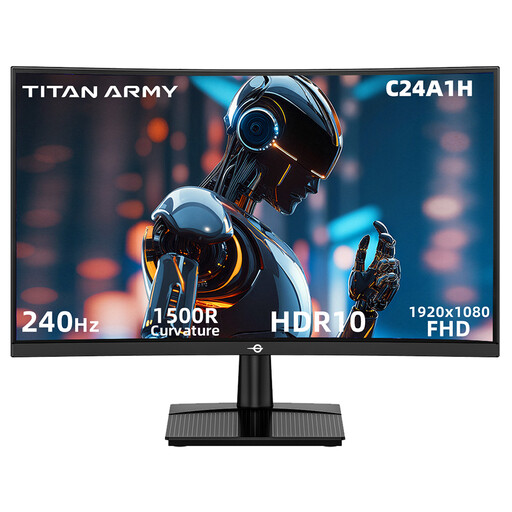
Why it suits this profile: The 23.6-inch size and Full HD resolution keep the required graphics performance manageable. This monitor is designed for PC gaming at 240Hz and is compatible with FreeSync.
The specifications state both the resolution and the connections that support 240Hz at Full HD. However, make sure your PC can achieve that frame rate.
VA panel, 240Hz, 1ms MPRT according to the product information, HDR10 and VESA 100 × 100 mm.
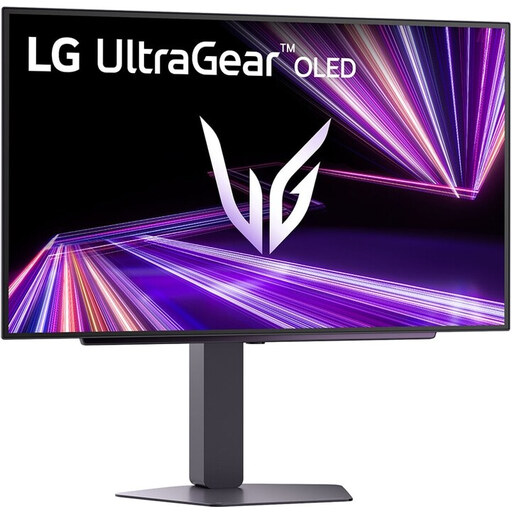
Why it suits this profile: This screen combines QHD, OLED, 240Hz and multiple modern connections for users who place equal importance on image quality and responsiveness.
The product information lists the panel technology, 240Hz and a response time of 0.03ms separately. Do not compare these figures without checking the measurement method used.
27-inch QHD OLED, HDMI 2.1, DisplayPort 1.4, G-SYNC Compatible and FreeSync Premium Pro according to the product specifications.
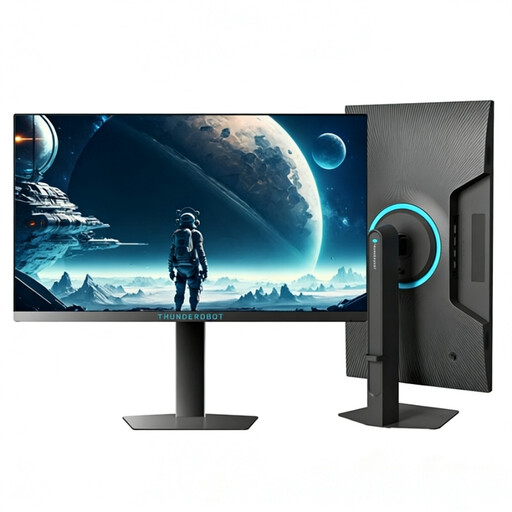
Why it suits this profile: The compact 24.5-inch esports format and 320Hz refresh rate are suited to players who play fast-paced competitive games on a PC capable of delivering high fps.
The size remains focused on Full HD and esports. This means you are not paying for a large QHD or ultrawide setup when speed is your main priority.
24.5 inches, 1920 × 1080, 320Hz, 450 nits according to the product information, plus a stand with height and swivel adjustment.
We have put together a complete, up-to-date list of products that fully meet these strict selection criteria and the applicable European safety regulations.
It can be, especially in fast-paced games and when your PC produces well over 144 fps. The difference is less significant if you mainly play slower-paced games or your frame rate remains lower. Consider the combination of your graphics card, game settings and monitor.
QHD displays more detail, but requires more graphics processing power. Full HD is practical for higher fps, a smaller screen or a more limited budget. On a 27-inch screen, QHD can also provide a finer pixel display than Full HD.
Lifespan depends on usage, heat, brightness, power supply and physical strain. Place the screen securely, keep ventilation openings clear and use a soft, dry cloth. With OLED, it is advisable to use the built-in screen-protection and maintenance features as described in the manual.
