
Vandaag of morgen in huis

Kwaliteit gegarandeerd

Welkomstaanbiedingen ontgrendelen: GRATIS bezorging | Tot 80% korting | Gratis 30 dagen JoyPlus-proefperiode
Download de app
Buying a gaming monitor sounds simple until you start comparing refresh rate, resolution, panel type and connections. A 240Hz screen sounds appealing, but it will not automatically deliver a better experience if your PC cannot reach that frame rate. Likewise, a low response time stated on the packaging does not always tell you how it was measured or how the monitor performs in every display mode.
The following pitfalls are common:
The refresh rate indicates how often the screen can display a new image per second. A 144Hz gaming monitor is a practical step up from 60Hz for many PC gamers. Models with 165Hz, 180Hz, 200Hz or 240Hz display movement more frequently, provided your PC produces enough frames.
For competitive shooters and esports, a 240Hz gaming monitor or higher may suit a powerful PC. A 300Hz gaming monitor or 320Hz gaming monitor is mainly aimed at players who achieve very high fps in less demanding, competitive games. For story-driven games, simulations and console use, a lower refresh rate may already be sufficient.
Also look out for Adaptive Sync. A FreeSync gaming monitor synchronises the refresh rate with compatible AMD hardware. A G-SYNC Compatible monitor is compatible with Nvidia technology; always check your graphics card’s official support and the connection method.
A Full HD gaming monitor measuring 23.8 or 24.5 inches keeps the load on your graphics card relatively low. This makes Full HD suitable for high fps and smaller desks. At 27 or 32 inches, QHD gaming monitor resolution of 2560 × 1440 can provide more detail, but it also requires more graphical processing power.
A 27-inch QHD screen is a logical choice for gaming, studying and working from home. If you want to use several windows side by side, consider an ultrawide gaming monitor. A 49-inch DQHD model, however, takes up a great deal of desk space. Check your desk’s load-bearing capacity and the dimensions of any monitor arm you may use.
An IPS gaming monitor is generally known for its wide viewing angles and consistent colour reproduction. According to product specifications, a VA panel often offers higher contrast, which can be noticeable in dark scenes. A curved gaming monitor with a VA panel can also provide a more immersive viewing position, but the curvature is not practical for every workspace.
With a monitor with a 1 ms response time, check whether the figure refers to GtG or MPRT. An activated overdrive mode can affect image artefacts. HDR is not automatically a guarantee of a major improvement in image quality either. Check the brightness, contrast, HDR format and whether local dimming is mentioned. A model with HDR10 or HDR Ready can display compatible content, but the overall experience also depends on the game, source and settings.
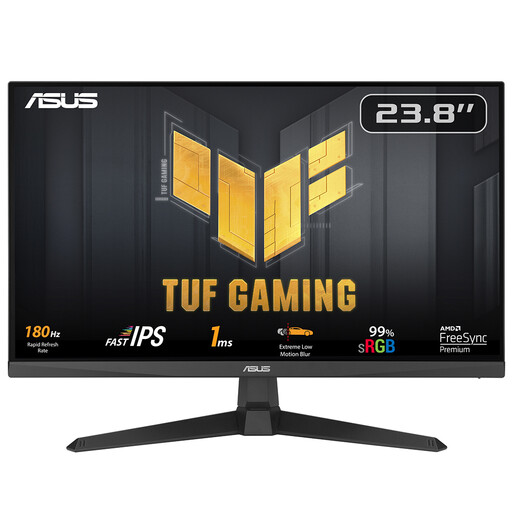
Why it suits this profile: This 23.8-inch Full HD screen combines 180Hz with an IPS panel, making it a good fit for a compact PC or student setup.
The product specifications list the resolution, 180Hz refresh rate and 1 ms response time separately. They also state that G-SYNC is not officially certified, so check this with your Nvidia card before buying.
IPS panel, 1920 × 1080, 180Hz, FreeSync and VESA 100 × 100 mm.
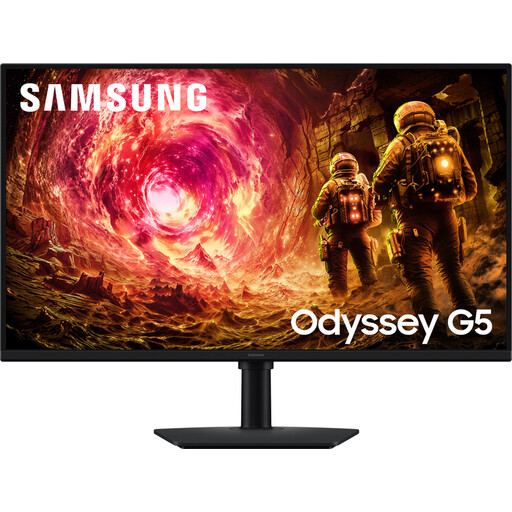
Why it suits this profile: This flat 32-inch QHD screen is designed for gamers who want to combine detail, screen size and connectivity with work and entertainment.
The specifications list QHD resolution, 180Hz and HDR10 separately. However, check whether your PC can drive QHD at 180Hz through the available DisplayPort or HDMI connection.
IPS panel, 2560 × 1440, 180Hz, HDR10, FreeSync and G-SYNC Compatible according to the product specification.
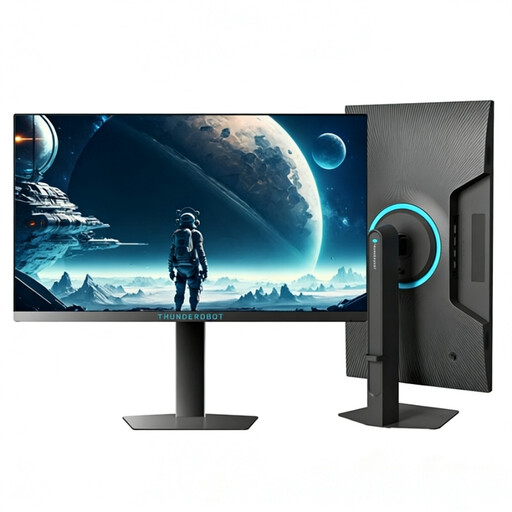
Why it suits this profile: For competitive PC gamers who value a high refresh rate over QHD resolution, this 24.5-inch screen delivers a focused Full HD setup.
The key specifications are clearly stated: 1920 × 1080, 320Hz and 450 nits. This lets you assess in advance whether your PC and games can make use of this speed.
24.5-inch Full HD, 320Hz, 450 nits brightness and a height-adjustable, swivelling stand according to the product information.
We have put together a complete, up-to-date list of products that fully meet these strict selection criteria and the applicable European safety regulations.
For a PlayStation 5 or Xbox Series X/S, resolution, HDMI version and supported refresh rate are more important than the maximum PC specification alone. For example, a model may support 240Hz via DisplayPort, while a console has a different limit and HDMI functionality. Therefore, check:
For streamers and content creators, colour coverage, viewing angles and connectivity are often more important than 300Hz. An IPS panel with QHD can offer a better balance of screen space, text clarity and gaming.
For many PC gamers, 144Hz or 165Hz is a useful starting point. The difference compared with 60Hz is more noticeable than the difference between 240Hz and 300Hz. Focus mainly on the fps your computer can maintain consistently and the type of games you play.
Lifespan depends on usage, heat, ventilation and careful maintenance. Place the screen securely, do not block the ventilation openings and use a soft, dry cloth. Also check the statutory guarantee and any manufacturer’s warranty for each product.
It can. Power consumption varies depending on size, brightness, resolution and HDR mode. A larger QHD or ultrawide screen may use more power than a compact Full HD model. Check the energy label and product specifications if power consumption is an important factor in your choice.
