
Vandaag of morgen in huis

Kwaliteit gegarandeerd

Welkomstaanbiedingen ontgrendelen: GRATIS bezorging | Tot 80% korting | Gratis 30 dagen JoyPlus-proefperiode
Download de app
Buying a gaming monitor seems straightforward until you start comparing specifications. A high refresh rate isn’t everything, a large screen won’t fit every desk, and response times aren’t always measured in the same way. Terms such as HDR, Adaptive Sync and “gaming panel” can also make a product sound appealing without it being right for your PC or the way you use it.
Pay particular attention to these three common pitfalls:
For most PC gamers, a 27-inch gaming monitor is a practical middle ground. With 2560 × 1440 pixels, you get more screen space and detail than with Full HD, without putting as much strain on your graphics card as 4K would.
A 24-inch Full HD monitor takes up less space and can suit a compact desk or a first PC setup. A 34-inch ultrawide monitor typically has a 21:9 aspect ratio. This gives you extra horizontal space for racing games, strategy games and multitasking, but check your desk width and whether your games support the format first.
A 144Hz monitor, 180Hz monitor or 240Hz monitor can display motion more smoothly than a standard 60Hz screen. The difference is most noticeable in fast-paced shooters, racing games and competitive titles. Check which connection supports the refresh rate you want, though. On some models, the maximum refresh rate differs between HDMI and DisplayPort.
You should consider response time alongside the method used to measure it. GtG refers to a transition between shades of grey; MPRT relates to motion clarity and is often tied to a specific mode. A quoted figure doesn’t guarantee that every transition will perform the same way at every setting.
An IPS gaming monitor is generally known for its wide viewing angles and consistent colour reproduction. According to product specifications, VA panels often offer higher static contrast, which can be appealing for films and dark games. An OLED gaming monitor uses self-lit pixels and can display very deep blacks. However, prolonged display of static images can carry a risk of image retention or burn-in. Before choosing OLED, check the manufacturer’s terms, pixel-care features and any warranty.
Adaptive Sync, FreeSync and G-SYNC Compatible can help reduce tearing and stuttering when the monitor and graphics card work well together. Check official compatibility and the required connection; a mention on a product page doesn’t guarantee compatibility with every hardware and settings combination.

Why it suits this profile: This 27-inch Full HD monitor combines an IPS panel with a stated refresh rate of 200Hz. It’s a good fit for gamers looking for a smooth display without moving straight to QHD or OLED.
The resolution and refresh rate are clearly stated. Make sure your PC can deliver the desired 200Hz through the connection you’re using.
27-inch screen, IPS, Full HD, 200Hz and Adaptive Sync according to the product specifications.
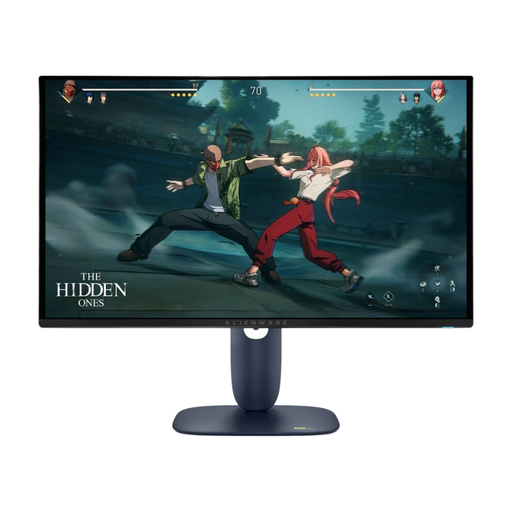
Why it suits this profile: This QD-OLED model is designed for gamers looking for QHD detail, a high refresh rate and extensive ergonomic adjustment in one monitor.
The stated 280Hz is the maximum refresh rate. Check your cable, graphics card and OLED terms before buying.
QD-OLED panel, 2560 × 1440, 280Hz, stated response time of 0.03ms and adjustable stand.
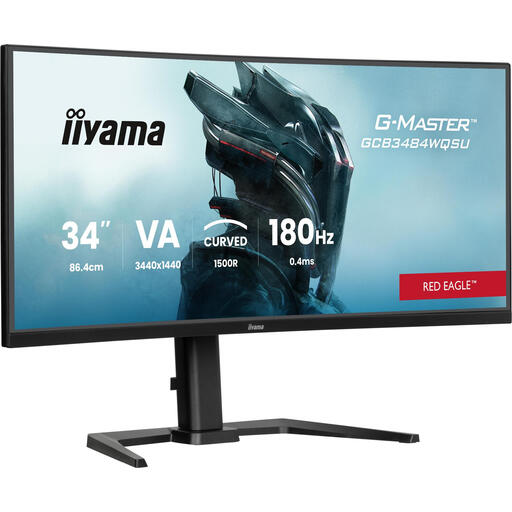
Why it suits this profile: This 34-inch curved gaming monitor is aimed at users who want a wide display for games, streaming and multiple windows.
The UWQHD resolution is a better match for the wide 21:9 format than Full HD. Measure your desk beforehand and check DisplayPort support.
3440 × 1440, 180Hz, 1500R curvature, height adjustment and built-in USB hub according to the product information.
We’ve put together a complete, up-to-date list of products that meet these strict selection criteria and the applicable European safety regulations.
Yes. A 144Hz monitor can be enjoyable for scrolling, watching videos and general computing as well as gaming. The benefits depend on your PC, the connection you use and whether your software or games actually output a higher frame rate.
QHD has more pixels on a 27-inch screen, which generally means more detail than Full HD. The trade-off is that your graphics card has to render more. For competitive games, a 27-inch Full HD monitor with a high refresh rate can be a practical choice; for work, image editing and overall sharpness, QHD is a good option.
Lifespan depends on use, heat, settings, and the quality of the power supply and connections. LCD monitors can last for many years with normal use. With OLED, it’s sensible to use pixel-care features and limit prolonged display of static images. Keep your purchase receipt and check the warranty terms for your specific model.
