
Vandaag of morgen in huis

Kwaliteit gegarandeerd

Welkomstaanbiedingen ontgrendelen: GRATIS bezorging | Tot 80% korting | Gratis 30 dagen JoyPlus-proefperiode
Download de app
Buying a gaming monitor sounds simple: choose a large screen, a high refresh rate and a fast response time. Yet many PC gamers pay for features their system cannot fully use. Other buyers only discover after purchase that the connection, resolution or ergonomics do not suit their desk.
This buying guide helps you turn marketing claims into verifiable specifications. That way, you can choose a gaming monitor more confidently for esports, simulation racing, streaming, work or everyday use.
A high-refresh-rate monitor can display movement more smoothly, but only if your PC also delivers enough frames per second. A 240Hz monitor makes most sense when your graphics card regularly reaches around 240 fps in your favourite games. For less demanding systems, a 144Hz, 165Hz or 180Hz model may be a more practical choice.
Also check which connection supports the stated speed. On some screens, DisplayPort supports a higher mode than HDMI. Therefore, look at the combination of resolution, refresh rate and HDMI or DisplayPort version.
A figure such as 0.03 ms, 0.5 ms or 1 ms sounds clear, but manufacturers may use different measurement methods, such as GtG or MPRT. As a result, these figures are not always directly comparable. Also pay attention to ghosting, overdrive settings and the actual refresh rate.
For competitive gaming, a low-response-time monitor is useful, but a good balance between response time, image quality and stable performance matters more than any single figure.
Full HD on a 31.5-inch screen has a lower pixel density than Quad HD at the same size. Text and fine details may therefore look less sharp. On the other hand, 4K gaming places significant demands on your graphics card. So do not automatically choose a 4K gaming monitor if your hardware is not suited to it.
A 24-inch Full HD screen is often easy to manage for esports. For single-player games, design work or multitasking, a 27-inch Quad HD monitor or an ultrawide gaming monitor may make more sense.
As well as the resolution, look at ppi, or pixels per inch. For example, a 27-inch 4K screen has a higher pixel density than a 27-inch Full HD model.
IPS is generally known for wide viewing angles and consistent colours. This makes it suitable for a PC gaming monitor that is also used for office work, photos or video.
According to product specifications, VA often offers higher static contrast. This can be useful for dark scenes and films. A curved VA screen, such as a curved gaming monitor, may also provide a more immersive view on a wide display.
OLED and QD-OLED control light on a per-pixel basis. Product information highlights deep blacks and high contrast. For prolonged use with static elements, such as a fixed taskbar or game interface, manufacturers generally advise caution. For example, the MSI MPG 491CQP QD-OLED explicitly states that prolonged display of a static image should be avoided because of the potential for burn-in. Therefore, read the manual and warranty terms before choosing an OLED gaming monitor or QD-OLED monitor.
A FreeSync gaming monitor synchronises its refresh rate with a compatible AMD GPU within the specified range. With a G-SYNC Compatible monitor, you should check whether the model is officially listed as compatible. Some models’ product information only says that G-SYNC may work, rather than confirming official certification. This does not guarantee the same performance on every PC.
Also check:
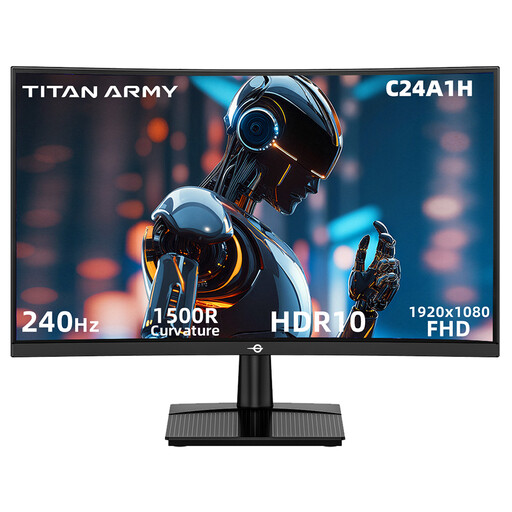
Why it suits this profile: This 23.6-inch Full HD screen combines 240Hz with a VA panel and 1500R curvature for a compact PC setup.
The specifications clearly state 1920 × 1080, 240Hz, HDMI 2.0 and DisplayPort 1.2. Do check that your PC can deliver 240 fps.
240Hz, FreeSync Compatible, HDR10 support and VESA 100 × 100 mm.
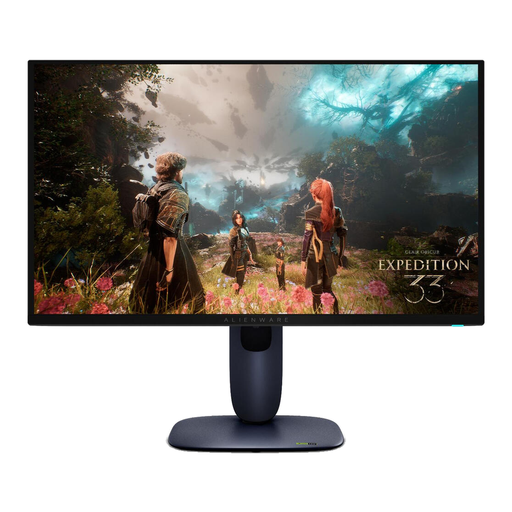
Why it suits this profile: A 27-inch 4K QD-OLED screen for gamers and creators who want to combine high pixel density, HDR and fast performance.
The product specification lists both 4K and 240Hz. Use DisplayPort 1.4 or HDMI 2.1 according to your preferred device, and check the required GPU performance.
3840 × 2160, QD-OLED, 240Hz, 0.03 ms according to the product specification and G-SYNC Compatible.
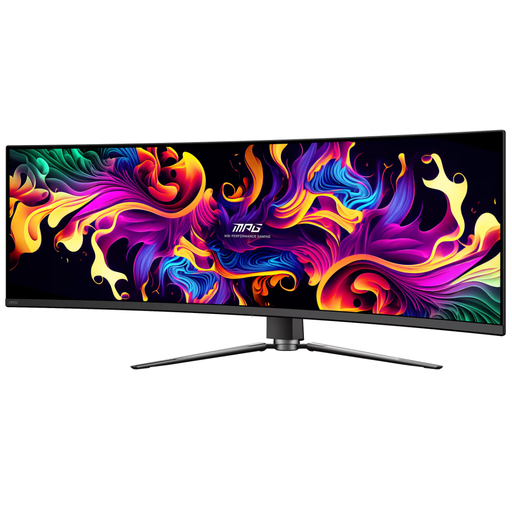
Why it suits this profile: The 49-inch 32:9 aspect ratio is designed for simulation enthusiasts, multitaskers and streamers with enough desk space.
The wide resolution and fixed 1800R curvature are clear in advance. Bear in mind the physical width of 1.195 metres and the OLED usage guidance for static images.
5120 × 1440, 144Hz, QD-OLED, USB-C with up to 90W Power Delivery and HDMI 2.1.

Why it suits this profile: This 27-inch Rapid IPS model is designed for fast Full HD gameplay with a high refresh rate.
The 200Hz mode, 0.5 ms GtG rating and Adaptive Sync are specified. Use DisplayPort 1.2 for your PC setup and check your fps.
Rapid IPS, 200Hz, 0.5 ms GtG according to the product specification and VESA 100 × 100 mm.
We have compiled a complete, up-to-date list of products that fully meet these strict selection criteria and the applicable European safety regulations.
No. 240Hz is most beneficial for competitive games and a PC capable of achieving high frame rates. If your system produces an average of 100 to 160 fps, a 144Hz, 165Hz or 180Hz monitor may be a better match. Also check the cable and connection.
Its lifespan depends on the panel type, heat, daily use and handling. LCD models do not have the same specific OLED burn-in risk, while OLED manufacturers often advise avoiding prolonged display of static images. Follow the manual, use suitable brightness settings and check the warranty terms.
Power consumption varies according to the size, panel, brightness and HDR mode. A large ultrawide or 4K screen may use more power than a compact Full HD model. Check the stated consumption and European energy class, and switch the screen off when you will not be using the computer for an extended period.
