
Vandaag of morgen in huis

Kwaliteit gegarandeerd

Welkomstaanbiedingen ontgrendelen: GRATIS bezorging | Tot 80% korting | Gratis 30 dagen JoyPlus-proefperiode
Download de app
Buying a gaming monitor seems simple until you start comparing refresh rates, response times, HDR standards and sync technologies. A high number on the box doesn't automatically mean the screen is the right fit for your PC, games or workspace.
The most common purchasing mistakes are caused by three pitfalls:
Size is also often underestimated. A 34-inch gaming monitor takes up a lot of desk space and requires a good viewing distance. Therefore, you should measure not only the width of the screen but also the depth of the stand and the space needed for cables.
A QHD monitor with a resolution of 2560 × 1440 pixels offers significantly more detail than Full HD, without the same graphical demands as 4K. For a 27-inch monitor, 1440p is often a practical balance of sharpness and performance. A 1440p monitor pairs well with modern mid-range and high-end graphics cards.
An ultrawide monitor typically uses a 21:9 aspect ratio. For a 34-inch screen, 3440 × 1440 is a common resolution. This gives you extra horizontal space for games, video editing and side-by-side windows. Check beforehand whether your games support ultrawide resolutions; some titles may display black bars or stretched aspect ratios.
For work and multitasking, a 32:9 screen can offer even more space. On the other hand, a monitor like this is wider and often needs to drive a higher resolution.
The refresh rate is expressed in hertz (Hz). A 100Hz monitor can display up to 100 frames per second, while a 180Hz monitor or 240Hz monitor is suitable for very smooth motion when your computer can deliver enough frames.
Pay attention to these points:
A monitor with FreeSync can help reduce screen tearing and stuttering when the frame rate fluctuates. For G-SYNC Compatible, you should check if the specific model is officially certified. A product listing might state that a screen may work with G-SYNC without official compatibility status. In that case, its performance isn't guaranteed.
According to product specifications, a VA panel typically offers high static contrast and deep dark tones. IPS panels are known for their wide viewing angles and consistent colours. OLED and QD-OLED screens work with self-illuminating pixels. According to the product information, they can provide extremely deep blacks and fast pixel response times.
With an OLED gaming monitor, it's wise to read the warranty terms regarding image retention and burn-in. A static desktop, interface element or scoreboard that remains visible for a long time is something to be aware of. Also, look for built-in pixel protection features and the recommended usage settings.
HDR depends on more than just the label. Look at the specified brightness, contrast, colour space and HDR standard. Claims about colour coverage or image enhancement come from the brand's product information, so check whether the figures are based on factory measurements and which settings were used to obtain them.
A monitor for PC gaming doesn't need the same features as a screen for competitive esports. You should also consider your desk, viewing distance, available ports and the ergonomics of the stand.
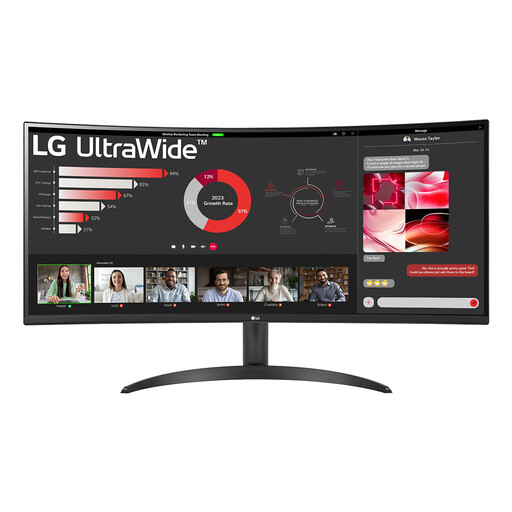
Why it fits this profile: The combination of a large 21:9 screen and 100Hz refresh rate is ideal for users who game, work and use multiple windows without needing to jump straight to a very high refresh rate.
The specified 3440 × 1440 resolution, 100Hz refresh rate and ports are clearly listed. It is not officially G-SYNC certified, which prevents incorrect assumptions.
34-inch, VA panel, 1800R curve, FreeSync, PBP and an ergonomic tilting stand.
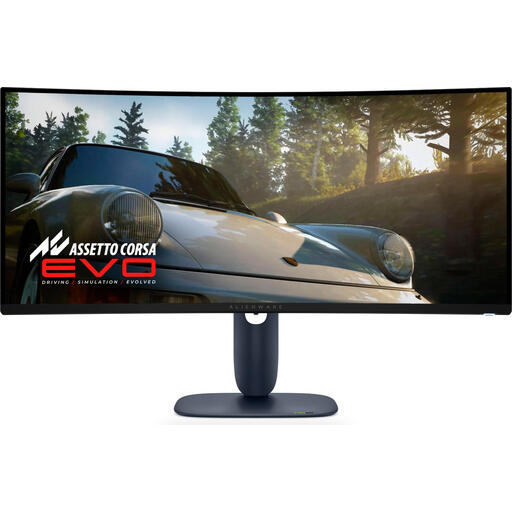
Why it fits this profile: This screen combines an ultrawide format with QD-OLED technology and a 240Hz refresh rate for gamers and creators who value image contrast and speed.
The product details list 3440 × 1440, 240Hz, OLED, HDMI 2.1 and an adjustable stand. Read the warranty and OLED usage guidelines before buying.
34-inch, 21:9, QD-OLED, 240Hz and support for multiple modern connections.
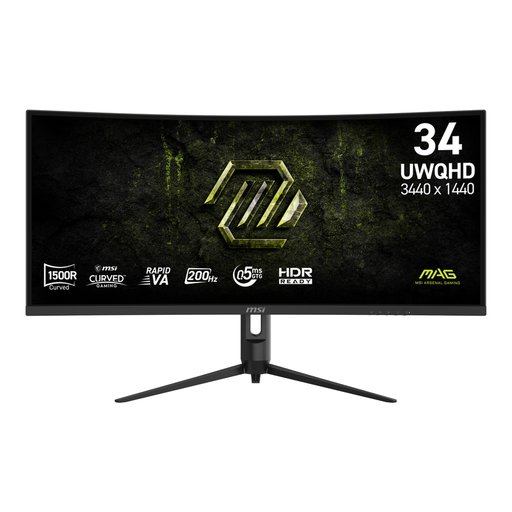
Why it fits this profile: For fast-paced games and a wide viewing angle, this model offers a curved UWQHD screen with a native 200Hz refresh rate.
The specifications state the response time measurement method: 0.5 ms GtG (Min.) and 1 ms MPRT. HDMI 2.0b and DisplayPort 1.4a are also clearly specified.
3440 × 1440, 1500R curve, 200Hz, Adaptive Sync and a height-adjustable stand.
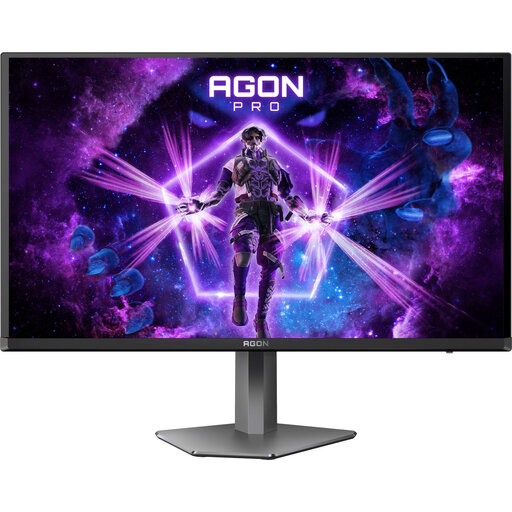
Why it fits this profile: The 16:9 format, QHD resolution and 240Hz refresh rate are a great fit for players who mainly play fast-paced, competitive PC games.
The product details list QD-OLED, 240Hz, 0.03 ms and AdaptiveSync separately. When using HDMI, check the specified maximum refresh rate.
2560 × 1440, 240Hz, QD-OLED, FreeSync, G-SYNC Compatible and a fully adjustable stand.
We have compiled a complete, up-to-date list of products that fully meet these strict selection criteria and comply with current European safety regulations.
Yes, 1440p offers more detail than Full HD and typically requires less graphical power than 4K. The right choice depends on your graphics card, games and desired refresh rate.
The lifespan depends on usage, heat, brightness and the panel type. Ensure proper ventilation, use appropriate settings and follow the manufacturer's maintenance instructions. With OLED, it's wise to factor pixel protection features and warranty conditions into your decision.
It can, depending on the panel, brightness, resolution and settings. Check the specified typical power consumption and the energy label. A high refresh rate doesn't always use maximum power, but the screen and the connected PC can draw more energy during intensive use.
