First, choose a monitor with SDR brightness and reflection handling suited to the light in your room. A high HDR peak brightness on its own doesn’t tell you how clearly standard game content will appear. Next, choose a resolution and motion performance that your PC or console can handle. A higher refresh rate won’t automatically prevent reflections or blurry pixel transitions.
Who is this relevant to?
Playing in daylight
You’re learning routes and landmarks while light from a window or lamp may fall on the screen. In that situation, visibility and reflections matter more than simply choosing the highest Hz rating. RTINGS discusses brightness and reflections as separate factors to consider in a bright room.
Moving quickly around the map
You often turn or move quickly and want moving outlines to remain easy to follow. RTINGS explains that slow pixel transitions can cause blur or inverse ghosting, so check response time measurements as well as the refresh rate.
Making out small map details
You want to read details and text on the map, so you need to balance resolution against your system’s performance. LG describes the 27GR83Q-B as a QHD model; the frame rate you can achieve also depends on your own PC or console.
What should you look for?
IPS LCD
When to choose it: if you often play with ambient light, but check the specific model’s SDR brightness and reflection handling.
The trade-off: RTINGS describes IPS as generally more usable in bright rooms than OLED, while OLED typically offers better blacks and motion clarity.
OLED
When to consider it: if contrast and motion clarity matter more to you and you can control the lighting.
The trade-off: displaying the same static elements for long periods carries a risk of burn-in. RTINGS also notes that blacks can appear raised on QD-OLED in a bright room.
| Consideration |
What to check before buying |
Who is this important to? |
| Visibility in daylight |
Compare independent measurements of SDR brightness and reflections for the exact model, and take the position of windows and lamps into account. |
If I play in a bright room, I want to see map details without distracting reflections; around 36% of consumers prioritise visibility in daylight. |
| Motion clarity |
Check response time, overshoot and the refresh rate your device can deliver through the connection you plan to use. |
When the camera moves quickly, I want to follow outlines clearly; around 29% of consumers give motion clarity top priority. |
| Map detail clarity |
Balance screen size and resolution against your own system’s gaming performance. |
If small map details matter to me, I want to match the resolution to my system; around 21% of consumers prioritise detail. |
| Connectivity and system compatibility |
Check the ports, cable, supported signal mode and the frame rate your PC or console can achieve. |
I don’t want to choose a refresh rate my device can’t make use of; around 14% of consumers prioritise compatibility with their existing set-up. |
Common buying pitfalls
-
Confusing HDR peak brightness with daytime visibility
HDR brightness and SDR brightness are assessed separately. Reflections and SDR brightness both affect how clearly standard game content remains visible in ambient light.
Before relying on an HDR label, compare independent measurements of SDR brightness and reflections for the exact model. RTINGS treats these as separate test categories.
-
Taking a quoted ‘1 ms’ as a guarantee of sharp motion
Pixel response and overshoot vary with the setting and refresh rate. LG states that the quoted 1 ms for the 27GR83Q-B applies when using the ‘Faster’ mode setting.
Check independent motion measurements at the refresh rates you actually plan to use, and find out which setting is required.
-
Choosing a high refresh rate without checking the source
A monitor’s maximum refresh rate isn’t the same as the number of frames per second your PC or console can deliver.
Check your device’s output mode, connection and performance in your games before choosing a monitor refresh rate. RTINGS also distinguishes between refresh rate and source frame rate.
Brands and models to consider
LG
LG describes the UltraGear 27GR83Q-B as a 27-inch QHD IPS monitor with a 240 Hz refresh rate.
- An independent RTINGS review reports fast response and low input lag for this model.
- RTINGS also reports low contrast. LG’s quoted 1 ms applies when using the ‘Faster’ mode setting and isn’t an independent measurement.
AOC
AOC describes the AGON by AOC Q27G4XF as a 27-inch QHD Fast IPS monitor with a 180 Hz refresh rate and a height-adjustable stand.
- Its stated resolution, panel type and refresh rate give you specific details to compare with your PC or console.
- These specifications don’t show how well the model handles reflections or performs in bright light from a window; compare those features separately.
BenQ
BenQ describes the MOBIUZ EX2710Q as a 27-inch QHD IPS monitor with a 165 Hz refresh rate.
- BenQ lists typical brightness of 250 nits and HDR peak brightness of 400 nits on its European specifications page.
- The HDR peak figure isn’t the SDR brightness for everyday use in a bright room. A matte coating alone doesn’t prove how much the screen reduces reflections.
Joybuy products
Below are Joybuy IPS gaming monitors to consider for map details and motion clarity. For a bright room, also check the specific model’s SDR brightness and reflection handling.
 No image available
Samsung Odyssey G5 G50F LS32FG502EUXEN, 32-inch
QHD resolution and a high refresh rate are features to weigh up if map details and motion matter to you.
IPS panel, 2560 × 1440 pixels and 180 Hz. The stated typical brightness is 300 cd/m²; this isn’t a measurement of reflections.
Joybuy
 No image available
Samsung Odyssey G4 G40H, 25-inch
This Full HD monitor is worth comparing if fast motion matters to you. Check your device’s connection beforehand.
Fast IPS, 1920 × 1080 pixels and 300 cd/m² typical brightness. The product information lists up to 300 Hz via DisplayPort and 240 Hz via HDMI; the finish is described as anti-glare.
Joybuy
 No image available
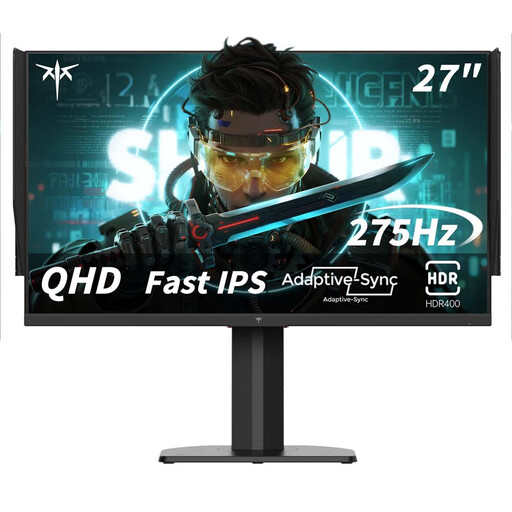
KTC H27E8, 27-inch QHD
The QHD resolution and stated refresh rate give you specific features to weigh up against your own system’s performance.
Fast IPS, 2560 × 1440 pixels and 240 Hz, overclockable to 275 Hz. The product name also mentions a 1 ms MPRT response time.
Joybuy
 No image available
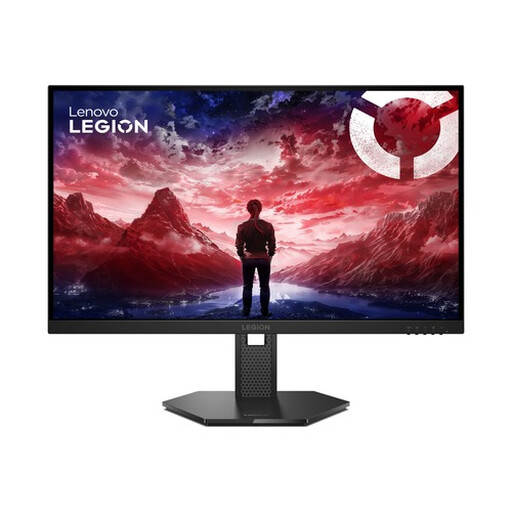
Lenovo Legion 27-10, 27-inch Full HD
The stated Full HD resolution and refresh rate are useful points to compare with your preferred level of detail and system performance.
IPS panel, 1920 × 1080 pixels, 240 Hz and 300 cd/m² brightness. The product information lists an anti-glare surface; this isn’t a measurement of reflection handling.
Joybuy
 No image available
Thunderobot CF25F300L, 24.5-inch
The stated Full HD resolution and high refresh rate are worth comparing if you want to follow fast-moving action.
The product information lists 320 Hz and 450 nits. This brightness figure isn’t an independent measurement of visibility or reflections.
Joybuy
Frequently asked questions
Is HDR400 enough to see a multiplayer map clearly during the day?
No, don’t use HDR400 as your only buying criterion. For standard SDR game content, compare the measured SDR brightness and reflections of the exact model; HDR highlights are assessed separately.
How do you use 240 Hz on the LG 27GR83Q-B?
According to LG, you need a PC with a suitable graphics card and DisplayPort 1.4 with DSC or HDMI 2.1 to use QHD at 240 Hz. LG lists a maximum of 120 Hz on this QHD monitor for video devices such as games consoles; also check your own device’s output mode.
What should you look for when choosing an OLED monitor?
Bear in mind the risk of burn-in if the same static elements remain on screen for long periods. RTINGS says that varying your usage reduces this risk but doesn’t eliminate it; blacks can also appear raised on QD-OLED in a bright room.
Do gaming monitors in the Netherlands have an energy label?
The European Commission lists computer monitors as electronic displays with an energy label ranging from A to G. Check the label and product information sheet for the specific model; the energy class alone says nothing about how clearly map details will appear.


