What should you look for?
IPS LCD, optionally 4K
A good fit if: you play in daylight and value sharp landscapes or small interface elements.
Trade-off: a higher resolution can limit the frame rate you can achieve; IPS isn’t automatically the right choice for dark HDR scenes.
Mini-LED LCD
A good fit if: you want to weigh up contrast and HDR in dark scenes as well as gaming in daylight.
Trade-off: in its tests of the AOC Q27G3XMN, RTINGS found some black smearing and distracting VRR flicker when frame rates varied. This doesn’t automatically apply to other mini-LED models.
OLED
A good fit if: you value deep blacks and fast pixel response, and can manage light sources and static game interfaces.
Trade-off: displaying a static image for a long time can cause burn-in. RTINGS.com reports that WOLED generally preserves black levels better than QD-OLED in a bright room, but a glossy coating can still cause reflections.
First, decide what matters most in your room and the games you play. Then check whether your equipment can deliver the picture mode you want.
| What to consider |
What should you check? |
Who is this important for? |
| Visibility and reflections |
Compare reflection measurements and SDR brightness for the same model; consider the position of windows and lamps too. |
If I play during the day with light shining towards the screen, I want to factor in distracting reflections. Around 36% of consumers prioritise visibility in daylight. |
| Sharp landscapes and text |
Compare screen size and resolution; check that your PC or console can handle that mode in your games. |
I want to see details in game worlds and small interface elements clearly, without choosing a resolution my equipment can’t make the most of. Around 29% of consumers prioritise sharpness and legible detail. |
| Contrast in dark scenes |
Compare tests of HDR, local dimming or OLED, and check reflections on the exact model. |
If atmospheric dark scenes matter to me, I want to weigh up contrast alongside motion handling, ambient light and interfaces that remain on screen for long periods. Around 21% of consumers put contrast and HDR first. |
| A refresh rate you can actually use |
Check the picture mode available for each connection, the frame rate you can achieve and support for variable refresh rate. |
I want a smooth picture mode that my PC or console can actually run, not just a high quoted refresh rate. Around 14% of consumers prioritise a refresh rate and hardware combination they can use. |
Joybuy products
This selection of Joybuy products includes QHD and 4K monitors, with options in different screen sizes and refresh rates.
 No image available
AOC Q27G42XNE 27-inch
A QHD option for anyone looking for detail and a higher refresh rate; check that your equipment supports the mode you want.
2560 × 1440; 180 Hz; VA panel; FreeSync Premium; HDR10.
View at Joybuy
 No image available
LG UltraFine 27U711B-B 27-inch
A 4K option for anyone who values detail in landscapes and interfaces; be sure to factor in the refresh rate when choosing.
3840 × 2160; IPS; 60 Hz.
View at Joybuy
 No image available
TECLAST V16Q 2.5K 144 Hz
A portable monitor option for anyone looking for a high refresh rate on a screen they can take with them; check that the connections are compatible with your device.
IPS; 2.5K; 16:10; 144 Hz; FreeSync; two USB-C ports.
View at Joybuy
 No image available
KTC H32S17 32-inch
A 32-inch QHD option for anyone looking for a larger screen with a high refresh rate.
2560 × 1440; 180 Hz; HVA panel; 1500R curvature; Adaptive Sync; HDR10.
View at Joybuy
 No image available
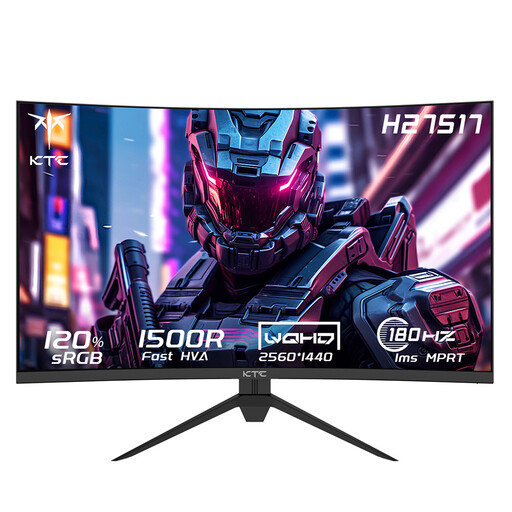
KTC H27S17 27-inch
A 27-inch QHD option for anyone looking to combine detail with a high refresh rate; check that it’s compatible with your equipment.
2560 × 1440; 180 Hz; HVA panel; 1500R curvature; Adaptive-Sync.
View at Joybuy
Frequently asked questions
Is a high HDR peak brightness enough for playing during the day?
No. Check the SDR brightness and reflections of the exact model too. Direct and indirect light, along with the position of windows and lamps, affects what you see on screen.
How do I connect a monitor to get the resolution and refresh rate I want?
Check which picture modes the monitor and your PC or console support for each connection, use a suitable cable, then set the mode on both devices. Don’t assume that requirements for a particular input or console mode apply to other models.
What should I consider when using OLED with a fixed game interface?
According to ASUS, high-contrast elements that stay on screen for a long time can cause image retention or burn-in. Check the maintenance features and warranty terms for the specific version. Varying the picture and using available screen protection features are precautions, not a guarantee against burn-in.
What are my rights when I buy a monitor online in the Netherlands?
According to ACM ConsuWijzer, for a standard online purchase you generally have a statutory cooling-off period of up to 14 days after delivery, subject to legal exceptions. The seller is also responsible under the statutory guarantee if a product doesn’t do what you could reasonably expect during normal use; this isn’t simply a fixed two-year guarantee period.
What is the energy label for, and what can I do with my old monitor?
The European Commission states that computer monitors are covered by the energy labels for electronic displays, with ratings from A to G; compare the label for the version on offer. According to the Dutch government, as a private individual you can return an old, similar electrical appliance to the seller free of charge when buying a new one, including for online purchases under the scheme described.


