
Players in bright rooms
You play story-driven puzzle games near a window or with lights facing the screen, and want to make out dark clues clearly.


Start with the light on your screen: compare reflection handling and brightness in standard SDR content before paying extra for a higher refresh rate that puzzle games may not need. Then choose a resolution to suit the screen size and your PC or console. Mini-LED may suit you if HDR matters too, while OLED involves a trade-off between dark scenes, ambient light and the risk of long-term image retention from static content.
You play story-driven puzzle games near a window or with lights facing the screen, and want to make out dark clues clearly.
You read lots of in-game text and search for small objects, so sharpness and a suitable screen size matter more than an extremely high refresh rate.
You want to enjoy dark or HDR scenes as well as readable puzzles, and weigh contrast against daytime visibility.
Start with your lighting conditions: RTINGS.com treats total reflections and screen brightness as separate factors. Then consider whether a higher refresh rate will add anything to the puzzle games you play.
| What to consider | What to look for | Who is this important for? |
|---|---|---|
| Visibility and reflections | Compare SDR brightness and tests of direct and diffuse reflections for the exact model; the position of windows and lights also matters. RTINGS.com treats these factors separately. | If I play during the day, I want clues to remain readable despite windows or lights. Around 36% of consumers prioritise daytime visibility. |
| Text and small details | Compare QHD and 4K at the screen size you want, and check which resolution your PC or console can output in the game. LG Netherlands and MSI list these resolutions for specific models. | If I want to read in-game text and spot small objects, I weigh sharpness against what my equipment can handle. Around 29% of consumers prioritise detail and text. |
| Dark scenes and HDR | Check whether the game uses HDR, and distinguish HDR peak brightness from SDR brightness. VESA states that local dimming is not required for DisplayHDR 400. | If dark scenes and HDR matter most to me, I want to know how the screen performs in the games I play. Around 21% of consumers prioritise atmosphere and HDR. |
| Connections and energy use | Check that the connections are suitable for your PC or console, and compare the EU energy label and product information sheet for the exact version. The European Commission explains energy labels for electronic displays. | If I first want to check whether my devices will connect and how much energy the monitor uses, I check the information for each model. Around 14% of consumers prioritise compatibility and running costs. |
In a bright room, screen brightness and reflection handling are separate things to consider. A higher refresh rate will not eliminate distracting reflections.
Check the reflection tests and SDR brightness for the exact model before making refresh rate your deciding factor.
An HDR peak figure and the visibility of standard SDR content in daylight describe different conditions.
Compare SDR and HDR measurements separately, and check how the model handles reflections.
A matte finish can reduce mirror-like reflections, but it may spread light across the image. A glossy coating can produce clear reflections; OLED also carries a risk of image retention from static screen elements displayed for long periods.
Assess the finish and tests for the exact version in lighting conditions similar to your room.
A Joybuy product listing for the MSI MAG 272QPF E20 mentions QHD and 200 Hz, while the specifications section also lists other resolution and refresh rate modes.
If in doubt, check the model code and key features in the listing, then compare them with MSI’s information before ordering.
The UltraGear 27G810A-B is a specific 27-inch 4K IPS version with HDMI 2.1.
The MOBIUZ EX321UX is a 32-inch 4K mini-LED model for anyone also considering HDR and connections for multiple devices.
The MAG 272QPF E20 is a 27-inch QHD IPS version for anyone who plays faster-paced games as well as puzzle games.
The G2724D is an example of a 27-inch QHD IPS version with a stated anti-glare finish.
This selection includes gaming monitors with QHD, 4K and ultrawide resolutions, offering different screen sizes for puzzle details. For a bright room, also assess the SDR brightness and reflection handling of the exact model.
 No image available
The 27-inch QHD version may suit anyone who wants to view text and small puzzle details on a mid-sized screen.
Stated resolution: 2560 × 1440. The product listing mentions several refresh rate modes; check the exact version and specifications before buying.
 No image available
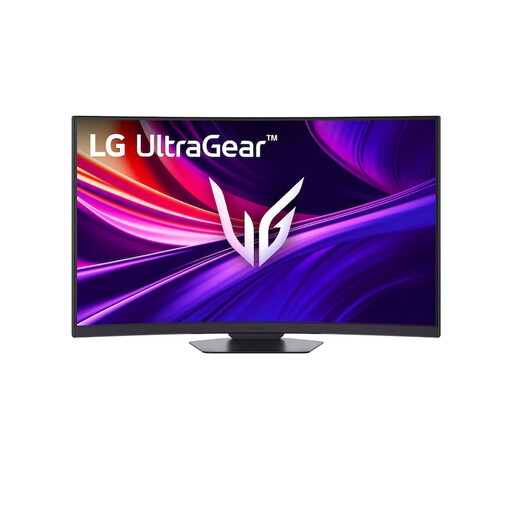
The larger 37-inch screen and stated 4K resolution may suit anyone who wants to view puzzle details on a spacious display.
Stated features: 4K UHD, 165 Hz, curved VA panel and DisplayHDR 600.
 No image available
The ultrawide format may suit anyone who wants to play puzzle games on a wide screen; check first that the size works for your desk and how you plan to use it.
Stated features: UWQHD 3440 × 1440, 144 Hz, 1500R curvature and 400 nits HDR. The product title states that this model has no speakers.
 No image available
The combination of 27 inches and QHD may suit anyone who wants to view text and small details on a standard-sized screen.
Stated features: QHD 2560 × 1440, IPS panel, 144 Hz and HDR10.
 No image available
This ultrawide format may suit anyone who wants to play puzzle games on a panoramic screen; bear in mind the space and mounting required.
Stated features: DQHD 5120 × 1440, 165 Hz, 1500R curvature, two HDMI 2.1 and two DisplayPort 1.4 connections. The product description recommends a desk or VESA mount with a load capacity of at least 15 kg and installation by two people.
Not based on the label alone. For the exact model, compare SDR brightness and reflection tests separately; VESA states that local dimming is not required for DisplayHDR 400.
Check whether a window or light is directly opposite the screen, and compare how the model you have in mind handles direct and diffuse reflections. RTINGS.com explains that a matte finish can reduce mirror-like reflections, but may also spread light across the image.
Compare the EU energy label and product information sheet for the exact version. Your personal costs will also depend on how long you use it and your electricity tariff.
For a typical online consumer purchase, ACM ConsuWijzer states that you have 14 days from delivery to change your mind, subject to exceptions that you should check. If the product is faulty, the Dutch government says the retailer remains your point of contact; this is separate from the cooling-off period for a purchase you decide to return.
The Dutch government lists options including returning it to the shop or online retailer where you buy a new, similar device, taking it to a collection point or bringing it to your local council recycling centre.