
Shooter players who train during the day
You practise in a bright room and want to track moving targets without distracting reflections. RTINGS highlights brightness and reflections as things to consider when using a monitor in a bright space.


To choose a gaming monitor for a bright room, start by comparing the SDR brightness and reflections of the exact model. RTINGS says that brightness and reflection handling are important when using a monitor in a bright space. Next, check whether your PC can deliver the refresh rate you want, and compare motion blur and overshoot. A QHD or OLED screen isn’t automatically the best choice in bright ambient light.
You practise in a bright room and want to track moving targets without distracting reflections. RTINGS highlights brightness and reflections as things to consider when using a monitor in a bright space.
You prioritise motion clarity and want to make the most of a high frame rate. RTINGS discusses response time and motion blur, while BenQ and Dell publish high refresh rates for specific models.
You also use your monitor for other games or everyday tasks, so resolution and panel type matter too. LG and Samsung describe different combinations of resolution, panel type and refresh rate for their models.
Choose this option: if you mainly practise tracking fast-moving targets and want a high refresh rate. BenQ lists the ZOWIE XL2566X+ with a 400 Hz refresh rate and Fast TN panel; Dell lists the Alienware AW2523HF at 360 Hz and 24.5 inches.
Bear in mind: the stated refresh rate alone doesn’t prove how clear motion will look. Also check your PC, connection and settings.
Choose this option: if you want a higher resolution as well as aim training. LG lists the 27GR83Q-B as a 27-inch QHD (2560 × 1440) IPS monitor with a 240 Hz refresh rate.
Bear in mind: these specifications don’t tell you how well the screen handles reflections in your room or how clear motion will look with your settings.
Choose this option: if you’d also like to consider OLED. Samsung describes the Odyssey OLED G6 G60SF as a 500 Hz QHD model with a Glare Free finish.
Bear in mind: Glare Free is Samsung’s product description, not a guarantee against direct sunlight. RTINGS notes that OLED screens can be at risk of burn-in if static images are displayed for long periods.
| What to consider | What to look for | Who it matters to |
|---|---|---|
| Visibility in daylight | Compare the SDR brightness and reflections of the exact model; an HDR peak brightness figure alone doesn’t tell you enough about daytime use. RTINGS treats brightness and reflections as separate considerations. | I want to keep targets visible and reduce interference from windows or lamps. If that’s my main priority, I’d be among the roughly 29% of consumers who put daylight visibility first. |
| Motion clarity | Compare response-time and overshoot measurements at the settings you use. Also check that your PC and connection support the refresh rate you want; RTINGS discusses how pixel transitions affect motion blur. | I want to track fast-moving targets clearly. If motion clarity matters most to me, I’d be among the roughly 29% of consumers with the same top priority. |
| Clarity for other uses | Compare Full HD and QHD at your preferred screen size, and check what frame rate your PC can deliver in your games at that resolution. | I also use my screen for things other than aim training and want to consider both resolution and size. Around 24% of consumers would put versatile clarity at the top of their list. |
| Long-term use | Consider the panel type and how you use static elements, and check the warranty terms. RTINGS describes the risk of OLED burn-in when the same static elements are displayed for long periods. | I want to consider long-term use and the risk of making the wrong purchase. If that’s my main concern, I’d be among the roughly 18% of consumers who put it first. |
Pixel transitions and overshoot both affect motion clarity; a single stated response time won’t necessarily describe performance at every setting. RTINGS explains that slow transitions can cause blur or inverse ghosting.
Look for measurements of the exact model at the refresh rates you plan to use.
SDR and HDR brightness are different characteristics, and reflections matter in a bright room too. RTINGS considers SDR and HDR brightness separately.
Compare SDR brightness and reflection handling, and consider where your windows and lamps are in relation to the screen.
A manufacturer’s claim about reducing reflections doesn’t prove how the exact screen will perform in your room. With OLED, prolonged display of static images also needs to be considered separately.
Check measurements of the exact model, consider the light in your room and read the panel warranty terms.
ACM ConsuWijzer distinguishes between your statutory rights against the seller and any additional commercial warranty.
Check exactly what extra cover a paid service provides; it doesn’t replace your statutory rights.
BenQ describes the XL2566X+ as a 400 Hz Fast TN model with a shield, designed for competitive shooters.
Dell describes the AW2523HF as a 24.5-inch monitor with a 360 Hz refresh rate.
LG lists the 27GR83Q-B as a 27-inch QHD (2560 × 1440) IPS monitor with a 240 Hz refresh rate.
Samsung describes the Odyssey OLED G6 G60SF as a 500 Hz QHD QD-OLED model with a Glare Free finish.
Philips describes the 25M2N3200U/00 as a 24.5-inch Full HD Fast IPS monitor with an overclockable refresh rate of 310 Hz.
This selection includes gaming monitors with different sizes, resolutions and refresh rates. Compare the listed features with the light in your room and the performance your PC can deliver with your settings.
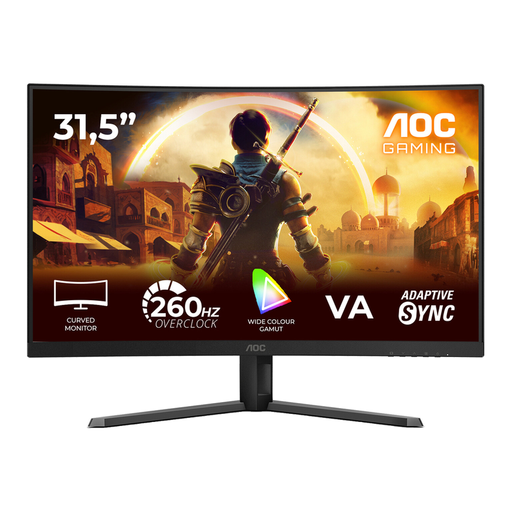 No image available
A curved gaming monitor for anyone looking for a large curved screen for aim training.
31.5 inches; Full HD (1920 × 1080); VA panel; 1500R curvature; 240 Hz and 260 Hz overclocked; 0.3 ms MPRT; Adaptive-Sync; HDR10; DisplayPort and HDMI.
 No image available
A curved WQHD gaming monitor to consider if you want to compare resolution and a high refresh rate.
27 inches; 2560 × 1440; 240 Hz; Rapid VA panel; 0.5 ms; FreeSync Premium; HDR Ready.
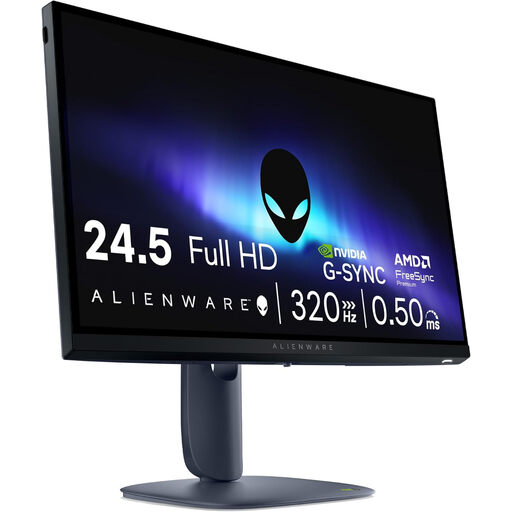 No image available
A compact Full HD screen to consider if you’re looking for a 24.5-inch monitor for aim training.
24.5 inches; 1920 × 1080; Full HD; LCD.
 No image available
A QHD Fast IPS monitor to consider if you combine aim training with other screen uses.
27 inches; 2560 × 1440; 240 Hz, overclockable to 275 Hz; Fast IPS; 1 ms; HDR400; FreeSync and G-Sync compatible; height-adjustable stand.
 No image available
A curved monitor to consider if you’d like to factor in the listed KVM switch as well as gaming.
240 Hz; 0.4 ms; KVM switch.
No. Also look at response time and overshoot with the settings you use. Check that the refresh rate you want is available at your resolution; Windows shows the supported options in Advanced display settings.
In Windows, choose a supported refresh rate in Advanced display settings. If you need to adjust the brightness of an external monitor, use the controls on the screen itself.
If a product is faulty, ACM ConsuWijzer says you’re entitled to an appropriate solution from the seller. For a standard online purchase by a consumer, you generally have a statutory 14-day cooling-off period after delivery; check whether an exception applies to your purchase.
No. Your statutory rights exist alongside any commercial warranty; extra cover doesn’t replace your statutory rights against the seller.