Gaming mice at Joybuy
This selection includes wired and wireless gaming mice with adjustable DPI. If space is limited, focus on the cable setup and how the shape suits your grip.
 No image available
Logitech G G502 HERO wired gaming mouse, black
A wired option if you want to use a fixed sensitivity setting and the cable can move freely.
The product name lists 25,600 DPI and a right-handed design; the description mentions adjustable DPI and an adjustable weight system.
View at Joybuy
 No image available
HyperX Pulsefire Haste 2 wired gaming mouse, white
A wired option if you want a fixed DPI setting and can route the cable around your desk without it getting in the way.
The description mentions adjustable DPI and a flexible braided cable. The product name lists compatibility with PC, PS5, PS4, Xbox Series X|S and Xbox One.
View at Joybuy
 No image available
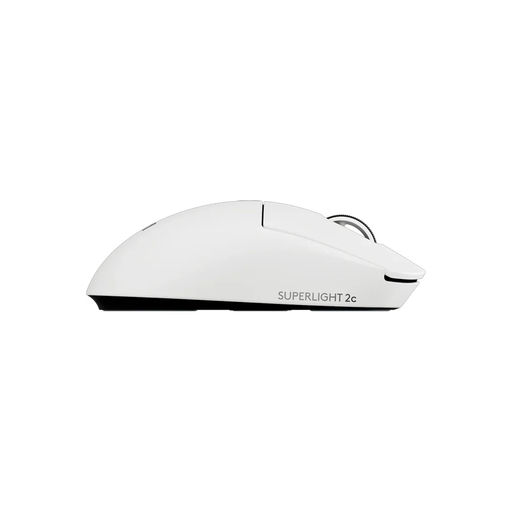
Logitech G PRO X SUPERLIGHT 2c wireless gaming mouse, white
A wireless option if you want to avoid cable snagging on a crowded desk and are looking for a compact design.
The product description mentions LIGHTSPEED connectivity, an included receiver and adjustable DPI.
View at Joybuy
 No image available
AJAZZ AJ200 AI MC wireless gaming mouse with charging dock
A wireless option if you want to compare different connection modes and adjustable sensitivity.
The product name lists a PAW3311 sensor, 24,000 DPI, a weight of 63 g and tri-mode connectivity via Bluetooth, 2.4 GHz and USB-C.
View at Joybuy
 No image available
Logitech G G309 LIGHTSPEED wireless gaming mouse
A wireless option if you want to play without a mouse cable and tailor the sensitivity to how you use it.
The description lists LIGHTSPEED and Bluetooth, an included USB receiver, an AA battery and adjustable DPI.
View at Joybuy
Frequently asked questions
Should I automatically buy a small mouse for a small desk?
No. The room you have to move your mouse and the size of your hand are two different things. Measure the space beside your keyboard, then compare the mouse’s shape, height and width with your grip.
How should I set up a new mouse for practice?
Choose a DPI setting that suits your game and practise with a setting you can use consistently. Check your model’s manual to see how to change DPI and any polling settings. A higher maximum setting doesn’t, by itself, prove you’ll get better practice results.
What do I need to maintain or charge?
Keep the gliding surface and mouse feet free of dirt. For a wireless mouse, check the charging method; for a wired mouse, make sure the cable can move freely. Follow the manual for your chosen model variant when cleaning and charging it.
Do I have a cooling-off period when buying online in the Netherlands?
According to ACM ConsuWijzer, online product purchases generally come with a statutory cooling-off period of up to 14 days after delivery. Exceptions apply, so check the relevant terms and returns information before buying.
Do I need to buy an extra warranty to keep my statutory rights?
No. ACM ConsuWijzer explains that your statutory guarantee applies even if you haven’t bought an extra warranty. If a product breaks during normal use sooner than you could reasonably expect, the seller is responsible for providing an appropriate solution free of charge. In the Netherlands, there is no fixed statutory guarantee period for a mouse.


