What should you look for?
First, count the actions you actually want to move to your mouse. Then compare the fit and controls with your hand, voice chat setup and preference for a cable or battery management.
| What to consider |
What to look for |
Who is this important for? |
| Abilities within thumb’s reach |
Count the actions you want to assign, then compare the number, position and feel of the side buttons. Also check that the software supports your preferred key layout. |
If I want to control lots of abilities directly with my thumb, I look for an easy-to-reach grid rather than just focusing on the total number of buttons. Around 37% of consumers prioritise shortcuts. |
| Grip and comfort |
Compare the shape and weight of the exact version with your usual grip, and check that you can easily reach the buttons you use most. |
During long gaming sessions, I want a mouse that fits my hand without having to change my grip to reach the buttons. Around 27% of consumers give grip and comfort top priority. |
| Click noise during voice chat |
Assess the click noise with your own microphone setup, or look for a sound test of the exact model. A tactile click doesn’t prove that a mouse is quiet. |
When I’m using voice chat, I want to know whether my clicks can be heard through my microphone. Around 18% of consumers say this is their top priority. |
| Cable and battery management |
Check the connections and whether a receiver is needed. Also consider whether you’d rather use a cable or keep an eye on battery levels and charging. |
If a cable gets in the way on my desk, I look for a wireless connection; if I don’t want to manage a battery, a wired mouse suits me better. Around 18% of consumers prioritise connectivity. |
Gaming mice at Joybuy
This selection includes gaming mice to compare for RPG actions, with both MMO-focused and more all-round options, as well as wired and wireless models.
 No image available
Shark Gaming Velocity M70
A wired option for players who want to control game commands with their mouse; check that the cable suits your desk setup.
View at Joybuy
 No image available
Logitech G G502 X
A wired all-round option if you’re not looking for a full MMO thumb grid. Logitech lists a reversible or coverable dpi-shift button; the product name specifies USB Type-A, optical and 25600 DPI.
Check that your setup has a USB Type-A connection and that the cable suits your desk.
View at Joybuy
 No image available
Razer Basilisk V3 Pro 35K (Black)
A wireless gaming mouse to compare if you prefer playing without a cable. Check that the button layout and connection suit the way you use it.
View at Joybuy
 No image available
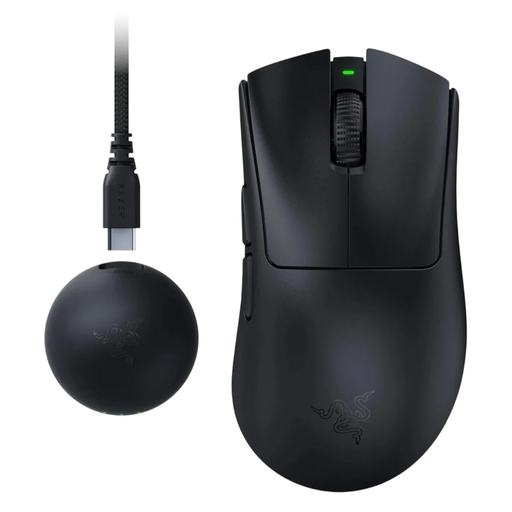
Razer DeathAdder V4 Pro (Black)
An option to compare if you’re looking for a simpler alternative to an extensive MMO thumb grid. Check that its layout includes the game actions you want to control.
View at Joybuy
 No image available
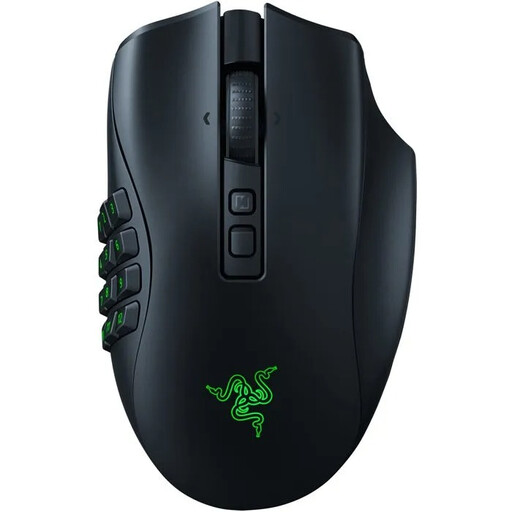
Razer Naga V2 Pro
A wireless MMO mouse to compare if you want to control lots of RPG actions with your thumb. Check which side plate and button layout come with this exact version.
View at Joybuy
Frequently asked questions
Do you always need twelve thumb buttons for role-playing games?
No, it depends on how many actions you want to control with your thumb. An extensive MMO grid may suit you if you have lots of shortcuts; if you mainly use your keyboard, a simpler layout may be a better fit. RTINGS.com discusses specialist MMO mice in this context.
How do you set up the side buttons?
First, assign your most important game actions in the software for the exact model, then check that you can tell the buttons apart easily. Logitech describes button assignments and game profiles in G HUB; Corsair documents assignments and hardware profiles for the Scimitar RGB Elite in iCUE. Check that the software is compatible with your device and game.
How do you maintain a wireless gaming mouse?
Keep the sensor area clean and check the battery level. Refer to the manual for the exact version for cleaning and charging instructions; the stated battery life doesn’t guarantee how long it will last in your setup.
Should you buy an extended warranty, and how do returns work in the Netherlands?
A commercial warranty doesn’t replace your statutory rights. ACM ConsuWijzer explains that statutory guarantees exist alongside commercial warranties and that there is no fixed period of exactly two years. According to the Dutch government, online purchases from a business generally come with a 14-day cooling-off period; assess any paid service package separately based on its cover and terms.
Do European radio rules apply to wireless gaming mice in the Netherlands?
Yes. The Radio Equipment Directive applies to radio equipment placed on the EU market and sets requirements covering areas such as safety, electromagnetic compatibility and spectrum use. This alone doesn’t prove that an individual model being sold complies with the rules; check the product documentation for the exact version.


