Start with a mouse that suits your hand and grip, with buttons you can reach without straining. Then decide how many RTS commands you want to control from the mouse. A wired mouse means you don’t have to manage a battery, while a wireless one removes the cable but makes charging and connectivity part of your decision. A thumb grid with lots of buttons is only worthwhile if you’ll use them and can tell them apart easily.
Who is a gaming mouse for long RTS sessions suited to?
Dedicated RTS player who prioritises comfort
If you make lots of repeated cursor movements, you’ll want a shape that suits your hand and buttons you can reach without straining. The Occupational Safety and Health Administration notes that an unsuitable size or shape can encourage an awkward posture.
RTS player who uses lots of shortcuts
You want to control frequently used commands with your thumb, but the layout needs to suit your reach and grip. Lenovo Netherlands highlights programmable buttons and shortcuts as important considerations for strategy games.
RTS player who wants to go wireless
You don’t want a cable getting in the way of your mouse movements, so you’ll also need to consider wireless connectivity and charging. The stated battery life may depend on the settings you use.
What matters during long RTS sessions?
| What to consider |
What to look for when buying |
Who is this most relevant to? |
| Fit and comfort |
Consider the shape, how easy the side buttons are to reach, and whether you can keep your wrist in a neutral position while using the mouse. |
For long sessions, you’ll want a mouse that suits your hand and grip, with buttons you can reach without straining. Around 33% of consumers rank fit and comfort as their top priority. |
| Accessible RTS commands |
Decide which commands you use repeatedly and check that you can distinguish the buttons without adjusting your grip. |
You’ll want to control recurring commands without shifting your grip; around 27% of consumers give easy-to-reach shortcuts top priority. |
| Cursor control |
Look for adjustable sensitivity and consider whether the controls suit your movements and the surface you play on. |
When selecting and navigating repeatedly, you’ll want to be in control of your cursor settings rather than relying on a high DPI figure alone. Around 20% of consumers put cursor control first. |
| Cable and battery management |
Compare wired use with the available wireless modes, and check battery-life figures alongside the conditions they apply to. |
You may want to move freely without a cable, or play without having to plan when to recharge. Around 20% of consumers say connectivity and battery management are their main consideration. |
Which buying mistakes can you avoid?
-
Assuming the highest DPI figure means it’s the right mouse for RTS
A high sensor specification doesn’t automatically tell you whether the cursor control suits your screen, movements and playing surface.
Compare adjustability and fit before looking at DPI figures side by side.
-
Choosing extra buttons without checking you can reach them
A thumb grid is only useful if you’ll use the commands and can reach and distinguish the buttons without disrupting your grip.
List your most important commands and consider the physical layout; otherwise, choose simpler controls.
-
Confusing a two-year manufacturer’s warranty with your statutory guarantee
ACM ConsuWijzer explains that statutory guarantee in the Netherlands does not automatically have a fixed end date of two years.
Keep your proof of purchase and contact the seller if there’s a fault. Consider what you could reasonably expect from the product under normal use.
Which brands are worth considering?
Logitech G
The wired G502 X is designed for right-handed players who want adjustable controls without having to manage a battery.
- Logitech lists the G502 X as weighing 89 g, with 13 programmable controls.
- The shape is a matter of personal preference; these features apply to the G502 X and not automatically to other G502 versions.
Razer
The wired Basilisk V3 35K is designed for adjustable buttons and scroll controls.
- Razer lists 13 customisable controls, configurable through Synapse.
- The button layout and right-handed shape need to suit you. The V3 35K is a different model from the older Basilisk V3 and the wireless Pro.
SteelSeries
The Aerox 9 Wireless is a wireless option with an extended side-button panel.
- SteelSeries lists 18 programmable buttons and a weight of 89 g.
- The manufacturer’s maximum stated battery life at 2.4 GHz applies in High Efficiency Mode; enabling more features may reduce usage time.
Corsair
The Scimitar Elite Wireless is designed for players who want lots of commands under their thumb and the ability to adjust the panel position.
- Corsair lists 16 programmable buttons and a repositionable panel with 12 side buttons. According to Corsair, the mouse can be used via USB while charging.
- The product specification consulted describes a US version. Check the model and version details before buying.
Joybuy products for RTS gaming
This selection includes wired and wireless gaming mice with different shapes, sensor settings and connectivity options.
 No image available
Razer Basilisk V3 35K, wired gaming mouse
A wired option if you want adjustable controls and scroll functions.
USB connection; 35,000 DPI and 11 buttons according to the product name. The product description mentions customisable controls and three scroll modes.
View at Joybuy
 No image available
Logitech G502 HERO, wired gaming mouse, black
A wired option if you want adjustable sensitivity and programmable buttons without having to manage a battery.
Right-handed design; the product name states 25,600 DPI. The product description mentions 11 programmable buttons and adjustable sensitivity.
View at Joybuy
 No image available
AJAZZ AJ159 PRO, wireless gaming mouse, white
An option if you want to play without a cable and adjust the sensor settings to suit your preferences.
56 g; PAW3395 sensor and 26K DPI according to the product name; 2.4 GHz, USB-C and Bluetooth; 400 mAh battery.
View at Joybuy
 No image available
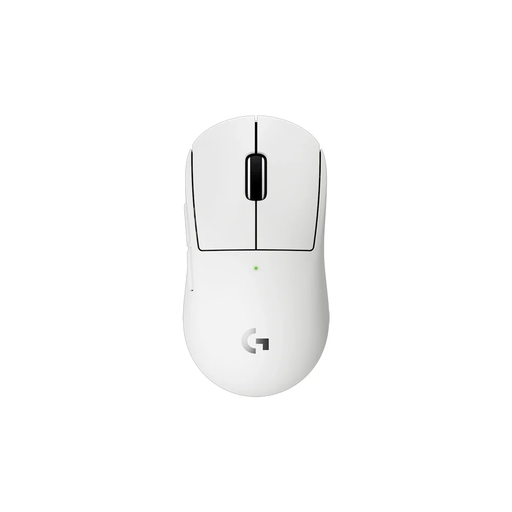
Logitech G PRO X Superlight 2c, wireless gaming mouse, white
A compact wireless option to consider if you’re looking for a smaller mouse or a different grip.
The product description lists a weight of 53 g, a HERO 2 sensor and programmable buttons.
View at Joybuy
 No image available
AJAZZ AJ200 AI MC, wireless gaming mouse with charging dock
A wireless option if you want a choice of connections and adjustable cursor movement.
63 g; PAW3311 sensor and 24,000 DPI according to the product name; Bluetooth, 2.4 GHz and USB-C.
View at Joybuy
Frequently asked questions
Do you need lots of side buttons for RTS?
Not necessarily. First, list the commands you use most often and check that you can reach the buttons without shifting your grip; keyboard shortcuts are another option. Check the rules of the game you play before using macros.
How do you set up a mouse for a long session?
Place the mouse close to your keyboard and choose a shape that lets you keep your wrist as neutral as possible. Adjust the sensitivity and button functions to suit the way you play; a description such as ‘ergonomic’ is no substitute for checking the fit.
Does the stated battery life apply to every wireless mode?
No. For the Aerox 9 Wireless, SteelSeries states up to 180 hours in 2.4 GHz mode with High Efficiency Mode enabled. According to SteelSeries, enabling more features reduces battery life.
How do cooling-off periods and guarantees work when you buy online in the Netherlands?
According to ACM ConsuWijzer, online purchases generally come with a cooling-off period of up to 14 days after delivery, subject to applicable exceptions. Statutory guarantee in the Netherlands does not automatically have a fixed term of two years: with normal use, the product should last as long as you could reasonably expect. The seller is your point of contact.


