
Player with lots of abilities
If you use lots of spells or actions in adventure games, a thumb-button grid within easy reach can complement your keyboard. Razer describes the Naga V3 Pro as having interchangeable side panels with different layouts.


If you play fantasy games with lots of abilities that you want to assign to your mouse, consider an MMO mouse with thumb buttons you can reach comfortably with your grip. An all-rounder or simpler model may be more practical if you switch between working from home and games that involve fewer mouse actions. Also consider the shape and connection: a wired mouse needs space on your desk, while a wireless one needs charging or fresh batteries.
If you use lots of spells or actions in adventure games, a thumb-button grid within easy reach can complement your keyboard. Razer describes the Naga V3 Pro as having interchangeable side panels with different layouts.
If you use the same desk for work and play, consider the grip, button reach, scrolling and space for any cable. According to Logitech G, the wired G502 X has a scroll wheel with two modes.
If you don't need many extra mouse actions, a simpler layout may be enough. HyperX lists seven programmable buttons for the Pulsefire Core; decide for yourself how many commands you want to assign to your mouse.
Best for: assigning lots of individual abilities to your mouse.
Bear in mind: you'll need to get used to the layout and check that you can reach the buttons with your grip.
Best for: switching between work and games without needing a full MMO button grid.
Bear in mind: a wired model takes up space with its cable; a wireless version needs charging.
Best for: prioritising grip and everyday mouse functions over lots of shortcuts.
Bear in mind: more commands will stay on your keyboard if you use fewer mouse buttons.
| Consideration | What should you check? | Who is this most relevant to? |
|---|---|---|
| Abilities within thumb reach | Compare the layout and check that you can reach the relevant buttons with your grip. | If I want to use my thumb for lots of spells or actions, I want to be able to tell the buttons apart without adjusting my grip. Around 29% of consumers prioritise ability buttons. |
| Fit for desk use | Consider hand support, grip and how easily you can reach the side buttons and scroll wheel. | If I use the mouse for work and longer gaming sessions, I want its shape and controls to suit my hand. Around 29% of consumers prioritise fit and usability during longer sessions. |
| Cable space and power | Compare the connection for each version and check the settings used by the manufacturer when stating battery life. | If I share a desk between work and play, I want to make room for a cable or account for charging. Around 21% of consumers make desk layout and power their main priority. |
| Controls you won't use | Make a note of the commands you actually want to assign to your mouse, then compare the layouts. | If I mainly use keyboard commands, I don't want a complicated mouse layout that I won't use. Around 21% of consumers prioritise simplicity and avoiding unnecessary controls. |
Layouts and shapes vary by model, and a button is only useful if you can reach it with your grip.
Compare fixed, adjustable or interchangeable side panels based on the actions you use. Bear in mind that it may take time to learn new assignments.
According to CORSAIR, the battery life of the CORSAIR SCIMITAR ELITE WIRELESS SE depends on the connection mode and the condition that RGB is switched off.
Read the manufacturer's usage conditions before comparing battery life between models.
A manufacturer's warranty does not automatically mean that your statutory rights end after a set period. ACM ConsuWijzer explains that the statutory guarantee depends on what you can reasonably expect from the product with normal use.
Keep your proof of purchase and contact the seller if the product develops a fault.
The Naga range is worth considering if you want to assign lots of abilities to mouse buttons.
The G502 X range offers an all-round option; compare wired and wireless versions separately.
The Aerox 9 Wireless is a wireless MMO option with an extensive button grid.
The SCIMITAR ELITE WIRELESS SE is worth considering if you want to adjust the position of the side panel.
The Pulsefire Core is a simpler option if you don't need an extensive MMO grid.
This selection focuses on wireless gaming mice for fantasy games and a desk that's also used for work, with different controls and connection options.
 No image available
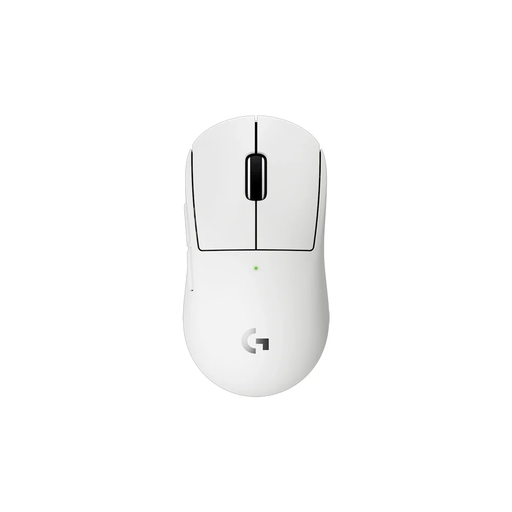
An option if you're looking for wireless connection options and a low stated weight.
The product name lists 56 g, a PAW3395 sensor, 26K DPI, 400 mAh and 2.4G, USB-C and Bluetooth.
 No image available
The product description calls this a compact model for anyone looking for a smaller mouse and wanting to assign a few actions to thumb buttons.
The description lists programmable thumb buttons and a weight of 53 g.
 No image available
An all-round option if you game and work at the same desk and want to compare several connection options.
The product information lists six buttons with customisable functions, tri-mode connectivity, 63 g, a PAW3311 sensor and 24000 DPI. The product name also mentions a charging dock.
 No image available
An option if you're looking for programmable buttons and a choice of wireless connections.
The product name lists seven programmable buttons, 67 g, BT5.0, 2.4G and USB-C, a PAW3311 sensor, 12000 DPI and 8KHz.
 No image available
An option if you want to assign a few gaming commands and need wireless connections for different situations.
The product description lists up to six programmable buttons and LIGHTSPEED and Bluetooth connections.
Choose based on the actions you actually want to assign to your mouse. An MMO layout may suit lots of individual abilities; if you use fewer mouse actions, an all-round layout may be enough. Check that you can reach the buttons without adjusting your grip.
Start by assigning your most-used gaming actions, then test the layout during normal use. For wireless models, check your chosen connection and the conditions attached to the stated battery life. Follow the product instructions to keep the sensor clean.
No. For a consumer purchase, the statutory guarantee depends on what you can reasonably expect from the product with normal use; a manufacturer's warranty does not limit this to a fixed period. ACM ConsuWijzer identifies the seller as the point of contact for statutory guarantees. Online consumer purchases also generally come with a cooling-off period of up to 14 days after delivery, with some exceptions.
Wireless radio equipment is covered by the EU radio equipment framework. For products that must carry a CE marking under harmonised EU rules, the manufacturer must meet the applicable requirements and affix the marking. The European Commission makes clear that a CE logo in an advert is not, by itself, an independent product test; check the information and documentation for the specific version.
No. Weight and shape are features of a particular model, not a guarantee of personal comfort. The Dutch Arboportaal warns that prolonged computer work can cause health problems, so consider your workstation too, and vary your posture and activities.