What should you look for?
Start with fit, then decide which commands you want to control from your mouse. Check tracking on your own desktop before assuming a higher DPI will solve the problem.
| What to consider |
What should you check? |
Who should pay particular attention? |
| Fit during long sessions |
Check the shape, dimensions and hand orientation of the exact variant. See whether you can reach the buttons without changing your grip. |
If I’m building for a long time, I want to hold the mouse comfortably without constantly repositioning my hand. Consumers who put fit first account for around 31% of consumers in this choice. |
| Accessible buttons and scrolling |
Think about which commands you actually want to assign. Check the button layout and whether the scroll modes feel comfortable to use. |
When I want to carry out frequently used building commands quickly, what matters most is whether I can reach the buttons with my thumb. Around 31% of consumers give accessible commands top priority. |
| Tracking on your desk |
Check whether you’re gaming on glass or a reflective desktop. If the cursor stutters, try a flat, non-reflective mouse mat and clean the sensor. |
If the cursor stutters on my desk, I want to check the surface and sensor first. Consumers who prioritise reliable tracking on their own desktop make up around 23% of this group. |
| Going cable-free |
Check the supported connection and required power for the exact model. |
If you find a mouse cable on your desk bothersome, going wireless may matter more than managing power. Around 15% of consumers put cable-free use first. |
Gaming mice at Joybuy
This selection includes wired and wireless gaming mice with different button layouts. Compare the exact variant for grip, the commands you want to assign, connectivity and power requirements.
 No image available
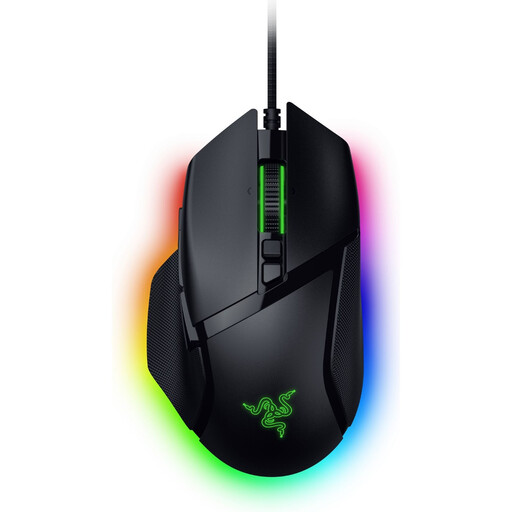
Razer Basilisk V3 35K wired gaming mouse
A wired option if you want to assign building commands to mouse buttons and compare different scroll modes.
The product name lists 35,000 DPI and 11 buttons; according to Razer, the wired Basilisk V3 has different scroll modes.
Joybuy
 No image available
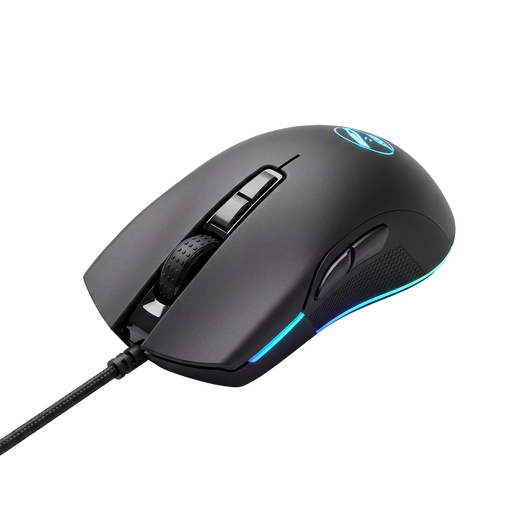
Shark Gaming Velocity M70 gaming mouse
A gaming mouse to compare if you want to find the right controls and fit for your building sessions.
Before buying, check the exact button layout, shape and connection for this variant.
Joybuy
 No image available
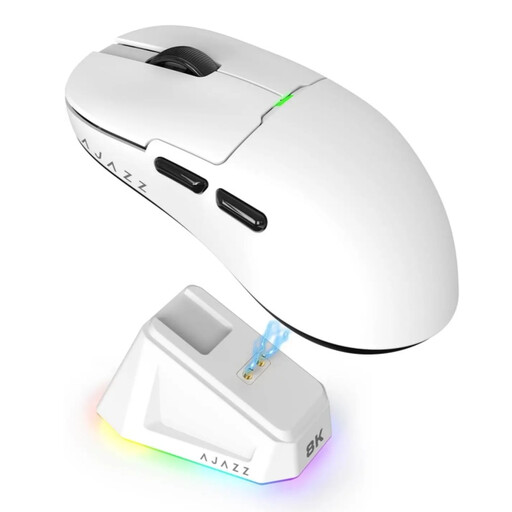
AJAZZ AJ159 PRO wireless gaming mouse, white
A wireless option to compare if you don’t want a mouse cable on your desk and want to check connectivity for each model.
The product name lists 56 g and 2.4G/USB-C/BT support.
Joybuy
 No image available
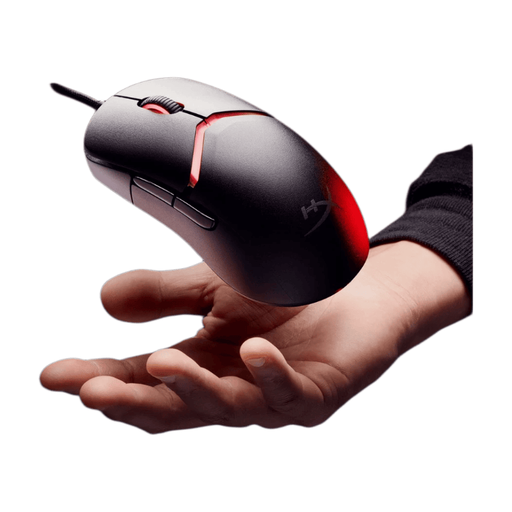
HyperX Pulsefire Saga wired gaming mouse
A wired option to compare if you want a mouse that doesn’t require battery management for longer sessions.
The product name lists RGB lighting and 26,000 DPI.
Joybuy
 No image available
Logitech G G502 X wired gaming mouse
A wired option to consider if you want extra controls and free-spin or ratchet scrolling.
The product name lists a right-handed model, USB Type-A and 25,600 DPI. Logitech G gives the weight as 89 g; RTINGS notes that the shape may feel large for smaller hands.
Joybuy
Frequently asked questions
Do I need lots of extra mouse buttons for Factorio?
No, extra mouse buttons aren’t essential. The Factorio Wiki describes keyboard and mouse combinations for tasks such as copying and placing. Extra buttons are mainly worth considering if you want to assign commands to them; check that the controls you want work with your game and software.
Will a higher DPI fix tracking problems in a bright room?
A bright room alone isn’t a proven reason to choose a higher DPI. If tracking stutters, Logitech Support recommends cleaning the sensor first and trying a flat, even, non-reflective mouse mat. Check your sensitivity setting too.
What should you look for in a wireless gaming mouse?
Check the connectivity and power requirements for the exact model variant. Wireless mice may connect via a receiver or Bluetooth, for example. Follow the instructions for your specific model and check which connection and power source it needs.
Can you return a mouse bought online if you don’t like the shape?
For a standard online consumer purchase, ACM ConsuWijzer says you generally have a statutory cooling-off period of up to 14 days after delivery. Check the applicable exceptions and conditions for trying out and returning the product. This is separate from any additional returns policy offered by the seller.
Is the manufacturer’s warranty the same as the statutory guarantee in the Netherlands?
No. ACM ConsuWijzer explains that statutory consumer rights apply alongside any seller’s or manufacturer’s warranty. If a mouse breaks sooner than you could reasonably expect under normal use, the seller is responsible for providing an appropriate solution. Your statutory rights aren’t automatically limited to the duration of any manufacturer’s warranty offered.


