
Player without a spare power socket
Wants to play arena matches without an extra mains adaptor for the mouse and is comparing wired USB use, an AA battery and USB charging.


You don’t necessarily need an extra power socket: a wired USB mouse uses a USB port on your computer, while an AA-battery mouse works wirelessly without a charging cable. For fast-paced arena matches, RTINGS.com generally recommends using a dedicated USB receiver rather than Bluetooth. The receiver does use a USB port, and a rechargeable mouse needs a suitable way to charge it.
Wants to play arena matches without an extra mains adaptor for the mouse and is comparing wired USB use, an AA battery and USB charging.
Prioritises a suitable connection for competitive play and reliable responsiveness over Bluetooth-only connectivity.
Is looking for a comfortable shape and easily accessible buttons for repeated movements and abilities.
| Consideration | What to look for | Who is this important for? |
|---|---|---|
| Power without an extra socket | Check whether the exact version is wired via USB, powered by an AA battery or rechargeable, and whether USB charging suits your setup. | If I don’t have a spare power socket, I want to know whether the mouse works via USB, runs on an AA battery or needs to be charged later. Around 36% of consumers prioritise power without an extra socket. |
| Connection during matches | Check whether the mouse connects by cable, via a 2.4 GHz receiver or through Bluetooth, and which mode you’ll use. | For fast-paced matches, I want to know which connection mode the mouse uses and whether I have a free USB port for the receiver. Around 29% of consumers prioritise the connection for competitive play. |
| Shape and room to move | Compare the shape, dimensions and weight, and consider where any cable will run across your desk. | For repeated movements, I want a mouse that suits my hand and grip, with a cable that won’t get in the way. Around 21% of consumers focus mainly on fit and freedom of movement. |
| Buttons for arena actions | Check the number and placement of programmable buttons, and whether you’ll need software to set them up. | If I want to assign actions to mouse buttons, they need to be easy to reach and suit the actions I use in-game. Around 14% of consumers prioritise extra buttons for arena actions. |
A wireless mouse with a dedicated USB receiver still uses a port on your computer. A wired mouse or one that charges via USB also needs a suitable connection.
Count power sockets and USB ports separately, and check the connection required by the exact version.
Quoted battery life can vary by model and connection mode. A manufacturer’s maximum figure is no guarantee for every gaming session.
Compare the figure for the exact version and the mode you play in. If you choose an AA model, keep a suitable spare battery handy.
Wired and wireless versions can have different connections and power requirements. An extra word or number in a model name can also indicate a different version.
Before buying, check the full model name, power source, connection and key specifications.
The G305 is a wireless AA-battery option, while the G203 LIGHTSYNC is a separate wired choice.
The Aerox 3 (2022) and Aerox 3 Wireless (2022) share a family name, but differ in their connection and power source.
The Basilisk V3 Pro is aimed at buyers looking for a shape with more input options.
The HARPOON RGB WIRELESS is an example of a model with several connection options.
This selection includes wired USB mice and wireless gaming mice powered by batteries or a rechargeable battery. Before buying, check the CE marking and applicable radio equipment requirements for the exact version. The Dutch Authority for Digital Infrastructure outlines these requirements in the Netherlands.
 Image unavailable
A wired USB option for anyone who doesn’t want to use a mouse battery or wireless receiver.
35,000 DPI and 11 buttons.
 Image unavailable
A wireless option for anyone whose setup can accommodate USB charging.
RF Wireless and Bluetooth; optical sensor, 42,000 DPI and USB Type-A.
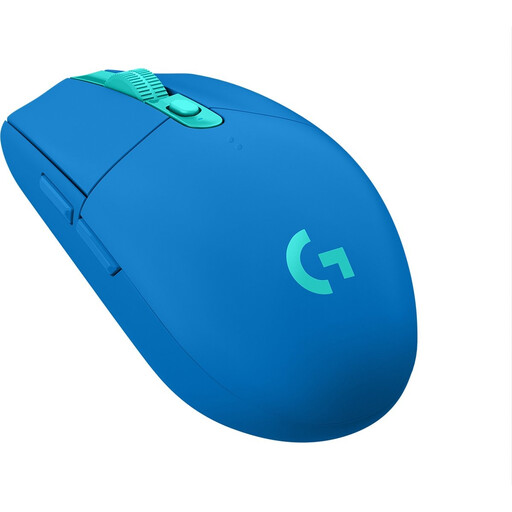 Image unavailable
A wireless option for anyone who doesn’t want to use a mouse charging cable while playing.
Runs on one AA battery; the USB receiver uses a computer port.
 Image unavailable
Suitable for anyone looking for a wireless mouse powered by an AA or AAA battery, with a USB port available for the receiver.
HyperSpeed Wireless and Bluetooth; 18,000 DPI.
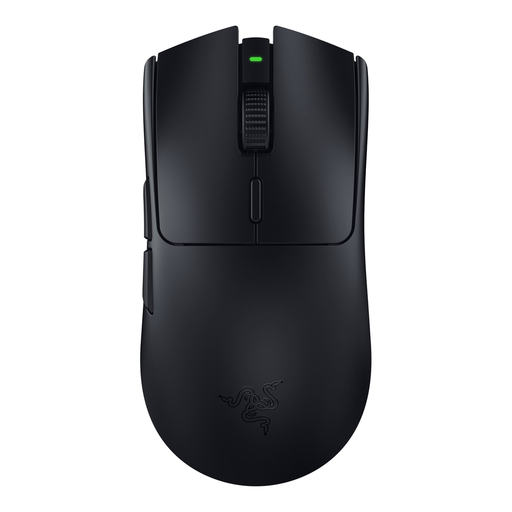 Image unavailable
A wireless option for anyone who wants to play without a mouse charging cable and can free up a USB port for the receiver.
The product details list an AA battery and a USB receiver for the HyperSpeed connection.
Not necessarily. A wired USB mouse uses a computer port, while the Logitech G305 runs on an AA battery. A rechargeable model needs a suitable way to charge it. So, not having a spare power socket doesn’t automatically mean you have a USB port available either.
You can if both the mouse and computer support Bluetooth, but RTINGS.com generally recommends a dedicated USB receiver for gaming because Bluetooth has higher latency and a less reliable connection. The receiver will still take up a USB port.
Check the USB connection and connection mode required by the exact version. If you have an AA model, keep a suitable battery to hand. For a rechargeable model, check what charging method it needs and whether it can be used in wired mode while charging. Also check that any software for programmable buttons is compatible with your computer.
According to the Netherlands Authority for Consumers and Markets, you usually have a statutory 14-day cooling-off period after delivery for a standard online consumer purchase, subject to legal exceptions. If a product is faulty, the seller remains responsible under the statutory guarantee; a manufacturer’s warranty does not replace this right.
The Dutch Authority for Digital Infrastructure states that equipment sold on the Dutch market must carry the correct CE marking; radio equipment must also meet the relevant radio requirements. The European Commission says the common charger rules have applied to mice within their scope since 28 December 2024, including relevant radio equipment that can be charged by cable. This does not mean that an AA-battery mouse can automatically be charged via USB.