What should you look for?
Start with how you play: the built-in screen matters if you don’t use an external monitor, while the requirements of the specific game can guide your choice of configuration for large maps and more demanding simulations. Urban Games recommends 16 GB RAM for Transport Fever 2; Paradox Interactive also lists 16 GB RAM for Cities: Skylines II, alongside a higher-spec reference graphics configuration.
| What to consider |
What should you check? |
Who is this important for? |
| Large built-in screen |
Screen size, resolution and full model code. |
If I play without a separate monitor, I want to be able to view maps on my laptop screen. Around 31% of consumers prioritise a large built-in screen. |
| Game and map size |
The game’s official requirements, the exact processor and laptop GPU, and the installed RAM. |
For large maps, I want to match the configuration to the simulator I play. Around 31% of consumers give game demands and map size top priority. |
| External monitor |
The video output on the exact model and the display mode supported by the laptop and monitor. |
If I use a large monitor, I want to know in advance whether the connection will suit my setup. An external monitor is a key consideration for around 25% of consumers. |
| Correct model |
The full model code and which power supply and accessories are included. |
I want to avoid choosing a model that doesn’t suit my screen or game, or overlooking an accessory. Around 13% of consumers focus mainly on the configuration and total purchase cost. |
Gaming laptops at Joybuy
These product choices focus on gaming laptops with large built-in screens for simulation games. Compare the screen specifications and configuration of each model with your game’s requirements.
 No image available
MSI Titan 18 HX AI A2XWJG-492NL
An option to compare if you’re looking for an 18-inch built-in screen for simulation games.
The product name lists an 18-inch UHD+ Mini LED screen with 120 Hz, Intel Core Ultra 9 285HX, 64 GB DDR5, 6 TB SSD and NVIDIA GeForce RTX 5090 with 24 GB. Windows 11 Pro is also listed.
View at Joybuy
 No image available
Acer Nitro 18 AI AN18-61-R25V
An option to compare if you want to play on a large built-in screen without a separate monitor.
The product name lists an 18-inch WQXGA screen with 165 Hz, AMD Ryzen AI 7 350, GeForce RTX 5060 with 8 GB, 16 GB DDR5 and a 1 TB SSD. Windows 11 Home is also listed.
View at Joybuy
 No image available
MSI Crosshair 17 HX AI D2XWFKG-071NL
A model to compare if you’re looking for a large built-in screen and want to match the exact configuration to your simulation game.
The product name lists a 17-inch QHD+ 240 Hz screen, Intel Core Ultra 7 255HX, NVIDIA GeForce RTX 5060 with 8 GB, 32 GB DDR5 and a 1 TB SSD. Windows 11 Home is also listed.
View at Joybuy
 No image available
Thunderobot Storm 17 5060
An option to compare if you’re looking for a 17-inch built-in screen for simulation games.
The product name lists a 17.3-inch QHD screen with 165 Hz, Intel Core i7-13620H, GeForce RTX 5060, 16 GB DDR5 and a 1 TB SSD. HDMI and a backlit keyboard are also listed.
View at Joybuy
 No image available
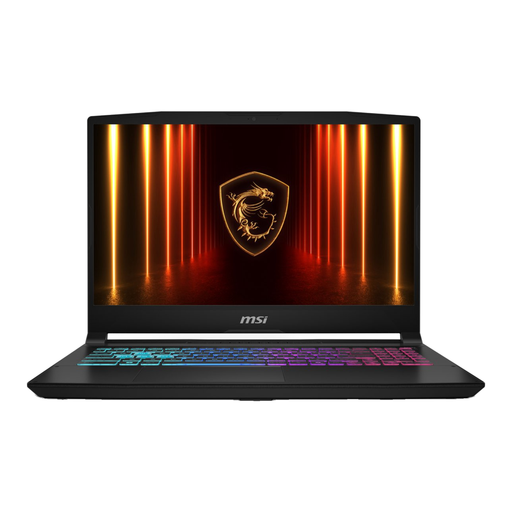
MSI 17 HX B14WGK-264NL
A model to compare if you’re looking for an MSI 17 HX for simulation games; check the screen specifications for this exact model.
The product name lists 16 GB and a 1 TB SSD. A QWERTY keyboard is also listed.
View at Joybuy
Frequently asked questions
How should I start choosing for Transport Fever 2 or Cities: Skylines II?
First, compare the requirements of the game you play. Urban Games recommends 16 GB RAM for Transport Fever 2; Paradox Interactive also lists 16 GB RAM for Cities: Skylines II, as well as a higher-spec reference graphics configuration. These requirements don’t guarantee how a specific gaming laptop will perform.
What should I check before playing on a large external monitor?
Check the video output on the exact laptop model, as well as your monitor’s connection and supported display mode. Urban Games notes that an incorrect screen position can be one reason Transport Fever 2 appears on the wrong screen when several screens are connected.
When is extra memory useful for large maps?
Memory is worth considering for larger maps in Transport Fever 2: Urban Games’ guide links map size to the amount of RAM required and, typically, to processing power too. This doesn’t set a universal memory limit for every map or mod.
Which accessories and consumer rights should I check after buying online in the Netherlands?
Check whether the power supply, and any external monitor and cable, are included with your purchase. According to the Dutch government, online purchases from a business often come with a 14-day cooling-off period. You also have a legal guarantee; if a product is faulty, contact the seller. There is no fixed statutory guarantee period for all products in the Netherlands.


