
Figma designer who also games
You mainly design interfaces but want to use the same laptop for gaming. Decide which games you want to play before making extra GPU power a deciding factor.


If you mainly use Figma, start by choosing a model with a screen suited to your design work and enough memory for your other programmes. You don’t necessarily need a powerful dedicated graphics card just for Figma. If you also use Photoshop and game regularly, compare the memory, exact GPU and screen option with the laptop’s size, weight and power consumption. Figma lists low graphics requirements for browser use and notes that using a dedicated GPU can consume more battery.
You mainly design interfaces but want to use the same laptop for gaming. Decide which games you want to play before making extra GPU power a deciding factor.
You combine UI design with, for example, Photoshop, and want to focus on checking the screen option, memory and storage. Adobe recommends 16 GB RAM or more for Photoshop.
You work in a student room and may take your laptop with you. As well as performance, consider its size, the ports you need and battery use.
| What to consider | What to look for | Who should pay particular attention? |
|---|---|---|
| Screen for design work | Check the resolution, aspect ratio and stated colour gamut of the exact model. A high refresh rate alone tells you nothing about colour reproduction. | If you assess layouts, you’ll want enough workspace and to know which screen option you’re buying. Around 33% of consumers prioritise the screen for design work. |
| Design, creative apps and games | Check the installed RAM and GPU in the specific configuration; Adobe recommends 16 GB RAM or more for Photoshop. | If you use Photoshop as well as Figma and want to game, you’ll need a configuration that suits that combination. Around 27% of consumers prioritise a combination of creative apps and games. |
| Capacity and upgrade options | Compare the supplied RAM and SSD capacity, and check which upgrade options are documented for the exact model. ASUS lists two RAM slots and two SSD slots for the TUF Gaming 16 (2026). | If you don’t want to buy a more powerful configuration than you need but want the option to upgrade later, consider the current capacity and the upgrade options for that model. Around 20% of consumers prioritise cost and upgradability. |
| Size and use on the go | Compare the dimensions and weight with the desk space you have and how you plan to carry the laptop. | If you want to use the laptop both in your student room and on the go, its size needs to work in both situations. Figma notes that using a dedicated GPU can consume more battery. Around 20% of consumers prioritise portability and use in their room. |
A screen can have a high refresh rate without the colour gamut of the chosen configuration being clear. MSI lists different screen options for the Katana 15 HX series.
Check the screen specifications for the full model number before choosing based on the series name.
If the stated screen features don’t meet your colour requirements, you may need to consider a different screen option or an external monitor.
Figma lists low graphics requirements for browser use. A dedicated GPU can improve performance, but Figma also notes that it can consume more battery.
Decide which games and additional design software you’ll actually use, then compare the GPU with those needs.
A commercial warranty is separate from your statutory rights if a product doesn’t do what you could reasonably expect it to. ACM ConsuWijzer makes the same distinction.
Keep your proof of purchase and contact the seller if you think a product may be faulty.
The LOQ series can be used to compare gaming laptops with different screen options.
The TUF Gaming 16 is an option to compare if gaming hardware and the possibility of upgrading later both matter to you.
The Nitro V 15 has a specific 15.6-inch configuration that you can use to compare screen, memory and storage options.
The Katana 15 HX B14W series is worth considering if you want to compare GPU and screen options.
The OMEN configurations offer specific models for comparing memory, storage and screen specifications.
This selection features gaming laptops for UI design alongside additional creative software and games. For each model, compare the exact screen and hardware configuration with how you plan to use the laptop.
 Image unavailable
An option for combining a larger workspace for UI design with creative apps and games.
16-inch OLED screen, 2560 × 1600, 16:10, 100% DCI-P3, 16 GB RAM, 1 TB SSD and RTX 5060 laptop GPU. The stated weight is 1.85 kg. According to the product description, the charger must be purchased separately.
 Image unavailable
A configuration to compare if you want to combine UI work, additional creative software and gaming on one laptop.
16-inch WQXGA screen with anti-glare coating and 100% DCI-P3, 16 GB RAM, 1 TB SSD and RTX 5070 Ti. According to the product description, the charger must be purchased separately.
 Image unavailable
A configuration with stated screen and hardware features to compare for design software and gaming.
16-inch IPS screen, 2560 × 1600, 100% DCI-P3 and 240 Hz, with 32 GB RAM, 1 TB SSD and RTX 5070. The product title specifies a UK RGB keyboard; check that the layout suits your needs.
 Image unavailable
The 14-inch size may be appealing if you’re looking for a more compact laptop as well as specific features.
14-inch 3K OLED screen with 100% DCI-P3 and 120 Hz, 32 GB RAM, 1 TB SSD and RTX 5070. The product title specifies a QWERTY keyboard; check that the layout suits you.
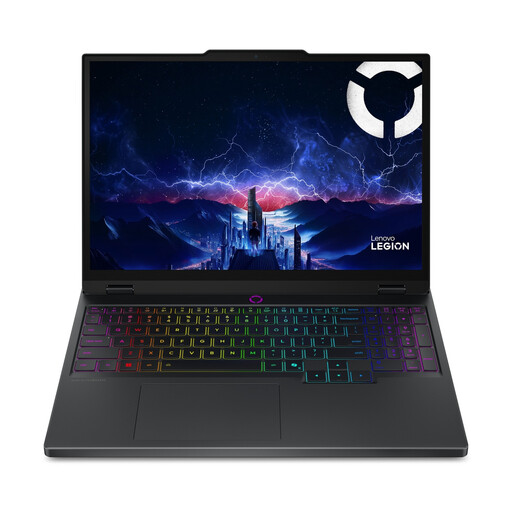 Image unavailable
A 15.1-inch configuration to compare if you’re looking for a screen suited to design work as well as hardware for gaming.
WQXGA OLED screen with 100% DCI-P3 and 165 Hz, 16 GB RAM, 512 GB SSD and RTX 5060 laptop GPU. The stated weight starts at 1.9 kg. According to the product description, the charger must be purchased separately.
Not just because you use Figma: Figma lists low graphics requirements for browser use. A dedicated GPU can improve performance, but according to Figma it can also consume more battery, so consider games and other software separately.
Check which version and applications you use, then compare their requirements with the laptop’s memory and other hardware. For Photoshop 27.x on Windows, Adobe lists 8 GB RAM as the minimum and 16 GB or more as the recommendation. Also check the applicable GPU requirements and available SSD space.
Check the specifications for the exact configuration, including its resolution, aspect ratio and stated colour gamut. A high refresh rate alone won’t tell you the colour gamut of the version you’re buying.
Before buying, check the dimensions and ports of the exact configuration, and keep the air vents clear while you’re using it. Whether an external monitor will fit depends on your desk and setup.
A smaller screen size may suit you if you’re looking for a more compact laptop, but check the stated weight and ports too. Compare these details with your desk space and how you plan to carry the device.