
Map maker working beside a window
You create terrain maps at a bright, permanent workspace and want to see map details clearly when daylight falls on the screen. QGIS Documentation describes terrain analysis using digital elevation models.


For mainly 2D terrain analysis, the QGIS workflow for hillshading does not require a powerful gaming GPU. If you also view interactive 3D maps or work on exported scenes in Blender, choose RAM and GPU memory to suit that workflow; Blender recommends 32 GB RAM and 8 GB VRAM for Windows. In a room with daylight, compare the finish and stated brightness of the exact screen variant. These specifications cannot predict how distracting reflections will be at your desk.
You create terrain maps at a bright, permanent workspace and want to see map details clearly when daylight falls on the screen. QGIS Documentation describes terrain analysis using digital elevation models.
You view terrain interactively in 3D or develop an exported scene further in Blender, so memory and graphics specifications matter. Blender recommends 32 GB RAM and 8 GB VRAM for Blender on Windows.
You use the same laptop for mapping and gaming, and move it around regularly. Screen size and portability may have to compete for priority.
Start with the screen variant for use near a window. Then match the memory and graphics capability to your mapping workflow, and factor in size and gaming features if you move the laptop around or use it for games.
| What to consider | What should you check? | Who is this important for? |
|---|---|---|
| Readability beside a window | Check the finish and brightness of the exact screen variant; the nit rating alone does not tell you whether the screen is glossy. | I want to read map details beside a window, so I check the panel on the exact model I’m considering. Around 36% of consumers put readability in daylight at the top of their purchase priorities. |
| 3D capability | Match the RAM and GPU memory to the software and to how you view or work on 3D scenes. | If I view terrain interactively in 3D or work on it further in Blender, I want to match the specifications to that workflow. Around 29% of consumers put 3D capability at the top of their list. |
| 2D mapping | Compare the screen resolution with your map and control panels; a powerful gaming GPU is not automatically needed for the 2D task described. | I mainly create and review 2D terrain maps, rather than rendering in 3D or gaming. Around 21% of consumers give 2D mapping their highest priority. |
| Portability and gaming | Consider the screen size and the games you plan to play; a high refresh rate says nothing about readability in daylight. | If I want one laptop for mapping and gaming and take it with me regularly, size matters. Around 14% of consumers prioritise this combination of mobility and use. |
Lenovo lists 500 nits for both a glossy OLED and an anti-glare IPS variant in the Legion Pro 5 range reviewed. So the brightness figure alone does not tell you which finish you’ll get.
Check the panel finish of the exact variant and consider how the screen is positioned in relation to your window. Don’t treat the stated brightness as a guarantee against reflections.
Among the Legion Pro 5 variants reviewed, the panel type and memory differ, among other things. The range name alone does not tell you which combination you’re buying.
Before you buy, compare the full configuration with the screen, memory and GPU specifications you need.
An additional warranty does not replace your statutory rights. The Dutch government states that there is no fixed statutory warranty period in the Netherlands; what you could reasonably expect from the product is taken into account.
Check what cover an additional plan provides and compare it with your existing statutory rights before deciding.
The Legion Pro 5 is worth considering if you want to compare screen variants for a bright workspace.
One Dutch OMEN 16 configuration reviewed combines an IPS screen with an anti-glare finish and specifications suited to graphics work.
The Vector 16 HX AI is a product line worth comparing if demanding 3D tasks matter more than choosing a particular screen variant.
The Storm 17 5060 offers a larger-screen option for those who mainly work in one place and also want to game.
These Joybuy laptops combine gaming hardware with features relevant to mapping, such as a stated anti-glare screen finish or graphics capability. Compare the configuration, and don’t treat screen specifications as a guarantee of readability beside your window.
 No image available
One option to compare for mapping in daylight: the product information lists an anti-glare, anti-reflective finish. This does not guarantee readability in every workspace.
16-inch screen, 2560 × 1600 pixels, 16 GB RAM, RTX 5060 with 8 GB graphics memory and 1 TB SSD. According to the product information, the laptop weighs 1.85 kg; the charger must be purchased separately.
 No image available
The product information lists an anti-glare screen with a brightness of 300 nits. Compare these details with the position of your window; they don’t prove how readable the screen will be there.
16-inch screen, 1920 × 1200 pixels, RTX 5070 with 8 GB graphics memory, 16 GB DDR5 and 1 TB SSD. The title also lists WUXGA and 144 Hz.
 No image available
The product information lists an anti-glare IPS screen. Check the exact configuration, and bear in mind that the finish alone does not determine readability beside your window.
16-inch screen, 1920 × 1200 pixels, 16 GB RAM, RTX 5060 and 1 TB SSD.
 No image available
The product information lists an anti-glare screen. This may be a useful factor to consider near a window, but it cannot by itself predict how reflections will affect your workspace.
15.6-inch screen, Full HD, 144 Hz, RTX 5070 with 8 GB graphics memory, 16 GB DDR5 and 512 GB SSD. The charger must be purchased separately.
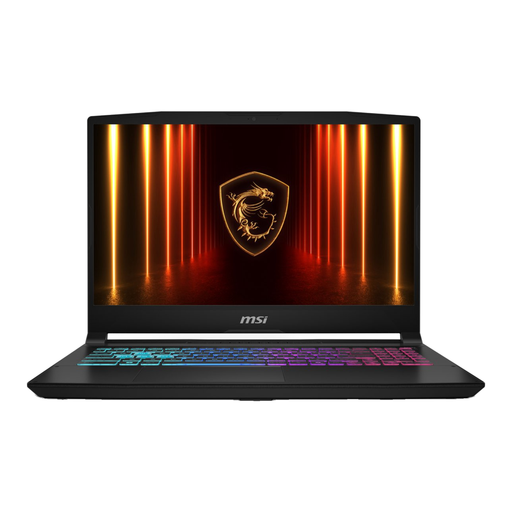 No image available
The product information lists an anti-glare screen measuring 17.3 inches. The larger size may be useful if you mainly work in one place; check that it suits how often you take the laptop with you.
The product information lists an RTX 5070 with 8 GB graphics memory and a Full HD screen. The charger is sold separately.
No. The 2D task described does not require one: QGIS Documentation describes hillshading as an operation on a digital elevation model. If you also export a scene to Blender, compare the specifications with the requirements of that additional workflow; Blender recommends 32 GB RAM and 8 GB VRAM for Windows.
In QGIS, use a digital elevation model and the raster terrain analysis tools to calculate hillshading. QGIS Documentation also explains how to overlay the resulting layer on a coloured raster map.
A warranty you buy separately does not replace your statutory rights when making a consumer purchase in the Netherlands. According to the Dutch government, statutory warranty has no fixed end date; what you could reasonably expect from the product and how you use it are taken into account. So check what additional cover the plan provides.
For distance purchases from a seller, you generally have 14 days to change your mind, according to the Dutch government. Check the applicable terms before buying; some situations do not count as distance purchases, including buying online from a private individual.