
Platform gamer with limited desk space
You want to fit your laptop alongside a controller or mouse, so you compare the actual chassis dimensions and ventilation outlets, not just the screen size.


For a small desk, a 14- or 14.5-inch gaming laptop is a sensible first option to compare. The Dutch Consumers’ Association distinguishes between 13–14-inch and 15–16-inch laptop sizes, but screen size alone won’t tell you whether the chassis will fit. Choose a larger screen only if you have enough desk space, then check the requirements of the platform games you play, the exact laptop configuration and the space needed for ventilation. A higher GPU specification on its own doesn’t prove that your game will run better.
You want to fit your laptop alongside a controller or mouse, so you compare the actual chassis dimensions and ventilation outlets, not just the screen size.
You want to check that the exact laptop configuration meets the requirements of your games and supports your controller before paying extra for higher graphics specifications.
You want to leave space around the ventilation outlets and consider fan noise during your own use. Product specifications alone don’t provide comparable noise measurements.
Choose this if: desk space is your priority and you play on the built-in screen.
Bear in mind: the built-in screen is smaller, and specifications vary between configurations.
Choose this if: you value a larger screen and have room on your desk for the laptop, controls and ventilation.
Bear in mind: you’ll need space for the laptop, power adapter and cables.
| What to consider | What should you check? | Who should pay extra attention? |
|---|---|---|
| Fit on your desk | Measure the available width and depth, then compare them with the dimensions of the exact configuration. Keep the ventilation outlets clear. | I want to fit my laptop, controller and mouse on a small desk, so I look at the entire chassis and make sure there’s enough room for ventilation. Desk space is the top priority for around 36% of consumers. |
| Your platform games | For each game, compare the latest minimum and recommended requirements with the processor, graphics card, memory and operating system of the exact configuration. | I want to play my own games and use my controller, so I check the requirements for each game rather than relying on its genre. Game compatibility is the top priority for around 29% of consumers. |
| Airflow and noise | Check where the ventilation outlets are. Use a hard, flat surface and, if needed, look for a noise measurement for the exact configuration. | I want to keep the air outlets clear and assess noise during my own use. Airflow and noise are the top priority for around 21% of consumers. |
| Choosing the right configuration | Check the full model code and compare the specifications with your games. Review the warranty terms separately from your statutory rights. | I want to choose a configuration that suits my games and how I use the laptop, without paying for unnecessary extras. The configuration is the top priority for around 14% of consumers. |
The laptop also needs to fit alongside your controls and cables, with the ventilation outlets left clear.
Measure the available space and compare it with the full chassis dimensions and the position of the ports and ventilation outlets.
Configurations within the same product range can differ in screen and memory. ASUS also states that specifications and performance can vary by SKU.
Before choosing, check the full model or part number and the specifications for that exact configuration.
An additional manufacturer’s or retailer’s warranty doesn’t replace your statutory rights with the seller. The Dutch Government explains that what you can expect from a product depends partly on the product itself and the information provided.
Check what cover an additional plan provides, and keep its terms separate from your statutory rights.
The Nitro V 14 is a compact product range. Compare the exact part number to identify the configuration.
The TUF Gaming A14 is a range worth comparing if you’re looking for a compact gaming laptop.
The LOQ 15i is a larger option for anyone with room for a 15.6-inch built-in screen.
The OMEN Transcend 14 is a compact range to compare for its screen and configurations.
The Cyborg 14 A13V range offers a choice of compact screen and connectivity configurations.
This Joybuy selection includes a compact 14-inch gaming laptop and models with screens from 15.1 to 15.6 inches. Measure the chassis too, and allow space for your controls, ventilation and cables: screen size alone won’t tell you how much room you’ll have left on your desk.
 No image available
The 14-inch screen makes this a compact option. Also check the chassis dimensions and leave space around the ventilation outlets.
14 inch; Ryzen 9 270; RTX 5060; 16 GB memory; 1 TB SSD; QWERTY keyboard.
The memory is onboard and can’t be upgraded by the user.
 No image available
The 15.3-inch screen is a larger option. Check that the laptop will fit on your desk alongside your controls and cables.
15.3-inch WQXGA OLED at 165 Hz; AMD Ryzen 7 250; 16 GB DDR5; 512 GB SSD; GeForce RTX 5060; Windows 11 Home.
 No image available
The 15.6-inch screen takes up more desk space than a compact 14-inch option. Measure the available space before choosing a configuration.
15.6-inch FHD at 144 Hz; Intel Core 9 270H; GeForce RTX 5060 8 GB; 16 GB DDR5; 512 GB SSD; Wi-Fi 6E; Windows 11 Home.
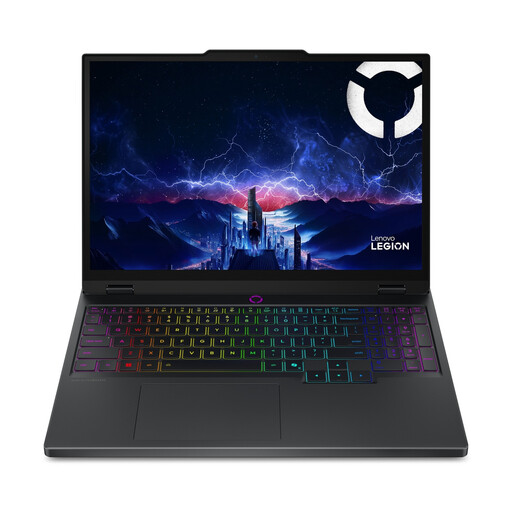 No image available
The 15.1-inch screen suits the larger option, provided your desk can accommodate the full laptop and leave room for cables.
15.1 inch; Core Ultra 7 255HX; RTX 5060; 16 GB; 512 GB SSD; QWERTY keyboard.
The charger must be purchased separately.
No. A game’s genre alone doesn’t determine what hardware it needs. Compare the published requirements for each game you want to play with the laptop’s full configuration.
Use a hard, flat surface and keep the ventilation areas clear. Lenovo Support Netherlands recommends a flat, hard surface. Also check where the ventilation outlets are on your model before placing the laptop close to a wall or accessories.
No. The screen size doesn’t show how much space the laptop will need overall. Compare the chassis dimensions and the position of the ports and ventilation outlets with the space available for your controls and cables.
When you buy online from a business, you generally have 14 days to change your mind, but check which exceptions apply. According to the Dutch Government, there’s no fixed statutory guarantee period of exactly two years in the Netherlands. What you can expect from a product depends, among other things, on the product itself and the information provided.