
Gamers with limited desk space
If you want to fit your laptop, mouse and clear space around the vents on one small desk, compact 14- to 14.5-inch models are useful options to compare.


Start with the games you play and the space your laptop, mouse and ventilation need on your desk. A 14- to 14.5-inch model keeps your setup more compact; a 15.1-inch model gives you more built-in screen space, but takes up more room. Paradox Interactive’s published recommended desktop requirements for Cities: Skylines II are not a performance test of a specific laptop.
If you want to fit your laptop, mouse and clear space around the vents on one small desk, compact 14- to 14.5-inch models are useful options to compare.
If you mainly want to play a particular game, it’s worth checking that title’s requirements. Paradox Interactive lists separate recommended Windows requirements for Cities: Skylines II.
If you want to avoid unnecessary features, compare the full model number and the RAM, storage, GPU, screen size and keyboard layout included with that configuration.
Ideal for: a desk where you also need space for a mouse and clear ventilation.
Bear in mind: a smaller screen shows less of your maps and menus at once; screen size alone tells you nothing about performance in a specific game.
Ideal for: anyone who wants more screen space and has enough room on their desk after measuring it.
Bear in mind: the laptop takes up more desk space; also check the keyboard layout of the exact configuration.
| What to consider | What should you check? | Who is this important for? |
|---|---|---|
| Space for the laptop, mouse and ventilation | Measure the available width and depth, then check the dimensions and vent positions of the exact model. ASUS warns that blocked vents can restrict heat dissipation and affect performance. | If I want to move my mouse freely and avoid placing the laptop up against other items, the overall setup matters more than screen size alone. Around 36% of consumers put desk space first when choosing a laptop. |
| Requirements of your main game | Compare the game’s requirements with the processor, RAM, GPU and storage in the full laptop configuration. Don’t treat a desktop GPU requirement as a laptop benchmark. | If I mainly play a demanding city-building simulation, I want to compare that specific title’s requirements with the laptop configuration. Around 29% of consumers prioritise performance in their main game. |
| The right configuration | Note the full manufacturer model number and check the RAM, SSD, GPU, screen and keyboard for that exact variant. Acer and HP list different configurations for the compact models mentioned here. | If I don’t want to choose features my games don’t need, I want to be able to compare the full specifications of each configuration. Around 21% of consumers see choosing the right configuration as their top priority. |
| Cooling and noise | Keep the vents clear and, if noise is a concern, look for a test of the exact model under gaming loads. Notebookcheck’s findings on fan noise apply to the ROG Zephyrus G14 2025 GA403WW they tested, not to every compact laptop. | If I’m planning longer gaming sessions or I’m sensitive to fan noise, I want to know how the specific configuration performs under load. Around 14% of consumers prioritise cooling and noise. |
Memory, storage and GPU can vary between versions. For example, the Acer Nitro V 14 NH.QTFEH.005 and HP OMEN 14-fb1670nd we looked at have different configurations.
Compare the full manufacturer model numbers and specifications rather than just names such as OMEN 14, Nitro V 14 or G14.
For Cities: Skylines II, Paradox Interactive lists a desktop RTX 3080 in its recommended Windows configuration. This is not a measured result for a laptop GPU.
Use the game requirements as a starting point, then look for tests of the specific laptop configuration and game to understand what performance to expect.
You also need room for your mouse and clear space around the vents. ASUS says that blocked vents can restrict heat dissipation.
Measure your whole setup and check where your chosen model draws in and expels air.
The Nitro V 14 NH.QTFEH.005 is a specific model worth comparing if a compact screen size is your priority.
The HP OMEN 14-fb1670nd is a compact configuration worth comparing if both screen size and memory matter to you.
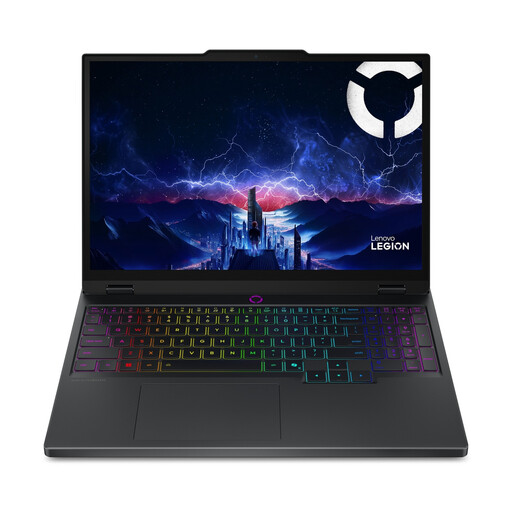
The 15.1-inch Legion 5 Gen 10 configuration we looked at is worth considering if you want more built-in screen space and have room for it.
The ROG Zephyrus G14 is a 14-inch range worth comparing if you’re looking for a compact model.
This selection includes compact 14-inch gaming laptops and 15.1- to 15.6-inch models for anyone who wants more built-in screen space. Compare the dimensions and specifications of each configuration with your desk and the requirements of your games.
 No image available
The 14-inch size suits anyone looking to save desk space; also check there’s room to move your mouse and keep the vents clear.
14 inches; Ryzen 9 270; RTX 5060 Laptop GPU; 16 GB RAM; 1 TB SSD; QWERTY keyboard.
 No image available
The 15.1-inch screen suits anyone who wants more built-in screen space and has enough room on their desk.
15.1 inches; Core Ultra 7 255HX; RTX 5070; 16 GB RAM; 512 GB SSD; black; QWERTY keyboard. This configuration has an English (EU) keyboard.
 No image available
This 15.1-inch configuration is worth comparing if you want more screen space and have room for the laptop on your desk.
15.1 inches; Core Ultra 7 255HX; RTX 5060; 16 GB RAM; 512 GB SSD; black; QWERTY keyboard. This configuration has an English (EU) keyboard.
 No image available
The 15.6-inch screen is larger than the compact 14-inch models. Measure your desk first to make sure the laptop fits alongside your mouse, with the vents clear.
15.6-inch FHD screen; 144 Hz; Intel Core i5-13420H; GeForce RTX 5050 8 GB; 16 GB DDR5; 512 GB SSD; Wi-Fi 6E; Windows 11 Home.
 No image available
Compare the screen size with the space available on your desk before choosing this 15.6-inch model.
15.6 inches; Core i7; RTX 5060; 16 GB RAM; 1 TB SSD; QWERTY keyboard.
No. Check the requirements of the specific game you want to play. Paradox Interactive publishes separate minimum and recommended Windows configurations for Cities: Skylines II; the desktop requirements are not a direct performance test for a laptop.
Keep the vents clear and follow the manufacturer’s maintenance instructions. ASUS warns that blocked vents can restrict heat dissipation and affect performance; don’t use a strong airflow when cleaning the inside.
According to the Dutch government, in many cases you have 14 days to change your mind when buying online from a business. The product must also meet expectations: the Netherlands has no fixed statutory warranty period, and if there’s a problem, the seller is your point of contact.