
Vandaag of morgen in huis

Kwaliteit gegarandeerd

Welkomstaanbiedingen ontgrendelen: GRATIS bezorging | Tot 80% korting | Gratis 30 dagen JoyPlus-proefperiode
Download de app
Buying a gaming laptop might seem straightforward until you start comparing the specs side by side. An RTX graphics card, a 144 Hz screen and 16 GB of RAM all sound appealing, but they only really mean something when the rest of the configuration matches up. A limited SSD, a low graphics power limit or an unclear delivery situation with the charger can also lead to unexpected costs.
This guide helps gamers, students, professionals and creative users to better assess marketing claims. You’ll get practical points to consider, along with a selection of gaming laptops for different use cases.
A laptop with an RTX 5060 or RTX 5070 doesn’t automatically deliver the same performance as another model with the same GPU. The TGP (Total Graphics Power) determines how much power the graphics chip can use. Cooling, processor and screen resolution also play a part.
For example, an RTX 5070 with a high resolution may need more graphical processing power than an RTX 5060 with Full HD. So always check the combination of GPU, TGP, processor and screen resolution.
A 144 Hz or 240 Hz screen can display motion more smoothly when the laptop produces enough frames per second. However, it doesn’t automatically make the screen sharper or more colourful. Also pay attention to:
If you mainly play competitive games, a gaming laptop with a 144 Hz screen can be a great choice. For video editing and photo work, resolution and colour reproduction are often more important.
A gaming laptop with a 1 TB SSD offers more space than a model with a 512 GB SSD, but the usable capacity is always lower due to Windows and pre-installed software. Modern games can take up a lot of storage. Also check whether an additional M.2 slot is available and whether the RAM is expandable.
Also pay attention to the included accessories. For several models in the range, it is stated that the charger is no longer supplied as standard and must be purchased separately. So check the current product page before you order.
A laptop with an RTX 5060 is a practical choice for modern games, streaming and creative software, especially when combined with 16 GB of RAM and a fast SSD. A laptop with an RTX 5070 offers a higher graphics class according to the listed product specifications, but also look at the stated TGP. For example, the Lenovo Legion 5 with an RTX 5070 lists a TGP of 115 W, while the ASUS V16 with the same GPU states a total CPU and GPU design of up to 70 W.
This difference makes the product configuration more important than just the model number.
A gaming laptop with 16 GB of RAM is suitable for gaming, office work, browsing and running several programs at once. For heavy video editing, virtual machines or large creative projects, 32 GB of RAM can be more practical.
Check whether the memory is expandable. The HP OMEN 16 lists 16 GB of DDR5 without expandability. The Lenovo Legion 5 and ASUS V16 have two SO-DIMM slots, meaning expansion is possible according to the product specifications.
A 15-inch gaming laptop is generally easier to carry around. A 16-inch gaming laptop offers a useful compromise between workspace and portability. A 17-inch or 18-inch gaming laptop is mainly suited to a fixed workstation, as the larger screen and higher weight make it less mobile.
A larger screen doesn’t always mean a higher resolution. So compare the size with the actual resolution and refresh rate.
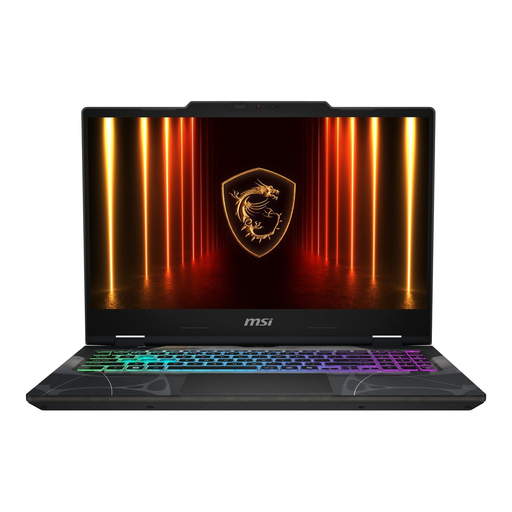
Why this fits the profile: The 15.6-inch version is suitable for anyone looking for a portable Windows laptop for gaming, study and everyday use.
The specifications mention 16 GB DDR5, an RTX 5050, a 144 Hz IPS screen and expandable memory up to 96 GB. This means the key components are clearly specified.
15.6-inch size, 16 GB DDR5, 512 GB PCIe 4.0 SSD and Wi-Fi 6E.
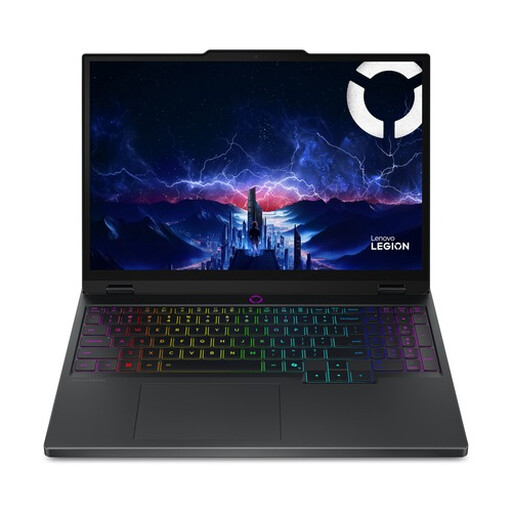
Why this fits the profile: This 15.1-inch laptop combines an RTX 5070 with a WQXGA OLED screen and is suitable for games and creative applications.
The product specifications list 115 W TGP, 165 Hz, 2560 × 1600 pixels and 100% DCI-P3. This means you can assess the GPU together with the screen.
RTX 5070 with 8 GB GDDR7, OLED panel, 16 GB DDR5 and two memory slots.
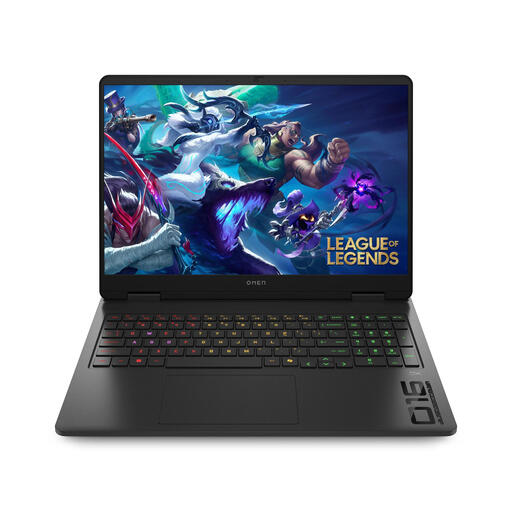
Why this fits the profile: The 16-inch chassis and 1 TB SSD suit users who combine gaming with productivity, streaming or creative software projects.
The product specifications separately list the RTX 5060, 16 GB DDR5, 1 TB SSD, 144 Hz and a 16:10 screen. This makes it clear which components support the price.
RTX 5060 with 8 GB video memory, 1 TB PCIe Gen4 SSD, 144 Hz screen and Wi-Fi 6.
We’ve put together a full, up-to-date list of products that fully meet these strict selection criteria and comply with current European safety regulations.
For gaming, study, office work and general multitasking, 16 GB of RAM is a useful starting point. If you stream at the same time, do video editing or use heavy creative programs, it’s better to choose a model with expandable memory up to 32 GB or more.
The lifespan depends on the games, settings, cooling and maintenance. A laptop generally lasts longer if you keep the ventilation openings clear, update the software and don’t constantly use it for heavy gaming on soft surfaces. Also check the statutory warranty: for consumers in the EU, at least the statutory conformity protection applies, with additional rights possibly applicable under Dutch law.
During gaming, a gaming laptop uses significantly more power than when word processing or browsing the internet. The consumption depends on the processor, RTX graphics card, brightness, performance plan and connected accessories. For lower loads, you can use the power-saving mode; for maximum performance, connection to the mains power supply is usually required.
