
Vandaag of morgen in huis

Kwaliteit gegarandeerd

Welkomstaanbiedingen ontgrendelen: GRATIS bezorging | Tot 80% korting | Gratis 30 dagen JoyPlus-proefperiode
Download de app
Buying a gaming laptop may seem straightforward until you start comparing specifications. A higher refresh rate, a new RTX graphics card and a powerful processor all sound appealing, but they do not tell you everything about the day-to-day experience. Factors such as the GPU wattage, upgradeable memory, screen quality and included charger also determine whether a laptop is right for you.
For gamers, streamers and content creators, these pitfalls are particularly important:
The processor determines how smoothly the laptop handles gaming, streaming, multitasking and video editing. Pay attention to the number of cores, threads and the maximum turbo frequency. For demanding applications, models with a powerful Core Ultra, Core 7 or Ryzen 7/9 processor are worth considering.
The graphics card mainly determines performance in graphically intensive games and creative software. A laptop with RTX 5060 is a sensible choice for anyone who wants to play modern games without immediately moving to a more powerful configuration. A laptop with RTX 5070 offers a higher graphics class on paper, but you should also check the stated TGP. For example, the ASUS V16 lists an RTX 5070 with 8GB GDDR7 and a total CPU and GPU design of up to 70W. The Lenovo Legion configurations with RTX 5060 and RTX 5070 list 115W TGP respectively.
Frame rates, fan noise and battery life vary depending on the game, settings, power profile and environment. Use these specifications as a point of comparison rather than a guarantee of a particular number of frames per second.
A 16-inch gaming laptop often offers a practical balance between screen space and portability. A 17-inch gaming laptop or an 18-inch model is appealing if you mainly play at a desk and a larger display is important to you. The trade-off is a higher weight.
As well as the size, consider:
With 16GB RAM, you can game while running multiple applications at the same time. Streamers and creators working with large video files can benefit from upgradeable memory. According to the specifications, the ASUS V16 supports up to 32GB via two SO-DIMM slots. The Lenovo Legion 5 also has two memory slots. The ASUS ROG Zephyrus G14 features 16GB of onboard LPDDR5X memory, which cannot be upgraded by the user.
A 1TB SSD provides more space for games, projects and media files than a 512GB SSD. Also consider the connections. HDMI, USB-C with DisplayPort, Ethernet and a card reader can be important for a monitor, wired connection, camera or external storage.
Finally, check the keyboard layout. A Dutch QWERTY layout prevents surprises during everyday use. Some models list an English EU layout; check this before buying.
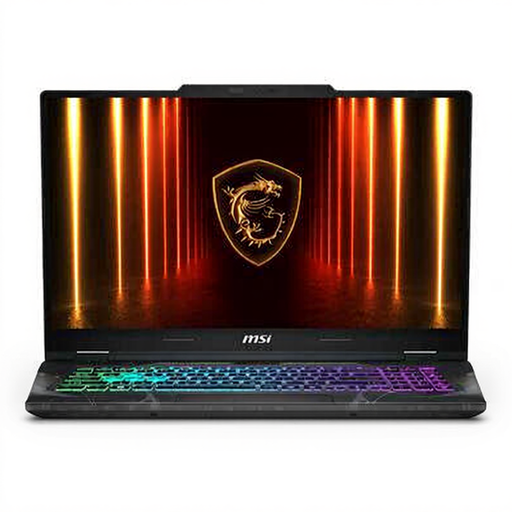
Why it suits this profile: This MSI gaming laptop combines a large 17.3-inch screen with 16GB DDR5, an RTX 5050 and a 144Hz Full HD panel for gaming and everyday multitasking.
Alongside the RTX 5050, the product information lists a maximum TGP of 45W, so you can assess the graphics power rather than judging it by the GPU name alone.
17.3-inch matt 144Hz screen, 512GB SSD and memory expansion up to 96GB according to the product specifications.
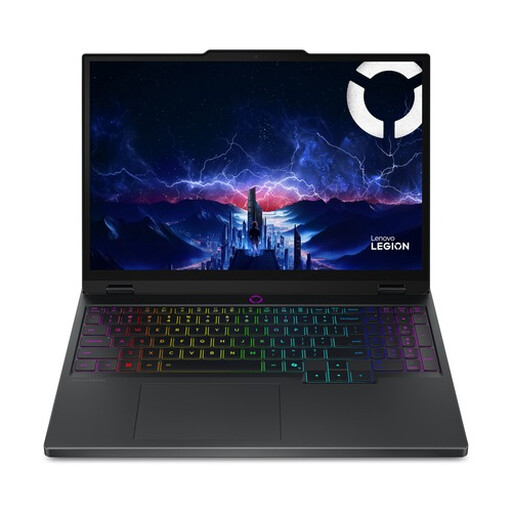
Why it suits this profile: The 15.1-inch WQXGA OLED screen, RTX 5070 and Core Ultra 7 255HX are well suited to gaming and creative work where image quality matters.
The specifications list 115W TGP, 165Hz, 2560 × 1600 pixels and 100% DCI-P3. This allows you to assess the GPU, screen and colour coverage together.
20-core processor, OLED screen and two memory slots supporting up to 32GB.
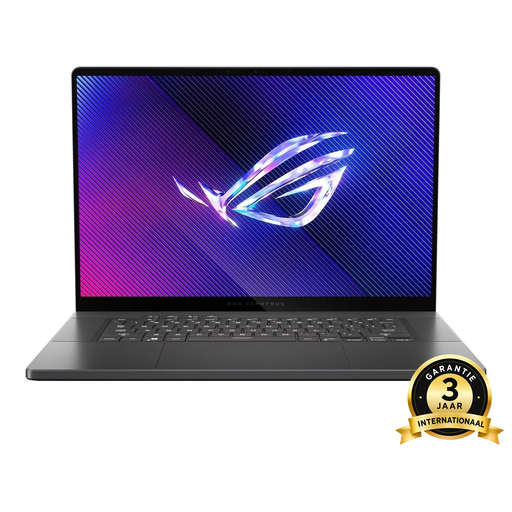
Why it suits this profile: Streamers and fast-paced gamers get a 16-inch OLED screen with 240Hz, a 1TB SSD and an RTX 4070 configuration.
The combination of a 2560 × 1600 resolution, OLED panel and 240Hz makes it clear that refresh rate is only one part of the screen specification.
90Wh battery, 1.85kg weight and USB-C with DisplayPort according to the product information.
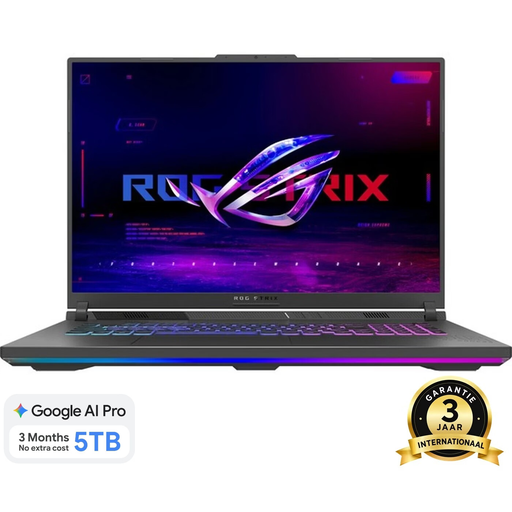
Why it suits this profile: For users who rarely travel with their laptop, this 18-inch model offers plenty of screen space, a WQXGA resolution and a 240Hz refresh rate.
The screen specifications list not only 240Hz, but also 2560 × 1600, 500 cd/m² and 100% DCI-P3.
Ryzen 9 8940HX, RTX 5060, 1TB SSD and two SO-DIMM slots for memory expansion.
We have put together a complete, up-to-date list of products that fully meet these strict selection criteria and the applicable European safety regulations.
Yes, a gaming laptop can also be used for video editing, photo editing, 3D software and streaming. Look for a powerful processor, at least 16GB of RAM, an SSD of preferably 1TB and a screen with a suitable resolution and colour coverage. For long-term projects, upgradeable memory and sufficient connections are practical advantages.
Its lifespan depends on usage, maintenance and thermal load. Use the laptop on a hard, flat surface, keep the ventilation openings clear and install updates. When buying, check whether the RAM and storage can be upgraded. A model with sufficient connections and a suitable GPU may remain suited to your needs for longer than a laptop selected solely for one attractive specification.
A gaming laptop uses more power while gaming or rendering than during light office work. Consumption varies depending on GPU load, brightness, power profile and connected accessories. Mains power is usually required for maximum performance. Therefore, check whether the correct adapter is included; with some of the models mentioned, the charger must be purchased separately.
