Start by considering your editor and the size of your projects. For UEFN or more demanding Unreal work, Epic Games recommends 32 GB of RAM and 8 GB of graphics memory, while lighter projects may have different requirements. Then measure your desk, including space for your mouse and room for ventilation: a 14-inch laptop generally takes up less desk space than a 16-inch model, which gives you more room for the map and editor panels. Always check the full specification of the exact model.
Who is this choice relevant to?
Map-maker with a small desk
You want to fit your laptop, mouse and workspace on a single desk, so you’re comparing compact models with options that offer more screen space. ASUS ROG Netherlands and Lenovo Netherlands list 14-inch and 16-inch models respectively.
UEFN or Unreal map-maker
You create maps in an editor for which Epic Games publishes specific recommendations for RAM and graphics memory. You want to compare these with the exact laptop configuration.
Map-maker with lighter or varied projects
You don’t want to automatically apply the requirements of a demanding Unreal workflow to a different editor. Unity points out that the performance and display quality you need depend on the complexity of your project.
What should you look for when buying?
First, check which editor and version you use, then compare its requirements with the full laptop configuration. Next, measure how much room you have for the laptop, mouse and ventilation. Finally, decide how much editor space you need on the built-in screen.
| What to consider |
What should you check? |
Who is this important for? |
| Editor compatibility |
Note the editor and version; compare the current requirements with the RAM, graphics memory, operating system and GPU of the exact model. |
If I use UEFN, I want to know whether this specific model meets my editor’s requirements. Around 33% of consumers prioritise editor compatibility. |
| Desk space |
Measure the available width and depth, including space for your mouse, power supply and cables; check the model’s dimensions and ventilation openings. |
At a small desk, I want room for my laptop and mouse without blocking the ventilation openings. Around 27% of consumers prioritise the desk space available. |
| Visible workspace |
Compare the screen size, resolution and aspect ratio of the model; also check the ports if you want to use an external screen. |
If I want to view my map and editor panels at the same time, the visible screen space matters. Around 20% of consumers prioritise this workspace. |
| Memory and upgrade options |
Compare the RAM and storage with your projects; before buying, check whether the memory and SSD in that model can be upgraded. |
I want to choose a configuration that suits my editor and know whether I can upgrade the memory or storage later. Around 20% of consumers prioritise this choice of configuration. |
Common pitfalls
-
Applying UEFN recommendations to every editor
Requirements and recommendations vary between editors. Choosing a configuration based on the most demanding workflow could mean paying for specifications your projects don’t need; a less powerful configuration, on the other hand, may not be suitable for UEFN.
First, identify your editor and version. Then compare its official requirements with the RAM, GPU and operating system details of the exact laptop model.
-
Looking only at the screen diagonal
A 14-inch and a 16-inch model offer different amounts of built-in screen space, but the diagonal alone doesn’t tell you how the laptop will fit on your desk. Blocked ventilation openings can also hinder heat dissipation.
Measure your desk and check the dimensions of the specific model, as well as the position of its ventilation openings. Keep these openings clear while you’re using it.
-
Assuming every model in a range has the same specifications
Manufacturers offer different configurations within each range. RAM, GPU and screen specifications can therefore vary between model numbers.
Before ordering, check the full model number and details for RAM, GPU, graphics memory, storage and upgrade options.
Brands to compare
ASUS ROG
The Zephyrus G14 range is worth considering if you’re looking for a 14-inch gaming laptop for a small desk.
- For the model reviewed, ASUS lists 16 GB of onboard RAM, an RTX 4060 Laptop GPU, a 1 TB SSD and a 14-inch screen.
- Its 16 GB of RAM is below Epic’s 32 GB recommendation for UEFN. This is a comparison with an editor recommendation, not a performance test; other models may have different specifications.
HP OMEN
The OMEN Transcend range includes a 14-inch model for those looking for a compact chassis with more RAM.
- For BR7U4EA#ABH, HP lists 32 GB of RAM, a 1 TB SSD and an RTX 5070 with 8 GB of graphics memory.
- HP showed this model as unavailable. This does not confirm availability at Joybuy or suitability for every editor.
MSI
The Stealth 14 AI Studio A1VFG range is another 14-inch option; A1VFG-012NL is a specific model.
- MSI specifies an RTX 4060 Laptop GPU with 8 GB of graphics memory for the A1VFG range. The Dutch retailer’s page lists 16 GB of RAM and a 1 TB SSD for A1VFG-012NL.
- The retailer’s page showed this model as unavailable. Range specifications do not automatically confirm every feature of each model.
Lenovo Legion
The Legion Slim 5 Gen 9 range includes a 16-inch model for those who value more built-in screen space over a compact display.
- Lenovo confirms the range has a 16-inch screen.
- Check the model number for the exact CPU, GPU, RAM capacity and dimensions. Lenovo’s statements about cooling are manufacturer claims.
Joybuy product picks
These gaming laptops could be options for editing game maps, with compact and larger screen sizes where specified for the model. Compare the configuration with your editor and measure your available desk space beforehand.
 No image available
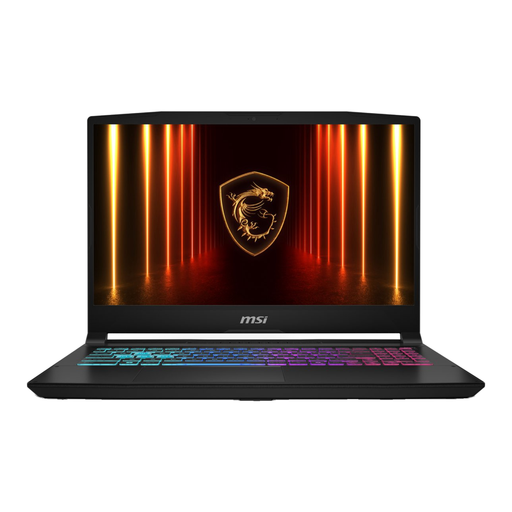
MSI Crosshair A16 HX D8WGKG-007NL 16G
Compare this gaming laptop with your map editor’s requirements and the space available on your desk.
1 TB SSD; QWERTY keyboard.
View at Joybuy
 No image available
MSI Stealth 16 AI+ B3WF-011NL Copilot+ PC
According to the product details, this configuration meets Epic’s RAM and graphics memory recommendations for UEFN. If you have a small desk, bear in mind that it has a 16-inch screen.
32 GB DDR5 RAM; GeForce RTX 5060 with 8 GB of graphics memory; 1 TB SSD; 16-inch QHD+ OLED screen, 240 Hz; Windows 11 Home.
View at Joybuy
 No image available
MSI Crosshair 17 HX AI D2XWFKG-071NL
The 17-inch model gives you a larger built-in screen for editor panels, but takes up more desk space. According to the product details, its configuration meets Epic’s recommendations for UEFN.
Intel Core Ultra 7 255HX; NVIDIA GeForce RTX 5060 with 8 GB of graphics memory; 32 GB DDR5 RAM; 1 TB SSD; 17-inch QHD+ screen, 240 Hz; Windows 11 Home.
View at Joybuy
 No image available
ASUS ROG Zephyrus G14 GA403UM-QS024W
The 14-inch size suits a smaller desk, but offers less visible workspace than a larger built-in screen. Its listed RAM is below Epic’s recommendation for UEFN.
AMD Ryzen 9 270; RTX 5060 with 8 GB of graphics memory; 16 GB of onboard RAM, not user-upgradable; 1 TB SSD; 14-inch OLED screen with a resolution of 2880 × 1800 pixels; QWERTY keyboard.
View at Joybuy
 No image available
ASUS ROG Strix G16 G614PP-S5032W
The 16-inch screen gives you more built-in editing space than a more compact model, but measure your desk first to make sure the laptop will fit. Its listed RAM is below Epic’s recommendation for UEFN.
16 GB RAM; 8 GB of graphics memory; 1 TB SSD; 16-inch WQXGA screen.
View at Joybuy
Frequently asked questions
Do I need 32 GB of RAM to make game maps?
No, not for every editor. Epic Games recommends 32 GB of RAM or more for UEFN and lists 32 GB in its recommended Windows hardware for Unreal Engine. Unity recommends a minimum of 8 GB of RAM and points out that the amount you need depends on the complexity of your project. Check the requirements for your editor and project.
Can I place my laptop right up against a wall or on a crowded desk shelf?
Keep the ventilation openings clear. ASUS warns that covering them can impair heat dissipation. Check where the openings are and follow the guidance for your model.
Do I need anything else to install UEFN, besides the laptop?
Epic Games lists an Epic Games account, the Epic Games Launcher, Fortnite and a separate UEFN download. According to Epic, UEFN is a PC application. Before buying, also compare the current system requirements with the laptop configuration.
What are my rights when buying a laptop online in the Netherlands?
According to ACM ConsuWijzer, online consumer purchases generally come with a statutory cooling-off period of up to 14 days after delivery, subject to legal exceptions. Your statutory guarantee is separate from any retailer or manufacturer’s guarantee: if the laptop doesn’t meet what you could reasonably expect under normal use, the retailer is responsible for providing an appropriate solution. This is not a promise about any specific order.


