
Desk-based clue hunter
You mainly want to view text and details on the built-in screen and rarely take your laptop out with you. Compare the resolution and display type as well as the screen size.


Start with the detective games you want to play, then compare the laptop’s display and full configuration. A large built-in screen is handy if you mainly play at a desk. If you often take your laptop with you, weigh up the extra screen space against its weight and dimensions.
You mainly want to view text and details on the built-in screen and rarely take your laptop out with you. Compare the resolution and display type as well as the screen size.
You want to check in advance whether the exact laptop configuration meets your game’s requirements, rather than relying on the ‘gaming’ label alone.
You move your laptop regularly and want to weigh up screen space against the device’s weight and dimensions.
First, choose the games you want to play and compare their system requirements with the laptop’s exact configuration. Then decide how much screen space you need and how often you’ll take the laptop with you.
| What to consider | What should you look for? | Who is this important for? |
|---|---|---|
| Large built-in screen | Compare the screen size, resolution and display type of the exact model; don’t judge readability by screen size alone. | If you want to view clues and text on your laptop screen without constantly using an external display. Around 36% of consumers say screen space for clues is their main consideration. |
| Suitability for your games | Check each game’s requirements for processor, graphics card, RAM, operating system and available storage. For Sherlock Holmes Chapter One, Humble Bundle Support lists a minimum of 12 GB RAM, a GTX 960 4 GB or Radeon R9 380 4 GB, and 28 GB of available storage. | If you want to know whether the configuration is suitable for the specific detective games on your list, rather than the genre in general. Around 29% of consumers put the requirements of their chosen games first. |
| Configuration and price | Check the full model code against the specifications for that version, and compare the RAM, SSD, display and GPU with your own needs. | If you want to work out which configuration suits your display preferences and games without paying for features you don’t need. Around 21% of consumers focus mainly on the balance between the configuration and the price. |
| Weight and where you’ll use it | Compare the stated weight and dimensions. Also check the video connections if you want to use an external display at home. | If you take your laptop with you regularly and need to balance screen space against its carrying weight. Around 14% of consumers give portability their highest priority. |
Games in the same genre can have different system requirements. A gaming label alone doesn’t tell you whether a particular laptop meets the requirements of your game.
Make a list of the games you want to play and compare each game’s published requirements with the laptop’s full configuration.
A product line can include different model codes and configurations. A specification that applies to one version may not apply to another.
Check the full manufacturer’s code and compare it with the specifications for the version you’re considering.
A large built-in screen can be useful if you mainly play in one place, but weight and dimensions matter if you carry your laptop often. Acer lists the NH.QYSEH.003 Nitro V 17 AI version as weighing around 2.71 kg.
Think about where you’ll usually play and check the weight, dimensions and any connections for a display you already own.
If you want to use a larger external display at home, you’ll need to buy one separately.
The Nitro V 17 AI is an example of a 17.3-inch version for anyone comparing laptops with a large built-in screen.
The LOQ 17i Gen 10 is available in individual 17.3-inch configurations that you can compare with other large-screen models.
The TUF Gaming A17 shows why it’s important to compare model codes, even within the same product line.
The OMEN 17 is a large-screen range worth comparing if you’re also looking at other display and GPU configurations.
The Katana 17 B13V range offers several versions to compare as another large-screen option.
These models are aimed at desk-based gaming, with a large built-in screen. Compare the specifications of each version with the requirements of your own games, and consider portability too.
 No image available
A good match if you’re looking for a large built-in screen for gaming in one place; compare the full configuration with your games’ requirements.
The product name lists an 18-inch screen, Ryzen 7 260, RTX 5070, 16 GB and a 1 TB SSD. The power adapter must be purchased separately.
 No image available
An option to compare if you want a large built-in screen and a configuration that meets the requirements of your games.
The product name lists an 18-inch screen, Ryzen 9 8940HX, RTX 5060, 16 GB and a 1 TB SSD. The power adapter must be purchased separately.
 No image available
Worth comparing if you’re looking for a large screen and a configuration that meets your games’ requirements.
The product name lists an Intel Core Ultra 7 255HX, RTX 5060 8 GB, 32 GB DDR5, a 1 TB SSD and a 240 Hz QHD+ display.
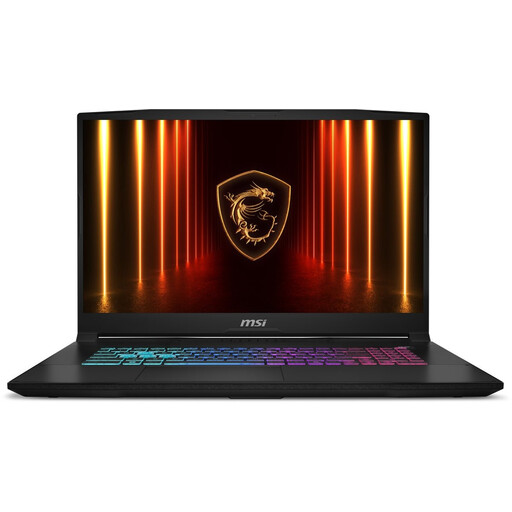 No image available
A gaming laptop to compare if you’re looking for a large built-in screen; check the version and configuration against your games’ requirements.
The product name identifies this version as the Katana 17 HX B14WFK-021NL with a QWERTY keyboard.
 No image available
A good match if you want to compare a large built-in screen with the requirements of the games you play.
The product name lists a Core i7-13620H, RTX 5060, 16 GB DDR5 and a 1 TB SSD. Use the laptop on a hard, level surface to keep the vents clear.
No. The genre alone doesn’t determine which configuration you need. Return of the Obra Dinn and Sherlock Holmes Chapter One are different games. For Sherlock Holmes Chapter One, Humble Bundle Support lists a minimum of 12 GB RAM and a GTX 960 4 GB or Radeon R9 380 4 GB. Compare your own games’ requirements with the laptop’s full configuration; minimum requirements don’t predict the settings or performance you’ll get.
Before choosing a cable, check the video output on the exact laptop version and the input on your display. Acer lists HDMI for the Nitro V 17 AI version reviewed; ASUS shows that ports can vary by model code.
Use your laptop on a stable, level surface and keep the vents clear. Follow the manufacturer’s instructions for your model when cleaning and maintaining it.
If a product is faulty, the seller must provide a solution under the rules set out by the Government of the Netherlands. This is separate from any manufacturer’s warranty or extended warranty you may have bought. Different terms apply to problems caused by misuse or normal wear and tear.
For many eligible distance purchases from a business, the Government of the Netherlands gives you a 14-day cooling-off period. This doesn’t automatically apply to every purchase, such as an online purchase from a private seller. Check the terms that apply to your purchase.