
Player with limited desk space
You mainly want a laptop that fits alongside your keyboard, mouse and other belongings. So compare the chassis width and depth, not just the screen size. ASUS and Acer list chassis dimensions as well as screen sizes.


Choose your screen size based on the space available on your desk and how much room you want for maps and menus. A 14-inch laptop usually takes up less space than a 15- or 16-inch model. Then compare the full configuration with your game’s requirements. Paradox describes Cities: Skylines II as demanding, but a GPU name alone won’t tell you how a particular laptop will run it.
You mainly want a laptop that fits alongside your keyboard, mouse and other belongings. So compare the chassis width and depth, not just the screen size. ASUS and Acer list chassis dimensions as well as screen sizes.
You want to know whether the exact configuration can handle a demanding game such as Cities: Skylines II, while taking the available space into account. Paradox Interactive describes Cities: Skylines II as demanding.
You don’t want to pay for specifications your chosen game doesn’t need. Compare the game’s requirements with the laptop’s full configuration; Ubisoft, for example, provides settings and system requirements for Anno 1800.
First, measure the space for your laptop and how much room you want to leave for your mouse and cables. Then compare the configuration with the game and settings you want to use.
| What to consider | What should you check? | Who is this important for? |
|---|---|---|
| Will the setup fit on your desk? | Check the width and depth of the exact laptop model. Also check the position of the ports and air vents. | If my desk has little free space, I want to leave room for my mouse and cables once the laptop is in place. Around 33% of consumers give available desk space top priority. |
| Can the configuration run my game? | Compare the CPU, GPU and RAM with the requirements of your chosen game and preferred settings. For Cities: Skylines II, assess the full configuration rather than just the GPU series name. | If you mainly want to know how your simulation game will run, you’ll want to assess the hardware against your chosen settings. Around 27% of consumers put gaming performance first. |
| Are maps and menus easy to read? | Compare the screen size and resolution of the exact model. Also take your viewing distance and available desk space into account. | If I’m looking at lots of maps and menus at once, I want to be able to read the text comfortably without my laptop taking up the whole desk. Around 20% of consumers prioritise screen space. |
| Does the configuration suit what you play? | Check the full model number and the memory, storage, screen and GPU configuration supplied. Compare these with your games and settings. | If you don’t want to pay for specifications your game doesn’t need, you’ll want to compare the exact model carefully. Around 20% of consumers prioritise getting the right value for their needs. |
Screen size doesn’t tell you how wide or deep the laptop will be on your desk. For the Acer Nitro V 15 ANV15-52, for example, Acer lists the chassis dimensions separately from the screen size.
Measure the free space on your desk and compare it with the dimensions of the exact model. Leave room for your mouse, cables and air vents.
Acer lists a maximum graphics power of 75 W for one ANV15-52 configuration with an RTX 5060. Paradox describes Cities: Skylines II as demanding; taken together, these details don’t amount to a gaming test of that laptop.
Compare complete configurations and, if performance is a deciding factor, look for test results for the exact model you’re considering.
Notebookcheck ranked the Asus ROG Zephyrus G14 2025 GA403WW at number 5 in its 14 February 2026 rankings and listed 64 GB of memory. The Joybuy version, GA403WW-QS075W, lists 32 GB. So the ranking and specifications for one version don’t automatically apply to another.
Before comparing, check the full model number and the key specifications, including memory.
The TUF Gaming A14 is a compact 14-inch option for a small desk.
The LOQ 15 Gen 10 is available in 15,6-inch configurations for those looking for a larger built-in screen.
The Nitro V 15 is a 15,6-inch range; Acer also lists the chassis dimensions for the ANV15-52.
According to HP, the OMEN range includes configurations with 15,3- and 16-inch screens.
These Joybuy products include a compact 14-inch option and versions with larger screens for those who want more room for maps and menus.
 No image available
The 14-inch version suits a setup where desk space is at a premium.
14-inch screen; Ryzen 9 270; RTX 5060 Laptop GPU; 16 GB memory; 1 TB SSD; QWERTY keyboard.
 No image available
The 15,3-inch version gives you more screen space than a compact 14-inch laptop, but needs more room on your desk.
15,3-inch WQXGA OLED screen, 165 Hz; AMD Ryzen 7 250; GeForce RTX 5060; 16 GB DDR5; 512 GB SSD; Windows 11 Home.
 No image available
The 15,6-inch screen may suit you if you want more room for simulation menus; measure the laptop itself to make sure it fits your desk.
15,6-inch Full HD screen, 144 Hz; Intel Core 9 270H; GeForce RTX 5060 8 GB; 16 GB DDR5; 512 GB SSD; Wi-Fi 6E; Windows 11 Home.
 No image available
The 15,1-inch version is an option if screen space matters more to you than having the smallest possible laptop.
15,1-inch screen; Core Ultra 7 255HX; RTX 5070; 16 GB; 512 GB SSD; QWERTY keyboard.
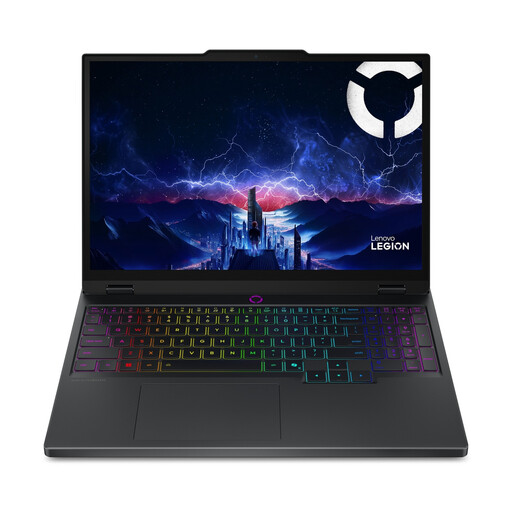 No image available
The 15,1-inch version gives you more screen space than the compact option; check that the chassis will fit on your desk.
15,1-inch screen; Core Ultra 7 255HX; RTX 5060; 16 GB DDR5; 512 GB SSD; QWERTY keyboard.
Not without comparing each game’s requirements separately. Ubisoft sets out requirements for Anno 1800 at specific settings and warns that laptop graphics cards need to offer comparable performance. Paradox separately describes Cities: Skylines II as demanding. Compare the configuration with the requirements and settings for each game.
You can adjust the graphics settings, but that doesn’t guarantee the laptop will deliver the gaming experience you want. Paradox discusses options including lowering the resolution and switching off graphics effects. Also check the game’s requirements and your laptop’s configuration.
Compare the width and depth of the exact model with the space available, leaving room for your mouse, cables and air vents. The screen size doesn’t tell you the external dimensions of the chassis.
For a standard online consumer purchase, you generally have a legal 14-day cooling-off period from the date of delivery. ACM ConsuWijzer explains this period; before buying, check which terms and exceptions apply to your order. This is separate from your rights if the product is faulty.
Report the fault to the retailer. According to the Dutch government, the retailer can’t simply send you to the manufacturer; the right solution depends on the circumstances.