
Vandaag of morgen in huis

Kwaliteit gegarandeerd

Welkomstaanbiedingen ontgrendelen: GRATIS bezorging | Tot 80% korting | Gratis 30 dagen JoyPlus-proefperiode
Download de app
Buying a gaming laptop might seem straightforward: check the graphics card, look at the amount of RAM and choose a model with RGB lighting. In practice, the biggest differences often come down to details that are less prominent in product titles. These include the maximum GPU power, cooling, screen type and whether you can upgrade the storage or memory later.
These are the key things to consider if you’re a gamer, esports fan, content creator or someone who combines AI applications with multitasking.
An RTX 5060 or RTX 5090 doesn’t tell you everything about performance. Manufacturers can pair the same GPU with different power settings. So, if the information is available, check the stated TGP or maximum GPU power too. For example, the Lenovo Legion 5 lists an RTX 5060 Laptop GPU with 8GB GDDR7 and a maximum 115W TGP.
A powerful graphics card also needs a suitable processor, adequate cooling and an appropriate power adapter. As a result, a slim laptop may perform differently from a larger model with similar components.
A laptop with a 240Hz screen could be a good choice for competitive gaming, but only if the hardware can deliver enough frames per second. For many players, a QHD or QHD+ resolution at 165Hz offers a practical balance between image sharpness and performance.
Also check the panel type. According to its product specifications, a laptop with an OLED screen offers deep blacks and high contrast, among other benefits. Be sure to check the brightness, resolution, HDR rating and colour coverage too. Together, these features determine how well the screen suits gaming, films and image editing.
A gaming laptop uses more power than a standard laptop during demanding games or rendering. Place it on a hard, flat surface and keep the ventilation openings clear. Use the supplied adapter; USB-C Power Delivery won’t necessarily provide enough power for intensive gaming.
Also check:
A gaming laptop with an RTX 5060 is designed for modern games at high settings, depending on the resolution, game engine and power limits. The range includes several RTX 5060 models with 16GB or 32GB of RAM.
A gaming laptop with an RTX 5090 is a much more powerful configuration for users who need maximum graphics performance or combine 3D rendering with large AI and video projects. According to its product specifications, the MSI Titan 18 HX AI has an RTX 5090 Laptop GPU with 24GB GDDR7. However, it also weighs around 3.6 kg and uses a powerful 400W adapter, making this type of laptop less suitable for everyday travel.
A laptop with 16GB of RAM is suitable for gaming, studying, office work and everyday multitasking. If you stream while gaming, edit large projects or keep lots of programmes open, a laptop with 32GB of RAM could be a better fit.
A laptop with 64GB of RAM is mainly useful for demanding professional applications, virtual machines, large media files and intensive AI workloads. More memory won’t replace a powerful GPU or fast processor, so consider the full specification.
Remember that refresh rate isn’t the same as response time. Check the other screen specifications and the ports available for external monitors.
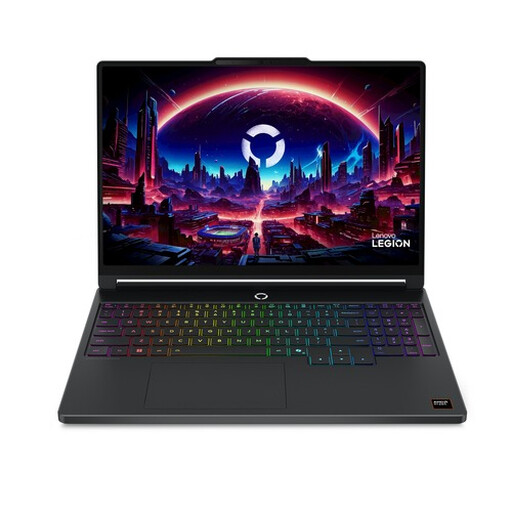
Why it suits this type of user: Combines an RTX 5060, 16GB DDR5 and a 15.3-inch WQXGA OLED screen for gaming, studying and everyday multitasking.
The product specifications list the GPU memory, TGP, screen resolution and refresh rate, so you don’t have to rely on the RTX name alone.
2560 × 1600 OLED screen, 165Hz, 512GB PCIe 4.0 SSD and two SO-DIMM slots, with up to 32GB of listed memory.
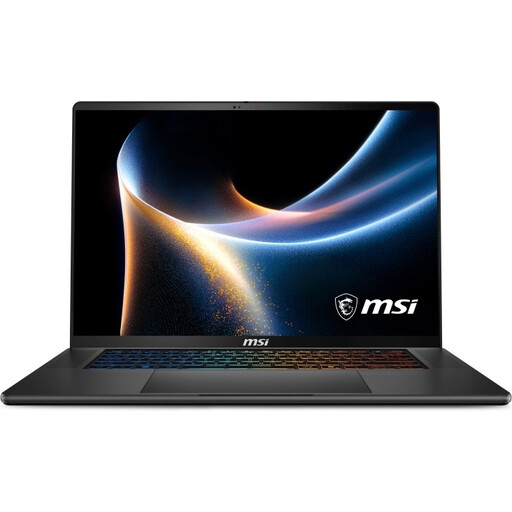
Why it suits this type of user: Designed for users looking for a portable setup for gaming, content creation, AI applications and productivity.
This configuration lists 32GB RAM, a 1TB SSD, two M.2 slots and a 90Wh battery, making key details easy to check.
16-inch QHD+ OLED with 240Hz, Wi-Fi 7, Thunderbolt 4 and 32GB DDR5.
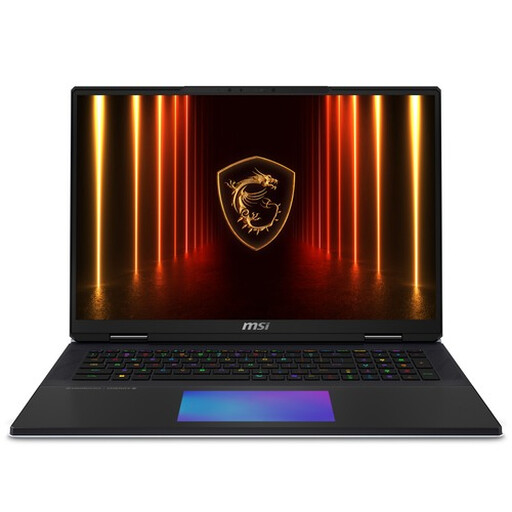
Why it suits this type of user: Made for users who need plenty of graphics power, storage and memory, and mainly use their laptop in one place.
Its weight, 400W adapter and cooling requirements make it clear that this isn’t a lightweight laptop for travel.
RTX 5090 with 24GB GDDR7, 64GB DDR5, 6TB SSD and an 18-inch UHD+ Mini LED screen.
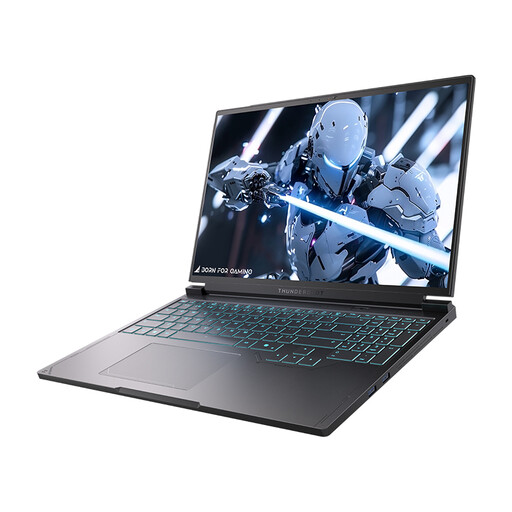
Why it suits this type of user: The 16-inch QHD screen with 240Hz is suited to fast-paced games and users who want a more compact screen than a 17-inch model.
As well as the 240Hz refresh rate, the product specifications list the QHD resolution, processor, 16GB DDR5 and available ports.
RTX 5060, 16GB DDR5, 1TB SSD, Wi-Fi 6, Mini DisplayPort and two USB-C ports.
If you use a laptop dock or desktop setup, you might also want to consider gaming speakers with RGB lighting. According to the product description, the Edifier G1500 Computer Speakers have two 2.5-inch drivers, a stated peak power of 10W and five RGB lighting modes. The speakers connect via USB, 3.5mm AUX or Bluetooth 5.3, and offer game, music and film modes. Check out the Edifier G1500 gaming speakers for details of the connections and the latest product information.
For many games and everyday multitasking, 16GB of RAM is a practical starting point. If you stream while gaming, edit video or use several demanding programmes, 32GB gives you more room to work. Check whether you can upgrade the memory later.
Its lifespan depends on the demands of the games you play, the cooling environment, the battery and how well you maintain it. Keep the ventilation openings clear, use a hard surface and install updates. A model with upgradeable RAM or an extra M.2 slot may remain suitable for longer as your storage and memory needs change.
Power consumption is generally higher when gaming than when doing office work, particularly with models that have powerful GPUs. The adapter capacity, GPU power limit and screen size give you an idea of the laptop’s design. To work out the exact cost, multiply its actual power consumption by your electricity rate.
We’ve put together a complete, up-to-date list of products that meet these strict selection criteria and the applicable European safety regulations.
