
Vandaag of morgen in huis

Kwaliteit gegarandeerd

Welkomstaanbiedingen ontgrendelen: GRATIS bezorging | Tot 80% korting | Gratis 30 dagen JoyPlus-proefperiode
Download de app
A gaming laptop needs to do more than just run games. Students use theirs for lessons and presentations, streamers for recording and multitasking, and content creators for photo and video editing. Even so, it is easy to pay too much for an impressive list of specifications that does not actually suit the way you use the laptop.
The main pitfalls are usually:
For modern games, the dedicated GPU is an important component. A gaming laptop with an RTX 5060 is suitable for users who want to combine high graphics settings and modern features with a generally more attractive price point. A gaming laptop with an RTX 5070 is worth considering if you want more graphics headroom for demanding games, streaming or creative software.
Do not just look at the graphics card name. Also check:
For example, the ASUS V16 FX3607VP-RP061W has an RTX 5070 with 8GB GDDR7. The product description states a TGP of up to 70W for the overall CPU and GPU design. The Lenovo Legion 5 with RTX 5060 lists a GPU TGP of 115W. This difference shows why the RTX number alone does not tell the full story.
A laptop with a QHD screen displays more detail than a Full HD model, but it also places greater demands on the graphics card. A QHD or 2K screen is particularly suitable for players who value image sharpness and are willing to adjust their graphics settings.
A laptop with a 240Hz screen is mainly relevant for fast-paced competitive games. For strategy games, RPGs and many productivity applications, 144Hz or 165Hz is often already a practical choice. Also consider:
The Thunderobot Radiant S16 has a 16-inch QHD screen with 240Hz. The ASUS ROG Strix G18 combines an 18-inch screen, 2560 × 1600 resolution and 240Hz. On the other hand, an 18-inch gaming laptop is less likely to fit easily into a standard rucksack than a 16-inch gaming laptop.
For gaming, streaming and running several programmes at once, 16GB of RAM is a useful starting point. However, check whether the memory can be upgraded. According to the product specifications, the memory in the Lenovo Legion 5 with RTX 5070 can be expanded to 32GB. In some laptops, the RAM is soldered to the motherboard.
A laptop with a 1TB SSD provides more space for games, projects and media files than a 512GB model. An SSD is also faster and quieter than a traditional hard drive. Bear in mind that the actual available space will be lower because of Windows and recovery files.
For intensive applications, processors such as an AMD Ryzen 9 or Intel Core Ultra 7 are worth considering. The ASUS ROG Strix G18 features a Ryzen 9 8940HX. The Lenovo Legion models use an Intel Core Ultra 7 255HX. For a laptop used for gaming and multitasking, cooling, power delivery and upgradeability are at least as important as the processor name.
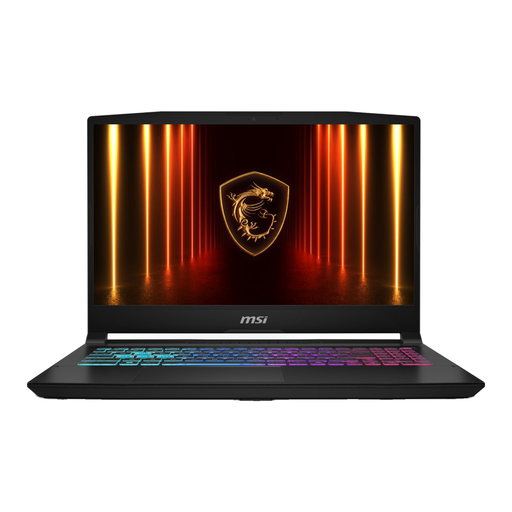
Why it suits this profile: This 15.6-inch laptop combines an RTX 5060, 16GB DDR5 memory and a 144Hz Full HD screen. That makes it a practical foundation for gaming and everyday use.
The combination of RTX 5060 and 144Hz is better matched than an extremely fast screen without sufficient GPU headroom. The SSD capacity is 512GB, however, so consider planning for external or additional storage.
RTX 5060 with 8GB GDDR7, 16GB DDR5 and Wi-Fi 6E. The product information states that the charger must be purchased separately.
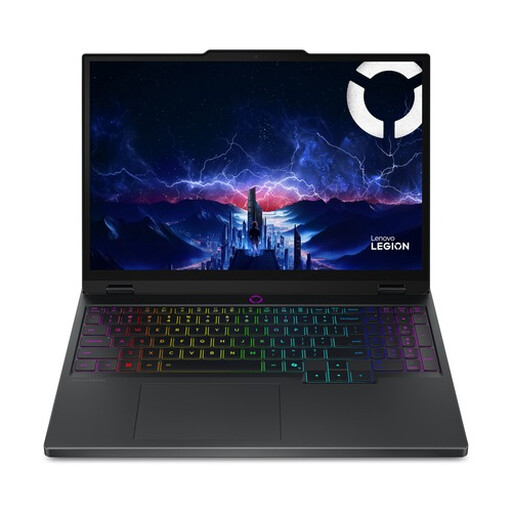
Why it suits this profile: The combination of an Intel Core Ultra 7 255HX, RTX 5070 and 15.1-inch WQXGA OLED screen suits users who want to run games and creative software on one device.
The specifications list the resolution, refresh rate and GPU separately. This makes it easier to assess the screen than relying solely on a marketing term such as “gaming display”.
RTX 5070 with 8GB GDDR7, 2560 × 1600 OLED resolution and 165Hz. According to the product information, the RAM can be upgraded to 32GB.
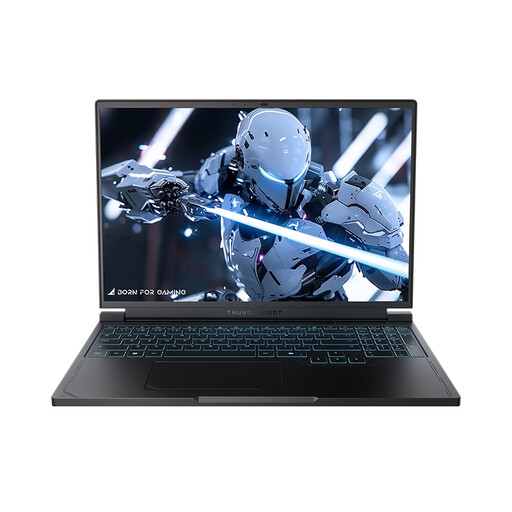
Why it suits this profile: For competitive players and multitaskers, this 16-inch model offers a QHD screen with 240Hz, a Ryzen 7 7745HX, RTX 5060 and 1TB SSD.
The product details list both the screen resolution and refresh rate, as well as 1TB of storage. When gaming at QHD, make sure you check your preferred settings and power mode.
16GB DDR5, 1TB PCIe NVMe SSD, RGB keyboard and ports for HDMI, Mini DisplayPort and RJ-45.
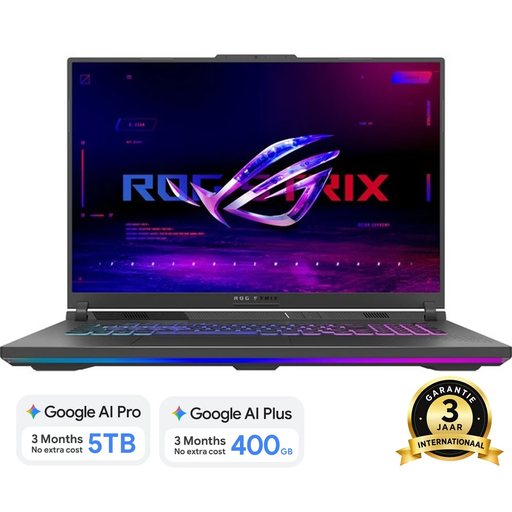
Why it suits this profile: The 18-inch format is suitable if you often play, stream or work with multiple windows at a desk.
The large chassis provides plenty of screen space, but the weight is around 3kg. This makes it less suitable for daily travel between home and campus.
Ryzen 9 8940HX, RTX 5060, 16GB DDR5, 1TB SSD and a 2560 × 1600 screen with 240Hz and 100% DCI-P3, according to the product specifications.
We have put together a complete, up-to-date list of products that fully meet these strict selection criteria and the applicable European safety regulations.
Use this quick checklist before ordering a gaming laptop:
For gaming, studying and normal multitasking, 16GB of RAM is a practical starting point. If you stream at the same time, edit large creative projects or use several demanding applications, 32GB may be beneficial. Check in advance whether the memory can be upgraded.
Its lifespan depends on the games you play, your settings, heat generation and maintenance. A model with upgradeable RAM and additional SSD options may remain suitable for longer as software requirements change. Keep the ventilation clear, install updates and avoid prolonged use on soft surfaces.
While gaming, a gaming laptop uses considerably more power than when word processing or streaming video. The RTX graphics card, processor, brightness and performance mode all affect consumption. For maximum performance, playing with the adapter connected is generally recommended; when doing so, check that the correct charger is included.
